
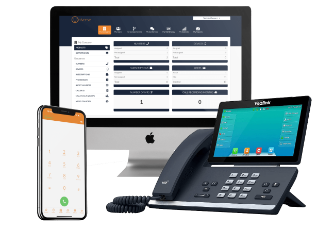
The Benefits of While Label IT Support

White label IT support services can benefit your businesses’ growth, whether you’re selling your own products/ or want to add IT support services to your current white labelled products you offer. White label IT solutions allows you to scale at a pace that suits you and has no outlay financially until you are making money yourselves.

What is white label IT support?

White label IT support allows you to offer your end users IT services with the benefit of you not needing to hire any staff members as the services are carried out under your identity and performed as if they were in-house IT staff.

White label IT support services come in various forms:

  • White label IT help desk – With this option, your white label partner provides technical support to your end users. They answer questions, troubleshoot problems, and offer general help to your IT customers via phone, email or remote it services.
  • On-site IT support – With on-site services, IT engineers go to your client’s location to fix IT problems, maintain systems, or replace hardware.
  • Telecoms – This involves communication services like VoIP phone systems, broadband, and mobile data plans.

When should you consider white labelling IT?

You can increase the scope of your services without hiring more people by white labelling IT solutions.  White labelling is something to consider if you lack the resources to provide effective IT solutions, either because you’re a small business or because it is growing quickly. Here is why white labelling is worthing looking into in these circumstances:

  • The more complicated issues affecting your end customers might be better handled by a third party with a diversified team of experts.
  • You can provide service around-the-clock, which can be a significant selling factor for your company.
  • White labelling is cost-effective. Without having to hire a large workforce or worry about managing or training your IT staff, your business can make use of experienced IT professionals.

Is white labelling IT profitable?

This is the big one! Is White Labelling even going to have a chance of making your business profitable?

Yes!

With white label IT support you get to offer our services at a set fee and in return you choose what to charge your clients! On average, our white label IT partners make around 50% – 70% profit on each end user.

The key? Finding an IT partner you can trust

Finding the right white label IT partner is crucial to any partnership working. Both parties need to work in unison and ensure they are on the same page at all times.

When you partner with ATS Connection, you can select the type of partnership that is best for your business. 

You can exert as much control as you like on the procedure, branding, and client experience thanks to our flexibility. 

Find out more on our white labelling IT solutions here or contact us on 01903 357002.

Cloud vs On-site Servers

More and more businesses are looking to move away from server infrastructure, replacing it with cloud computing. Why? Well theres lots of reasons and we’ll be covering only some within this article explaining the advantages and dissadvantages of each.

Money

Cloud server:

Having a cloud server costs a lot less, it doesn’t demand a special room with air conditioning. All it requires is an internet connection, whether they is standard broadband or 4G/5G.

All you’ll pay for is what you need and the storage grows as you grow. No more continuous running costs, only a monthly flat fee based on what your business needs.

Cloud servers are essentially a VPS stored in a compliant data centre. A typical situation is an IT provider (in this instance ourselves) will own some servers which we would segment up for individual clients. This way we know that the servers are protected 24/7 in a UK data centre which is constantly managed.

We take where we get our servers from very seriously and that is why we have partnered with a UK based company running servers from 100% renewable energy.

A typical cost for a cloud server can range between £50 – £200 pcm depending on your storage size.

On-site server:

Naturally one of the main reasons going against on-site servers is cost, businesses want to receive a good product for the cheapest price. Sinking money into an old on-site server is not the way to do that.

On-site servers have an extremely high running cost. 

They take up space, usually a separate locked room something that some small businesses might not have access to.

Servers also get hot, they require air conditioning and to be kept at a stable temperature. Running air-conditioning units costs a lot of money and they don’t stop running even when the office closes.

Servers consume a lot of power just by themselves without the addition of air-con. Something that can’t be turned off which constantly drains power while upping your bill.

Also if that server is in your building it becomes your problem if something goes wrong. Maintenance bills can be pricy especially if you haven’t been taking care of your server with regular checks and upgrades. If your server goes down your team might not be able to work until its fixed.

So how much do servers cost? On average you are looking at a minimum of £1000 for a basic server going upwards to £25,000 for a high end server.

Responsibility

Cloud server:

With cloud servers you are more than likely protected by the IT provider you are getting the cloud server from. There is also a lot less responsibility in general with cloud servers due to their set up.

On-site server:

With your on-site server ultimately everything is your responsibility unless you pay an IT provider. Uptime, maintenance, security and backups, each of these components holds a cost, if that cost isn’t met then it carries a risk, if the server goes down then how are your employees going to work? If your server gets hacked, how detrimental will that be to your company?

Often overlooked security is one of the most important subjects, if an invader gains access they can wreak all sorts of mayhem. If your company stores customer information then theres a good chance that you’re going to receive a massive fine from the government.

If your server is managed by someone else then ultimately everything above is their responsibility, and ultimately they are experts in their field when it comes to this. These people know what they are doing so your server is in safe hands.

Enterprise features

Cloud server:

The bulk of this is handled for you in the cloud, and for the typical small or medium business, the redundancy, resilience, and reliability are considerably higher than they would be with an on-premises solution.

Take email as an illustration. One or two servers might support an on-premises email service used by a typical small or medium-sized business. These will be backed up, and in more sophisticated circumstances, they might have copies elsewhere that might be brought online in the event of a breakdown.

On-site server:

Large businesses spend a significant portion of their IT spending removing single points of failure as a follow-up to shared responsibility. Redundancy is first introduced by adding more servers, firewalls, switches, and internet connectivity, but in many circumstances, this leads to one or more completely duplicate infrastructure sets.

Smaller firms are just as dependent on working IT as any large corporation, but they rarely have the resources or room to provide that type of resilience.

Conclusion

This is only a small sample of what cloud solutions might be able to do for your company. The main takeaway is that in order to realise the benefits, it’s crucial to look beyond the up-front or continuing charges and analyse your present solution’s total cost of ownership before comparing it to the new benefits and risk reductions. You’ll probably discover that taking the risk will benefit you more in the long run.

Protect Your Business From A Cyber Kill Chain

Email, Phishing compromises are more personalised whilst malicious attachments and spoofed domains are more convincing. These cyber kill chains are nuanced, and potentially devastating for targets. That’s why nowadays it’s incredibly important to have the best top-tier, layered security protocols protecting you and your business.

What is a Cyber Kill Chain?

Simply the Cyber Kill Chain is the course of actions that a cyber criminal will perform to attack their victim. Most of these kill chains follow a core structure with variations based on the attack type and personal style of the cyber criminal.

The phases usually go in the order of;

Breaking in

The first step of any cyber criminal is to access the system undetected to avoid raising any alarms. This first step normally causes no immediate damage. While there are many ways of breaking into an employees system, phishing scams has been reported as one of the most common choices of accessing a system. Malicious attachments which can lead to malware being spread throughout the system without your knowledge.

Once Malware has been integrated within the system then it is an extremely difficult and expensive endeavour to then get rid of it. In 2018 a shipping conglomerate had malware spread through the entire system costing the company £300 million.

Investigating your system

The next step a cyber criminal would take is to investigate the system familiarising themselves with it. They will use specialised tools to identify areas that have vulnerabilities or areas with valuable assets like bank details or logins. More times than not this process is completely undetectable.

A report from IBM found that the average breach goes undetected for 212 days. However, depending on the type of attack these cyber kill chains can might only span the course of a few days or even hours.

Executing an Attack

Once your system has been breached and surveyed and the cyber criminal has determined that they have enough information on your device and its contents they will execute the attack. This is when the cyber criminal decides the fate of your system. 

They could hold it for ransomware locking all your files and data until you pay a sum of money for them to release them. Even if you pay they may not release the files demanding more money.

They could just want to steal your information which can then lead to identity theft causing you problems in the long run.

Some hackers just like to destroy your system for no apparent reason. Activating software changing system code to make it unusable or removing it entirely along with all your files.

It is important to note that this is a version of a cyber kill chain, kill chains are very customisable, sequential processes. The process is all dependant on what the cyber criminal wishes to gain out of their work.

Usually the gain is always financial. Hackers can and will attack anyone, conducting small raids on individuals or more sophisticated large attacks on companies. Hackers can cause a lot of damage and trouble in an extremely short amount of time.

How to protect yourself from cyber criminals

There are two common threats that your business will face. Business email compromise (BEC) and ransomware. With a BEC attack cyber criminals harvest accounts and credentials from an executive or management team, impersonate them and persuade employees and clients to release valuable information. This can span from employee payment information and wire transfers. 

Ransomware also often starts with email, and has become the most common from of extracting money from small to medium sized businesses. In order to counter threats like these you need to have a layered security approach that can counter unique attack types and kill chains.

Security Monitoring

A solutions such as a Security Operations Service combines cutting-edge Security Information and Event Management technology and established threat intelligence to track privilege elevation, data leaks and breaches, suspicious network activity, user identity and account lockouts and real time endpoint monitoring.

Endpoint protection provides a safety net after an employee engages with potential malicious content, this catches the malicious content before it can spread into the system.

This gives your IT team a chance to intervene so they can identify and eliminate threats as well as take precautions on other machines.

Firewalls

Firewall is a word thrown around but not many people actually know what it does. Simply it stops any non-requested data from entering a network. That’s because it identifies the requested code and will only let that exact code through.

Firewalls can also be configured by your IT team so strict parameters can be set around inbound and outbound mail. They can establish certain rules that need to be met for things such as attachments, links, forwarding and geofencing. Other tools can be utilised such as single-sign-on and two factor authentication for an additional layer of behavioural analysis.

Having a strong network security can go a long way into protecting your business.

Endpoint protection

Endpoint protection identifies suspicious user actions and behavioural patterns. There are many programs such as Microsoft InTune which provides a single dashboard which your IT team can monitor and respond to. 

With InTune for example an IT team can view enrolled endpoint devices and accessed resources, ensure that the compliance meets with organisational standards, access reports on (non)compliant users and devices, remote wipe data from lost, stolen or retired devices and push certificates for easy access to WiFI or network VPNs.

Here at ATS Connection we want to ensure that your business is protected from cyber criminals trying to access your private data. The cost of setting up a great cybersecurity is far less than the costs that you could receive if you lost data. Outsourcing your cyber security have great benefits too!

We offer great cyber security packages for both businesses and individuals along with 24/7 monitoring.

Utilising RMM in Business

What is RMM?

Remote Monitoring and Management software is one of the most useful and important software programs that we use as an IT company.

It lets us support our clients wherever we are, and wherever they are.

RMM allows us to support our clients faster and address problems with minimal user interruption. Support-wise, RMM allows us to remotely control the computer, we can see the screen and perform inputs such as typing. This means we don’t have to always go on-site to resolve an issue, reducing callout charges.

More than a remote

RMM does so much more than just letting us control a computer. We can completely review the workings of the computer such as how hard certain components are working, storage space, fan speed, heat generated, and more. With this information we’re alerted to problems before something can go critically wrong, we can take actions to stop an issue progressing.

Scripts and Automation

Scripts and automation give us more time to focus on the important things. We can set certain alerts and severity scaling to warrant appropriate scripts. Usually used on low to medium scale alerts an automatic response can be made, scripts can be sent and run through the RMM to fix small issues.

We run scheduled thorough audits on many of the devices we cover to scan for problems where we can then take action based on the output. Security audits are also performed via script deployment, which return detailed security reports.

Quick jobs are also very helpful in performing pre-written scripts, this can let us administer patches and updates without interruption. We can also install some apps, which makes deploying software over a large company much quicker.

Policies

Polices can be applied globally or to certain sites, depending on how managed a company wants their devices. Policies can also be configured with scripts and automation, some companies may always require a certain software in their devices. With policies, software can automatically be downloaded and kept up to date if it were removed or if a new device was added.

Policies are also great for making sure that software programs and operating systems are up-to-date, improving the security of devices and their performance.

Reports

When requested by the client or needed by us, reports globally or per site can be generated and give us an outline of;

  • Usage over a period of time.
  • Current status of installed software programs and versions.
  • Storage capacity.
  • Average lifespan of the device.

Want more control over your business IT system?

ATS Connection can offer your business fully and partially managed IT Support. All our retainer business clients are enrolled to our RMM software, so there’s no extra costs. We always stay proactive with our clients systems, and RMM makes that easier and more precise.

Everything your business needs to know about SoGEA

What is SoGEA broadband?

SoGEA stands for Single Order General Ethernet Access, a bit of a mouthful, probably best we stick to the abbreviation. This line utilises the existing copper phone line to connect the network, these phone lines can be found in almost every building in the country. However, instead of phone calls they are repurposed to transfer data.

SoGEA is an interim solution for areas that currently don’t have access to fibre connection. SoGEA is quicker and cheaper to install than Fibre to the Cabinet (FTTC) because it doesn’t require any new infrastructure.
Also due to it being a single order line issues can be identified and resolved quickly, another perk is the better service that you’ll receive. Without the phone line interfering traffic is gone meaning you receive better connection speeds.

What’s the difference between SoGEA and FTTC?

Fibre to the cabinet is currently the most common type of broadband connection. Utilising a blend of copper and fibre wires to deliver your property broadband. However, your top speed will always be determined by the slowest part of the wire.

The main difference is mainly within the infrastructure, currently a FTTC connection has a phone line with a fibre broadband connected over the top of it.

Openreach has launched SoGEA, this means no copper phone line is needed. SoGEA broadband just needs to be ordered with no line rental to worry about.

What’s the difference between SoGEA and FTTP?

Fibre to the Premises/Property is a fully fibre connection, from the supplier to the property it is complete fibre cable. Full fibre is becoming available to both residential and business properties but Openreach faces a challenge to supply all the properties with full fibre. SoGEA provides an interim for your property if fibre is not yet available.

FTTP has un-rivalled speeds, if FTTP is available it should be the first choice. Realistically FTTP is the fastest we will be able to go for a while unless we find a way to move something faster than light.

Both are easy to install, cost-effective, and easy to fix. FTTP is an ideal solution for businesses which rely on high internet speeds especially with the move over to VOIP systems.

Do you need to move to SoGEA?

You may know that Openreach are shutting down the ISDN and PSTN network in 2025, many businesses and households still use this connection despite the shutoff being right around the corner.
If Fibre isn’t available for you then you may need to consider moving to SoGEA sooner than later.

Need to move? We can do that for you. We offer super-fast SoGEA and full fibre broadband options.

Want to know what speeds you can reach?
Get in touch today for a quote same day.

What Is Business IT Support?

Business IT Support is in essence a fully managed proactive IT support solution that delivers bespoke IT support services within suitable and agreed timeframes. This means that as well as making provisions to protect against online cyber threats, specialist IT support staff are available to help in day-to-day IT issues, including server failure, software failure, and telecommunications outages.

Types of business IT support

Business IT Support is provided as a comprehensive IT support solution as well as a number of compartmentalised support packages that are designed to deliver the necessary level of Business IT Support for particular business areas.

Any relevant internal IT personnel and equipment are effectively replaced by the business IT support team, which transforms into an external IT department.

The nature and size of the business will determine the specific IT support needs. As a result, determining the appropriate package of customised business IT support will inevitably involve an initial discussion about client needs and expectations as well as an evaluation of the current IT infrastructure (upgraded infrastructure may be required to rollout changes).

Types of IT support include:

And much more!

An agreed-upon monthly price is charged for the services. There is the option of an annual IT support evaluation, as well as regular reporting on the efficiency of all provided Business IT Support services.

What are the benefits of business IT support?

There are many significant advantages to choosing to outsource your Business IT Support needs to a specialised remote IT support team.

One of these advantages is that businesses can divert resources (both in terms of employee time and financial resources) from addressing IT difficulties and instead concentrate all efforts on accomplishing key business objectives.

Some benefits include:

Boosted productivity – The purpose of the specialised Business IT Support team is to offer prompt, professional IT support for a variety of IT problems. This means that current employees who may have previously been charged with performing IT support services may be released from such responsibilities, allowing all internal employees to instead concentrate on other business functions.

Threat detection – Any inbound files with possibly dangerous intentions will be quarantined by the service provider as part of the Business IT Support function offered by the outsourced off-site team. This provides greater security for the company network and any on-site servers in addition to lowering the danger of file corruption to specific workstations.

Proactive maintenance – Proactive maintenance from an expert Business IT Support company can help to increase business continuity levels, ensuring that incoming threats are analysed and stopped.

24/7 IT management – An IT Support company can ensure you systems are fully managed 24/7. Ensuring issues are stopped before they become a real problem, meaning less downtime.

The vast majority of businesses use IT, and it is extremely uncommon to find a business that doesn’t use computers in some capacity. While you may be familiar with what you’re doing on a computer and how to take advantage of all the necessary tools, the technical details can still be a mystery.

It is also quite challenging to stay current with all the most recent developments in technology, which is still evolving quickly. An IT support company offers technical help to other businesses by repairing difficulties with their technology, such as computers and networks, and by keeping an eye on the systems for any problems.

Supporting your business

Our support agreements are completely customised for your company. We will evaluate all of your equipment and talk about your needs to develop a completely customised plan.

Give us a call on 01903 357002 if you’d like a free, no-obligation quote for IT support for your company.

Looking to outsource your IT?

The importance of investing into IT is vital. With more advanced threats happening each day, can you afford not to?

5 reasons to outsource your cyber security

For the majority of businesses, maintaining a solid security position is a significant challenge. All businesses are at risk of becoming victims of the advanced cyberattacks that are growing more prevalent. Businesses often use new technologies that concentrate on prevention, detection, and remediation to lower this risk. 

But this technology alone won’t stop a cyberattack; it needs to be used by knowledgeable security experts. To make sure their business is as secure as possible, many companies opt to outsource this to a reliable third party. This post will go over 5 reasons for outsourcing cyber security by businesses.

Access to cyber security experts

Many businesses rely on their internal departments to manage both their infrastructure and cyber security. This can be a daunting endeavour, leading to a weak security posture and a stressed-out workforce, depending on the size of the business and the workload of the IT department. 

This is made worse by the fact that there is now a scarcity of cybersecurity professionals, which makes it challenging for organisations to hire them.

A business has access to a group of cyber security experts when they outsource their cybersecurity to a reliable third party. 

Their expertise guarantees that they will be able to precisely identify and address weaknesses in a business’s security set up, and most significantly, they are knowledgeable about the most recent cyberthreats and the most effective defences against them.

Reduced costs

Employing a new security specialist or retraining existing staff may be very expensive for businesses of all sizes. 

It might be challenging to justify hiring someone specifically for security for smaller businesses. A business will still have to pay for cyber security solutions in addition to the expense of hiring or training personnel. 

While the cost of outsourcing a business’s cybersecurity is often a fixed monthly sum that covers the technology as well as access to the team of cyber security experts.

Anytime a business weighs the expense of outsourcing security, they should also take into account the typical cost of a cyberattack because this can help determine the return on investment.

Decrease workload

If your business has internal IT staff, there’s a good chance they’re already swamped with support requests and managing the IT infrastructure. 

They frequently end up having insufficient time to focus on finding the ideal security solution or monitoring threats once the solution has been put in place. 

When cybersecurity is outsourced, a third-party supplier is in charge of the solution’s strategy, execution, and monitoring. As a result, internal IT departments have more time to devote to developing IT solutions that advance the company and enhance the experiences of both customers and other employees.

Improved incident response time

It is essential for a business to act swiftly after being the target of an attack to limit further damage and downtime. An internal IT team might not be aware of a cybercriminal entering a network or system over the weekend until Monday am. 

The threat actor will have enough time as a result to migrate laterally via a network and cause greater harm. For instance, Russian nation-state hackers can penetrate a network in under 18 minutes.

Numerous cybersecurity service providers provide protection, detection, and remediation around-the-clock to guarantee that, once an assault happens, someone is prepared to act quickly. 

Additionally, it is less expensive than hiring an internal crew to work on the weekends and through the evenings to provide round-the-clock security.

More advanced technologies

Numerous cyber security technologies, such as endpoint protection, email protection, autonomous detection, and many more, are made to perform particular tasks. 

Because it would be too expensive and time-consuming to provide training for every available option, an internal IT staff would not have experience with all of these cutting-edge technology. 

If a business outsources their cyber security requirements, it will be protected by a team of experts with knowledge of a variety of cutting-edge cybersecurity tools. This team will be able to reliably provide insights into which technologies are worthwhile for a business to invest in.

Looking to outsource your Cyber Security?

The importance of investing into security is vital. With more advanced threats happening each day, can you afford not to?

Office 365 Nonprofit UK

Microsoft globally gives around $2 million dollars every day in software which is being used by nonprofit organisations. This is Microsofts way of supporting non-profit organisations which are usually charities.

Microsoft Office 365 Nonprofit UK, ‘Microsoft 365 Business’ is now free for ten users and discounted for any above that.

What is Microsoft 365 Business?

Microsoft 365 Business is a subscription based, cloud service which is designed for small to medium sized organisations. It combines the familiar Office 365 with advanced security and device management which helps your team work anywhere with any device.

What’s included?

A Microsoft Office 365 Nonprofit UK subscription includes;

Office apps
You get the premium versions of Word, Powerpoint, Excel, OneDrive, OneNote, Outlook, Publisher and Access which can be installed on all devices.

Email and calendaring
You receive business class email and calendaring software to define and coordinate your business.

Data protection controls
Admins can revoke access on devices incase an organisation device is stolen or lost as well as erase all data on the device.

File storage and sharing
An included 1TB of cloud storage means you can access your data anywhere and on any device.

Cyber-threat protection
Guard yourself against unsafe attachments, suspicious links and malware.

Administration and deployment
Admins can manage new PCs, users and devices faster than ever,

Dependability and support
Includes 99.9% financially backed up-time guarantee and 24/7 online and phone support.

What is the difference between Office 365 Nonprofit UK and Microsoft 365?

Microsoft Office 365 Nonprofit UK has slightly more features than its predecessor mainly including better device management and security features.

Office 365 and Microsoft 365 feature comparison

Is my Nonprofit eligible?

To be eligible you need to be a registered UK charity to be enrolled onto any nonprofit programs. The exact words from Microsoft are as follows;

“UK organisations must be nonprofit or non- governmental organisations with recognised charitable status in their respective location: England and Wales, registered with the UK Charity Commission and/or registered with HM Revenue & Customs (HMRC) as tax exempt; Scotland, registered with the Office of the Scottish Charity Regulator (OSCR) and/or registered with HM Revenue & Customs as tax exempt; or Northern Ireland, registered with the Charity Commission for Northern Ireland (CCNI) and/or registered with HM Revenue & Customs as tax exempt.” 

Check if you are eligible here

How do I register?

The process is very simple, you can visit the official Microsoft page where they explain the details here. You’ll be put into a queue where you await your validation. If you ticked all the boxes then you’ll receive an email with a link to your Microsoft Nonprofit Portal where you can begin assigning users and see any Nonprofit offers.

You can learn more about Nonprofit donations and discounts by visiting Microsoft’s FAQ page

Other plans

Microsoft offer free and discounted alternatives to non-profit organisations. To find out more then register your charity at Charity Digital Exchange.

There are currently three free plans and two discounted plans which meet the needs of various sized charities.

Free offerings;

  • Office 365 Nonprofit E1 (unlimited users)
  • Office 365 Nonprofit Business Essentials (300 maximum users)
  • Microsoft 365 Business (10 free users)

Discounted offerings;

  • Office 365 Nonprofit Business Premium (300 maximum users; includes the latest version of Office Desktop on 5 devices)
  • Office 365 Nonprofit E3 (unlimited users; includes the latest version of Office Desktop on 5 devices)

Summary

If you are a nonprofit charity based in the UK then choosing one of the options above is probably the smartest thing todo. Microsoft have shown their intentions to support charities in whatever way they can allowing charities to direct spending to better their cause.

There has never been a better moment for Office 365 Nonprofit UK organisations to take advantage of free and reduced services.

Call today to chat with one of our team members if your organisation would like more information and is interested in Microsoft’s nonprofit offerings. We’re always happy to assist!

We support all sorts of charities and offer all our services under our charity discount scheme! View more on how we support charities by visiting our charity support page.

Get in touch

VoIP Is On It’s Way! What Do You Need To Know About When Your Old Landline Phone Stops Working?

Landline phones have become so obsolete that even one of our director’s Jake Boase’s parents have given up theirs. While many of us increasingly rely on our phones for everything, the UK still has a fully functional landline network, and many people still have at least one phone connected into a socket in their home. 

There are 22 million conventional landlines in use in the UK, and they will face significant changes in the not-too-distant future. The network is transitioning to VoIP, and if you don’t have a suitable phone, you may find yourself in trouble.

When does the UK HAVE to move over to VoIP?

VoIP (Voice over Internet Protocol) is on the way, but you don’t have to jump on board just yet (even though we advise to!). However, in December 2025, there will be a technological shift, and traditional landline phones that use analogue technology will be phased out. 

The replacement will be a much better internet-based IP, or Internet Protocol, network, which will be much more future-proofed than the current system, which is based on the remnants of the UK’s antiquated copper wire network – though much of that has already been superseded by fibre optic cable, which VoIP takes advantage of.

Yealink T57W

Why is the UK moving to VoIP?

The improvement is, without a doubt, long needed. While you’ll be able to keep your landline if you want one, there will be plenty of VoIP-compatible landline phones to pick from which will make receiving calls significantly enhanced. The UK’s original telephone network is nearly a century old, and what we have now is a patchwork quilt of wiring that has been spruced up in some parts and completely replaced in others.

The phone and broadband firms have teamed up to devise a clever strategy that will see a completely revamped network launched in December 2025. The initiative is also monitored by the government and the telecoms regulator Ofcom. The good news is that you won’t have to do anything about the landline phone network update; your landline phone provider should take care of everything and notify you when it happens. 

While the network will change without you having to do anything, if your existing phone does not allow VoIP, you will need to purchase a new phone.

Keypad on phone

Will you be able to keep your number?

Although it’s impossible to say for sure, it appears like you’ll be able to keep your current landline number when the network switches to VoIP. If you’ve had the same phone number for a long time, this is great news. 

However, as we always say, your phone may need to be replaced, especially if you’ve owned it for as long as your phone number. However, anyone who has updated their landline handset in the recent few years may discover that it will work just fine when the time comes to upgrade.

A new phone can completely change the way you use it, especially with the latest models from Yealink and Mitel that use technology to make it easier to avoid annoying calls. In fact, a number of the phones we tested were able to completely block undesirable callers, so that’s money well spent right there. Even more so if you’re getting calls from scammers on a regular basis.

VoIP landline phones: What you need to know

The fact that VoIP landline phones are being rolled out now that many of us have broadband at home seems reasonable. This is because, in the future, you’ll be connecting your calls via the internet, rather than the ageing copper wire network. 

The call quality, which should be crisper and more audible, is one of the primary advantages. You will, of course, require a broadband connection for this to work, so if you haven’t already done so, contact your phone company.

Another thing to keep in mind about phones that rely on broadband, a router, and a power supply to work is that they rely on services being available online. As a result, if you lose electricity, you may be unable to make or receive calls. If you have a backup phone, this isn’t a problem, but if you don’t, it’s something to keep in mind so you know where you are in the event of an emergency.

Why are VoIP phones so good?

Another advantage of having a landline that uses VoIP to connect you is that it is a lot less expensive option to make calls. Of course, you may argue that you’ll need access to the internet, which you might not have had before. On the bright side, having access to the internet is so beneficial that we believe the advantages far exceed any disadvantages. 

While it may seem strange that someone today does not have access to the internet at home, we must acknowledge that not everyone wants it or, in some situations, wants it but is unable to obtain it. If that’s the case, you’re probably reading this on your smartphone right now.

But, returning to the cost issue, let’s face it: for many years, phone companies have done quite well by charging you for making calls, whether they are local, national, or international. If you have a lot of individuals you need to talk to on a regular basis, VoIP phones can save you a lot of money over time. 

Another advantage of utilising a VoIP phone is that it is far more robust than older phones that were connected using outdated technology and a network made up of a jumble of copper wire and fibre cables.

Water penetration is common on older phone lines, causing interference and frequently stopping your connection in its tracks. While VoIP technology isn’t infallible, it should make your phone connection less sensitive to external interruptions than before. 

That could save you money as well, because there’s a lower chance you’ll need to call in an engineer and deal with all the time and aggravation that entails.

VoIP phones typically offer more features and capability, so if you get one of the best landline phone models on the market today, you’ll find yourself with a veritable telecoms powerhouse on your sideboard. That, in the words of an old BT commercial campaign, should mean that it’s ‘nice to chat’ on it once more.

Summary

So as we know, traditional phone lines will be made redundant in 2025 for a new system to come into place. This system will be powered by internet based phones which will heavily involve VoIP. While the need for VoIP is already in demand due to the benefits the system has to offer, the price will increase nearer to 2025 we get.

At ATS Connection we are doing a price fix promise which will mean that for any business who signs up to our VoIP packages, they will not see a price increase due to the demand.

Get in touch

How does a Managed Service Provider work?

The way that MSPs operate differentiate between each other because every business has their own work ethics and approaches to tasks. There are however some behaviours that MSPs should posses that you should lookout for.

Within this article we’ll cover some of the best practices that MSPs use and how your business can grow a trusting partnership with them.

How does an MSP work?

A Managed Service Provider is essentially hired to support and upkeep your businesses IT system. The MSP’s responsibilities will be defined by the circumstances and the service level agreement.

Some companies choose to have an MSP fully manage their business systems and thus take full responsibility for any maintenance, upkeep and monitoring. They are always on hand for troubleshooting issues and to make visits to the businesses property if required.

Other businesses might prefer a co-managed partnership, this is when an MSP works alongside an existing internal IT department. In this case the MSP might be responsible for a certain part of the IT systems such as monitoring devices and maintenance. This lets the internal team focus on more important projects to support the businesses overall needs.

There are lots of other services levels and agreements that can be made between MSPs and businesses. MSPs can go from remote-only support where the MSP will stay at their own headquarters without traveling to the

business location. Some MSPs might just be used for packages that they come with such as cyber security, cloud services and telecommunications.

Whatever the level of service is agreed the MSP needs to be available and reachable at the click or a button or on the end of a phone whenever they’re needed.

What makes a partnership successful?

For many small and medium-sized businesses outsourcing is the cheapest form of having an IT team. However, the success of using a MSP is only available if that MSP can deliver what you need them todo and that their presence makes a difference within the workplace.

Firstly you as a business need to be happy with their performance and the service that you are receiving. Are they always available and reachable? Do they fix issues within a timely manner? Do they keep you in the loop with progress and alerts? Do you trust what they tell you?

If you can confidently say yes to all these questions then you are in a good place. Unfortunately for some it might not be that simple.

Managed Service Providers best practices

When it comes to managed services there are certain practices that great MSPs follow to ensure their clients are receiving the best care.Here are some of the best qualities that a good MSP will possess and bring to the table;

  • Proactivity – You want an MSP that can react to support requests as fast as possible. But a good MSP will be working in the background trying the minimise the risk of these requests by improving systems, shortening downtime and reducing callouts.
  • Knowledgeable – IT is a very fast paced and constantly evolving industry, this makes it very difficult for people to keep up with it all. MSPs should be able to offer an array of experience in different sectors of IT by employing those with different expertise. This gives you the highest quality of advice and information when you need it.
  • Reliability – If you are constantly having the same issues on your system then perhaps your MSP isn’t that reliable. A trusted partner will be reliable enough to solve a problem and identify a permanent fix.
  • Availability – Whats the good of paying for a service that isn’t there when you need them? A trusted MSP will have extended support hours, often beyond regular business hours.
  • Flexibility – For a partnership to flourish then there needs to be an understanding on both sides. Both sides need to have an understanding with each other. The MSP also needs to adapt to your needs no matter the time.
  • Up-to-date – An IT support partner needs to be the forefront of the industry and essentially practise what they preach. This means using up-to-date technology, software, hardware and methods to make sure your IT systems are performing as well as they can.
  • An extension of your business – MSP partnerships that feel like they only go one way and purely transactional don’t last. A trusted provider should be invested in your business and want to see it grow giving recommendations to help your company’s growth. Ultimately if your business grows then so will theirs.

There are many ways that a MSP can help your business but the key thing is to ensure that your chosen provider can deliver on what they say they can and more importantly, what you need them to. If an MSP believes they can’t live up to your specifications then they shouldn’t be taking the job.

If you’re reading through this and think your MSP is no longer up to scratch then perhaps it’s time for a change.

Still keen to learn more?

A managed IT service can give many benefits to your organisation, as discussed in this article, but only if the supplier follows best practises and matches your needs. Choosing the correct partner can be the difference between a fruitful or challenging partnership, whether it’s through flexibility and scalability, being proactive and available when you need them, or simply creating a trusting relationship.

You should also discuss your requirements so you receive the appropriate level of service. Here at Arun Tech Support we go into depth of a clients needs and goals so we can provide the best possible service possible with a package that is both affordable and delivers the right results.

If you want to change service provider we will be happy to talk to you on how we can improve your business and take it to the next level feel free to contact us however you want.

Get in touch