Reactive vs Proactive IT Support: Why the Difference Costs You Money

Understanding the difference between reactive and proactive IT, and why it matters more than ever.

For many small to medium-sized enterprises (SMEs) in Chichester, IT support is often seen as something you call on after something goes wrong. But in 2025, that mindset is costing businesses more than they think, through downtime, lost productivity, and avoidable security breaches.

Let’s explore why proactive IT support is no longer a luxury, it’s a necessity.


Reactive vs. Proactive: What’s the Difference?

Reactive IT support is exactly what it sounds like: you call for help when a problem occurs. It’s the “fix it when it breaks” approach. While this can work for minor issues, it often leads to:

  • Unplanned downtime
  • Security vulnerabilities
  • Lost revenue from interrupted operations
  • Frustrated employees and customers

Proactive IT support, on the other hand, is all about prevention. It includes continuous monitoring, regular updates, system audits, cybersecurity management, and predictive maintenance to stop issues before they start.


Why Proactive IT Support Matters in 2025

1. Cybersecurity Threats Are Constant, and Evolving

In 2024 alone, UK businesses faced a 30% increase in phishing and ransomware attacks. SMEs are no longer “too small to be targeted.” In fact, they’re often seen as easy pickings.

With proactive IT support, threats are identified and mitigated before they reach your systems. This includes firewall monitoring, patch management, antivirus updates, and staff training.

2. Downtime Is More Expensive Than You Think

Even an hour of downtime can cost an SME hundreds, if not thousands, of pounds. And that’s without factoring in the hit to your reputation.

Proactive support helps ensure your systems are running smoothly around the clock, with 24/7 monitoring and issue resolution often before you even know something is wrong.

3. Compliance and Data Protection

From GDPR to industry-specific regulations, staying compliant is critical. Proactive IT support helps you stay ahead of legal requirements with regular reviews, secure backups, and proper access control policies.

4. Better Business Continuity

Whether it’s power failure, cyberattack, or hardware breakdown, a proactive strategy includes backup and recovery solutions to keep your business running, even in the worst-case scenario.


Why Chichester SMEs Can’t Afford to Wait

Chichester is home to a growing number of innovative, agile businesses. But with growth comes complexity, and reliance on IT infrastructure.

Proactive support not only protects your systems but enables your business to scale confidently. Whether you’re a local retailer, a growing accountancy firm, or an estate agency with multiple branches, staying ahead of IT issues is essential.


How ATS Connection Can Help

At ATS Connection, we specialise in proactive IT support for Chichester-based SMEs. Our services include:

  • 24/7 system monitoring
  • Regular security patching and maintenance
  • Fully managed cybersecurity
  • Responsive local support
  • Cloud backups and disaster recovery
  • Microsoft 365 and VoIP management

All tailored to your business, and delivered with fast, friendly support.


Final Thoughts

Waiting for problems to happen is no longer a sustainable IT strategy. Proactive support helps you save money, reduce risk, and grow your business with confidence.


Ready to get ahead of IT issues?

Book a free IT assessment with our Chichester-based team and find out how we can support you in 2025 and beyond.

Book Your Free IT Assessment

The Importance of Mobile Device Management in Today’s Business Environment

In the modern business landscape, mobile devices have become essential tools that empower employees to stay connected, productive, and flexible, regardless of their physical location. From smartphones and tablets to laptops and wearables, mobile devices allow businesses to operate in real-time, enabling quick decision-making and seamless collaboration. However, with the increasing reliance on mobile devices comes a significant challenge, how to manage and secure these devices to protect sensitive corporate data.

This is where Mobile Device Management (MDM) comes into play. MDM is a crucial aspect of IT infrastructure that allows businesses to manage, monitor, and secure their mobile devices from a centralised platform. In this blog, we will explore the importance of MDM, its key features, and how it benefits businesses. We’ll also discuss how ATS Connection can help you implement and manage an MDM solution tailored to your organisation’s needs.

What is Mobile Device Management (MDM)?

Mobile Device Management (MDM) is a comprehensive solution designed to manage, secure, and monitor mobile devices used within a business. MDM solutions typically include features such as device configuration, security enforcement, application management, and data protection. By deploying MDM, businesses can ensure that all devices accessing corporate data adhere to security policies, reducing the risk of data breaches and unauthorized access.

MDM solutions are essential for businesses that have embraced a Bring Your Own Device (BYOD) policy, as well as those that provide company-owned devices to employees. With MDM, IT administrators can remotely manage and secure devices, ensuring that sensitive data remains protected even if a device is lost or stolen.

Why is MDM Important for Businesses?

The importance of MDM cannot be overstated, especially in a world where mobile devices are increasingly used to access sensitive information and perform critical business tasks. Here are some key reasons why MDM is vital for businesses:

1. Data Security

Data security is one of the primary reasons why businesses adopt MDM solutions. Mobile devices, by their very nature, are prone to being lost, stolen, or compromised. Without proper security measures in place, a lost or stolen device could provide unauthorised access to sensitive corporate data, leading to potential data breaches and financial losses.

MDM solutions provide robust security features, such as remote wipe, encryption, and multi-factor authentication, to protect corporate data stored on mobile devices. In the event of a lost or stolen device, IT administrators can remotely wipe the device to ensure that no sensitive information falls into the wrong hands.

2. Compliance with Regulatory Requirements

Many industries are subject to strict regulatory requirements regarding data protection and privacy. Failure to comply with these regulations can result in hefty fines, legal consequences, and reputational damage. MDM solutions help businesses maintain compliance by enforcing security policies across all mobile devices.

For example, healthcare organisations must comply with the Health Insurance Portability and Accountability Act (HIPAA), which requires the protection of patient data. An MDM solution can ensure that all devices accessing patient information are secure and compliant with HIPAA regulations.

3. Streamlined Device Management

Managing a fleet of mobile devices can be a daunting task, especially for large organizations with hundreds or thousands of devices in use. MDM solutions simplify the management of these devices by providing a centralised platform for IT administrators to configure, monitor, and secure devices.

With MDM, IT administrators can automate device setup, enforce security policies, and deploy applications remotely. This not only saves time and resources but also ensures consistency across all devices, reducing the risk of human error.

4. Enhanced Productivity

MDM solutions enable employees to work more efficiently by providing them with secure access to corporate resources, no matter where they are. Employees can use their mobile devices to access email, collaborate on projects, and complete tasks without compromising security.

Additionally, MDM solutions can restrict access to non-work-related applications and websites, ensuring that employees remain focused and productive during work hours.

5. Support for BYOD Policies

The Bring Your Own Device (BYOD) trend has gained popularity in recent years, allowing employees to use their personal devices for work purposes. While BYOD policies offer flexibility and cost savings, they also present security challenges.

MDM solutions address these challenges by providing a secure environment for employees to access corporate data on their personal devices. IT administrators can enforce security policies, such as encryption and authentication, to protect corporate data while allowing employees to use their preferred devices.

6. Remote Work Enablement

The COVID-19 pandemic has accelerated the adoption of remote work, with many organizations shifting to a fully remote or hybrid work model. MDM solutions are essential for enabling remote work, as they allow employees to securely access corporate resources from any location.

With MDM, businesses can ensure that remote employees have the tools they need to work efficiently, while also protecting corporate data from potential security threats. MDM solutions also provide remote support capabilities, allowing IT administrators to troubleshoot issues and provide assistance to employees no matter where they are.

Key Features of Mobile Device Management Solutions

MDM solutions offer a wide range of features designed to enhance security, streamline device management, and improve productivity. Here are some of the key features of MDM solutions:

1. Device Enrollment and Configuration

MDM solutions simplify the process of enrolling and configuring new devices. IT administrators can automate the setup process, ensuring that devices are configured with the correct settings, security policies, and applications.

2. Security Enforcement

MDM solutions provide robust security features, such as encryption, remote wipe, and multi-factor authentication, to protect corporate data on mobile devices. IT administrators can enforce security policies across all devices, ensuring compliance with regulatory requirements.

3. Application Management

MDM solutions allow IT administrators to deploy, update, and manage applications on mobile devices. This ensures that employees have access to the necessary tools and software to perform their jobs, while also reducing the risk of unauthorized applications being installed.

4. Remote Monitoring and Support

MDM solutions provide remote monitoring and support capabilities, allowing IT administrators to monitor device activity, troubleshoot issues, and provide assistance to employees from a centralised platform.

5. Data Loss Prevention (DLP)

MDM solutions include Data Loss Prevention (DLP) features that protect sensitive data from being shared or accessed by unauthorised users. DLP features can restrict access to certain files and applications, ensuring that corporate data remains secure.

How ATS Connection Can Help You Implement and Manage MDM

Implementing and managing an MDM solution can be a complex task, especially for organisations with limited IT resources. At ATS Connection, we specialize in helping businesses of all sizes implement and manage MDM solutions tailored to their specific needs.

Our team of experts will work with you to assess your organisation’s requirements, design a customised MDM solution, and ensure a seamless deployment. We provide ongoing support and monitoring to ensure that your MDM solution remains effective and up-to-date.

Whether you’re looking to secure a fleet of company-owned devices or implement a BYOD policy, ATS Connection has the expertise to help you achieve your goals. Let us take care of your mobile device management needs so that you can focus on growing your business.

Contact us today to learn more about how we can help you implement and manage an MDM solution that keeps your devices secure and your business running smoothly.

Microsoft Intune: The Ultimate Solution for Secure and Efficient Device Management

In today’s fast-paced, digitally-driven world, businesses rely heavily on mobile devices to stay connected and productive. However, with this increased reliance comes the pressing need for robust security measures to protect sensitive data and ensure seamless device functionality. This is where Microsoft Intune shines, a powerful mobile device management (MDM) solution designed to safeguard your organisation’s devices and data while enhancing operational efficiency.

Whether you’re managing company-owned devices or a bring-your-own-device (BYOD) environment, Microsoft Intune provides the tools and capabilities to keep your IT environment secure and compliant. In this blog, we’ll explore why Intune is the go-to solution for businesses looking to secure their digital assets and how ATS Connection can help you implement and manage this essential tool.

What is Microsoft Intune?

Microsoft Intune is a cloud-based service that focuses on mobile device management (MDM) and mobile application management (MAM). It allows organisations to control how their devices, such as smartphones, tablets, and laptops are used, ensuring they adhere to the company’s security policies and configurations. Intune integrates seamlessly with other Microsoft services, including Azure Active Directory (Azure AD), Office 365, and Microsoft Endpoint Manager, providing a comprehensive security solution for your entire IT ecosystem.

Why Choose Microsoft Intune?

With an increasing amount of sensitive information being accessed and stored on mobile devices, the risk of data breaches and unauthorized access has never been higher. Microsoft Intune helps mitigate these risks by providing a range of features designed to secure your devices and the data they access.

Here are some key reasons why Microsoft Intune is the best choice for your organisation:

1. Comprehensive Device Management

Intune allows you to manage a wide range of devices, including Windows PCs, Android phones, iOS devices, and macOS computers. Whether your employees are using company-issued devices or their personal ones, Intune ensures that every device accessing your businesses data complies with your security policies. You can enforce device encryption, configure WiFi and VPN settings, deploy apps, and even restrict access to specific resources based on the device’s compliance status.

2. Enhanced Security and Compliance

One of the most significant advantages of Intune is its ability to enforce strict security measures across all managed devices. Intune enables you to:

  • Restrict Access: Ensure that only enrolled and compliant devices can access your organization’s data. You can block access to resources like Exchange emails, SharePoint Online, and OneDrive for Business if the device doesn’t meet your security criteria.
  • Remote Wipe: If a device is lost or stolen, you can remotely wipe organizational data from it without affecting the user’s personal information. This feature is crucial for maintaining data security in BYOD environments.
  • Multi-Factor Authentication (MFA): Intune integrates with Azure AD to enforce MFA, adding an extra layer of security to your organisation’s login process.
  • Location-Based Restrictions: Limit access to sensitive data based on the user’s location or sign-on method, ensuring that only authorized users can access your resources.

3. Seamless Integration with Microsoft Ecosystem

Intune is part of Microsoft Endpoint Manager, which also includes Configuration Manager and other management tools. This integration allows you to manage both on-premises and cloud-based devices from a single console, streamlining your IT operations. Additionally, Intune works seamlessly with Office 365, enabling you to control access to your organization’s data across all Microsoft applications.

4. User-Friendly Self-Service Portal

Intune’s self-service portal empowers users to enroll their own devices, install corporate applications, and access company resources with minimal IT intervention. This not only saves time for your IT department but also provides a better user experience for employees.

5. Data Protection for BYOD

In today’s modern workplace, employees often use their personal devices to access company data. Intune offers a balanced approach to managing BYOD environments by encrypting only organisational data, leaving personal information untouched. This ensures that your company’s sensitive data remains secure while respecting the privacy of your employees.

How ATS Connection Can Help with Microsoft Intune Deployment

At ATS Connection, we specialize in helping businesses implement and manage Microsoft Intune to ensure maximum security and efficiency. Our services include:

1. Gap Analysis

We’ll conduct a comprehensive security review of your current IT environment to identify potential vulnerabilities and determine the scope of your Intune deployment. This analysis helps us tailor the solution to meet your specific needs.

2. Strategic Planning

Our team will work with your stakeholders to devise a strategic plan for deploying Intune across your organisation. We’ll ensure that the deployment aligns with your business goals and enhances your overall security posture.

3. Policy Configuration

Based on the strategic plan, we’ll configure Intune policies to enforce compliance, monitor high-risk activities, and apply security measures like Multi-Factor Authentication (MFA). Our goal is to create a security framework that protects your data without hindering productivity.

4. Intune Deployment

We’ll handle the complete deployment of Intune, including configuring compliance policies, managing Microsoft accounts, and setting up antivirus and firewall protections. Our team ensures that all devices, especially those with administrative privileges, are secure and compliant with your organisation’s policies.

5. Ongoing Support and Management

Once Intune is deployed, our job isn’t done. We provide ongoing support to ensure that your Intune environment remains secure and up-to-date. From regular policy reviews to security audits, we’re here to help you maintain a robust IT security framework.

Secure Your Digital Environment with Microsoft Intune

With the ever-growing threat landscape, securing your businesses devices and data is more important than ever. Microsoft Intune offers a comprehensive solution to manage and protect your devices, ensuring that your sensitive information is safe from unauthorised access.

If you’re ready to take the next step in securing your IT environment, ATS Connection is here to help. Contact us today to learn more about our Microsoft Intune deployment services and how we can tailor a solution to meet your specific needs.

How to Set Up Your New PC for Optimal Performance

So, you’ve finally upgraded your computer, trading in the old faithful for a sleek new Windows PC. Whether it’s a powerful desktop or a lightweight laptop, setting up your new computer correctly is essential to ensure it runs smoothly, securely, and according to your specific needs.

Setting up a new PC might seem straightforward, but there are several critical steps that, if overlooked, could lead to frustration, data loss, or suboptimal performance. At ATS Connection, we specialise in making IT simple and effective, so whether you’re setting up your new PC yourself or looking for expert help, we’ve got you covered. Let’s walk through the key steps and considerations for setting up a new computer.

Why Setting Up Your New PC Correctly is Crucial

For those who are tech-savvy, setting up a new PC might feel like second nature. However, if you’re not familiar with the intricacies of Windows, security settings, or data transfer processes, you could encounter some significant challenges. Here are a few reasons why it’s essential to get it right:

Security Risks

Failing to properly set up your PC could leave it vulnerable to security threats. Without the right configurations, your computer might be exposed to viruses, malware, and cyber-attacks. Proper setup includes installing antivirus software, enabling firewalls, and ensuring your operating system is up to date.

Data Loss

When transitioning to a new computer, there’s a risk of losing important data if you don’t correctly transfer files and set up backup processes. Ensuring that your data is securely backed up and transferred is a crucial part of the setup process.

Reduced Performance

Out of the box, new PCs often come loaded with unnecessary software known as bloatware. This can slow down your system and take up valuable storage space. Properly removing these programs can significantly improve your computer’s performance.

Step-by-Step Guide to Setting Up Your New PC

Let’s dive into the steps you should follow to ensure your new computer is set up for success:

Physical Setup

Connect Your PC: Start by connecting your PC to a power source and booting it up. For desktops, connect peripherals such as your keyboard, mouse, and monitor using USB or Bluetooth. Internet Connection: For a wired connection, use an Ethernet cable to connect to the internet. For wireless, connect via Wi-Fi.

Create a Login

When setting up a new PC, you’ll be prompted to create a login. You have the option to use a local account (limited to one device) or a Microsoft account (which syncs across multiple devices and services like Office 365 and OneDrive).

Perform a Windows Update

Before diving into other setups, ensure your Windows operating system is fully updated. These updates are vital as they include the latest security patches and performance improvements. Do not skip this step, even if it seems time-consuming.

Configure Security Settings

Windows comes with built-in security features like Windows Defender and firewall protection. While these are a good start, you might want to consider additional antivirus software for enhanced protection. At ATS Connection, we partner with industry leaders like ESET to provide comprehensive cybersecurity solutions.

Remove Bloatware

Bloatware refers to pre-installed software that you likely don’t need. These programs can slow down your PC by using up resources. Manually uninstall these unnecessary programs or use specialised software to clean your system.

Transfer Your Data

Once your new PC is secure and running efficiently, it’s time to transfer your data. This can be done using external hard drives, cloud storage, or direct transfers. We highly recommend consulting with IT professionals to ensure your data is transferred safely and without corruption.

Personalise Your PC

Now that the essentials are in place, you can personalise your PC. Adjust settings, install your preferred applications, set your desktop background, and choose your default web browser. Personalisation helps make your computer truly yours.

Top Tips for Setting Up Your New PC

Setting up a new computer can be straightforward if you take your time and follow the steps carefully. Here are some top tips to ensure the process runs smoothly:

• Follow Instructions Methodically: Don’t rush through the setup. Each step is important and skipping any could cause issues down the line.
• Document Important Information: Make a physical note of all passwords, encryption keys, and any other important information during the setup.
• Explore New Features: Take the time to familiarise yourself with your new computer’s features and settings.

How ATS Connection Can Help

At ATS Connection, we understand that setting up a new computer can be daunting, especially if you want to ensure everything is configured correctly from the start. Our expert team is here to help with:

• New PC Supply & Setup: We can provide and set up your new computer to ensure it’s tailored to your needs.
• Data Backup & Transfer: Protect your valuable data with our backup solutions and safe transfer processes.
• Advanced Cybersecurity: With partnerships with top security providers like ESET, we offer comprehensive protection against modern threats.

Get in Touch for Expert IT Support

Whether you’re setting up a new PC for personal use or need professional IT services for your business, ATS Connection is here to help. We’ve been supporting businesses and individuals with top-tier IT services for years, ensuring that technology works for you, not against you.

For more information on how we can assist with your IT needs, or to schedule a consultation, call us at 01903 255159 or email us at contact@atsconnection.co.uk. Let’s get your new PC set up the right way!

Southern Water Cyber Attack

In the digital era where data is king, the unsettling news of the Southern Water Cyber Attack has brought to light the alarming vulnerability of our personal information. Serving a staggering 4.7 million customers, Southern Water became the target of cybercriminals who maliciously accessed the personal data of up to 470,000 individuals. This incident underscores the ever-present threat of cybercrime and the dire need for robust cybersecurity management.

Our experts seeks to uncover the layered impact of this cyber attack, delving into how it has affected customers and the response measures taken by Southern Water. We’ll also discuss protective steps for those affected and highlight why formidable cybersecurity is not just a necessity but a mandate in safeguarding personal data against such unforeseen data hacks. Trust in our services at ATS Connection to fortify your digital defences, ensuring that security breaches aren’t just a risk mitigated, but a disaster averted.

Understanding the Cyberattack

On January 23, Southern Water experienced a significant cyber attack, marking a concerning escalation in the frequency and severity of cybercrime incidents targeting essential services. The attack compromised the personal data of potentially 470,000 customers, spotlighting the critical necessity for robust cybersecurity management in all businesses, particularly those handling sensitive customer information.

Key Points of the Cyber Attack:

  • Date of Occurrence: The cyber attack took place on January 23rd, highlighting the need for constant vigilance as cyber threats can arise at any time.
  • Data Breach Scale: Up to 470,000 customers’ personal data was accessed, underlining the potential for substantial harm from such cyber attacks.
  • Urgency for Cybersecurity: This incident reinforces the importance of implementing strong cybersecurity measures to protect customer data.

The Southern Water Cyber Attack serves as a stark reminder of the vulnerabilities that exist within our digital infrastructures. It underscores the imperative for companies to invest in comprehensive cybersecurity solutions, like those offered by ATS Connection, to prevent data breaches and protect against cyber threats. Our services at ATS Connection are designed to provide the highest level of security, ensuring that your business is shielded from the devastating impacts of cybercrime.

Impact on Southern Water Customers

The repercussions of the Southern Water Cyber Attack have rippled through its customer base, with up to 10% of its 4.6 million customers potentially compromised. The breach, which was flagged following suspicious activity on the company’s IT systems, has led to the exposure of sensitive personal information, including:

  • Personal Identifiers: Full names and dates of birth.
  • Financial Information: Bank account details, which could be exploited for financial fraud.
  • National Insurance Numbers: Which could be used for identity theft.

In response to this significant data hack, Southern Water has taken decisive action:

  1. Immediate Steps: Enhanced monitoring and protection tools were promptly implemented by IT security teams to detect any further suspicious activity.
  2. Expert Collaboration: Work with independent cyber-security experts began to monitor the dark web, ensuring that no evidence of the stolen data being published online was found.
  3. Support for Customers: Notifications to the affected individuals are being sent, coupled with security advice and complimentary Experian credit monitoring services for 12 months.

As the investigation unfolds, with Southern Water collaborating with the National Cyber Security Centre and the Information Commissioner’s Office, it is a stark reminder for businesses of the importance of cyber security management. At ATS Connection, we understand the gravity of such cybercrime incidents and offer robust security services to prevent such breaches, ensuring peace of mind for our clients. Customers and former/current employees are urged to remain vigilant against targeted phishing attempts and to utilise the credit monitoring services provided. It is reassuring to note that, despite the cyber attack, water services and supplies have remained unaffected.

For more detailed information on the response to the cyber attack, visit Southern Water’s update and for insights into the importance of cybersecurity management, explore ATS Connection’s services.

Southern Water’s Response

In the wake of the Southern Water Cyber Attack, the company’s response has been multifaceted, prioritising customer communication and data protection. Affected customers have been directly contacted, with the company taking the following steps:

  • Notification and Support: Southern Water has been proactive in notifying affected customers and has reported the incident to the Information Commissioner’s Office (ICO). To support potentially impacted individuals, they are offering complimentary Experian credit monitoring services for 12 months.
  • Enhanced Security Measures: IT security teams have bolstered defences by implementing enhanced monitoring and protection tools to prevent further incidents. Additionally, they have engaged with independent cybersecurity experts to monitor the dark web for any signs of the stolen data being circulated.
  • Collaborative Efforts: The company is working closely with UK Government, regulators, the National Cyber Security Centre, police, and the ICO to address and manage the aftermath of the cyber attack.

Protective Measures for Affected Customers

In response to the Southern Water Cyber Attack, the company has initiated several protective measures for the customers and employees whose personal data may have been compromised. These seps are critical in mitigating the potential misuse of sensitive information and underpin the importance of robust cybersecurity management.

Protective Measures for Affected Individuals:

  • Direct Contact and Advice: Southern Water is proactively reaching out to the affected individuals, providing them with guidance on potential risks. This includes alerting customers to be vigilant of phishing attempts that may exploit their personal information obtained from the breach.
  • Complimentary Credit Monitoring: The company is offering free identity and credit check services for 12 months. This service can help detect any fraudulent activities at an early stage, thus protecting customers from possible financial fraud (Southern Water’s update for customers).
  • Collaboration with Experts: By working with independent cybersecurity experts, law enforcement, and incident response specialists, Southern Water is ensuring thorough monitoring of the dark web to prevent the leaked data from being misused (Southern Water’s cyber investigation).

The importance of cyber security

In the wake of the Southern Water Cyber Attack, the criticality of cybersecurity for businesses, especially utility companies, cannot be overstated. Our reliance on digital infrastructure exposes us to cyber threats that not only disrupt operations but also compromise the safety of entire communities. At ATS Connection, we recognise the gravity of such threats and offer cybersecurity management services that are essential for the resilience of businesses against cybercrime.

  • Rising Threats: A staggering 73% of IT security professionals in the utilities sector have faced public security breaches, a rate significantly higher than the 55% in other industries. The expanding number of threats and threat actors, from cybercriminals to terrorists, mandates a robust defence system.
  • Severe Consequences: A cyber attack can result in financial loss, reputational damage, and risks to public safety. For utilities, these risks are amplified due to their critical role in society and the interconnectedness of their services.
  • Vulnerabilities to Address: Utilities must contend with legacy systems, evolving compliance standards, and the costs associated with security initiatives. Addressing vulnerabilities such as outdated software and IoT and operational technology (OT) vulnerabilities is paramount.
  • Strategic Approaches: Enhancing cybersecurity involves several strategic measures:
    • Leadership buy-in for a top-down approach.
    • Engaging with security specialists.
    • Updating cybersecurity software.
    • Consistent employee training.
    • Clear system layouts and standard guidelines.
  • Mitigation Strategies: Utilities can mitigate risks by developing strategic threat intelligence, integrating security across regions and organisations, and establishing clear demarcation zones between IT and OT networks.

ATS Connection stands at the forefront of cybersecurity management, providing services that not only protect against the immediate threats of cybercrime but also build resilience for the future. Our expertise is essential in navigating the complexities of cybersecurity for utilities, ensuring the continuous and safe provision of services to the community.

Conclusion

As we reflect on the Southern Water Cyber Attack, the critical importance of cybersecurity management for businesses is unmistakably highlighted. The event serves as a sobering curtain call for organisations to recognise the vulnerabilities in their digital defences and take decisive action. Through a robust cybersecurity management strategy, companies can better shield themselves against these persistent threats, safeguarding both their operations and their customers’ trust.

In an era where cyber threats are evolving with an alarming velocity, the resilience offered by effective cybersecurity measures is not a luxury but a necessity. ATS Connection stands ready to fortify your business against the unforeseen dangers of the digital landscape. With ATS Connection, you don’t just respond to cyber threats; you anticipate and neutralise them, ensuring tranquility in the face of turbulence within the cyber realm.

FAQs

What are the typical consequences of experiencing a cyber attack?

Cyber attacks can be devastating for businesses, leading to three primary types of damage: financial losses, damaged reputation, and legal repercussions. These impacts can harm a company’s profitability, its standing with customers, and lead to potential legal challenges.

Has Southern Water been the target of a cyber attack?

Yes, Southern Water has confirmed that it was the victim of an unlawful cyber attack, which resulted in the theft of some customers’ personal information. The company has issued an apology for the breach.

What operational impacts can a cyber attack have on a business?

The operational impacts of a cyber attack on a business can be severe, including the theft of company funds, loss of income due to operational disruption, incomplete client work or lost business opportunities, reduced productivity, staff downtime, increased insurance costs, and expenses related to the recovery of lost information or equipment.

What is considered the largest cyber attack in history?

The most significant cyber attacks in history include several high-profile incidents such as the Marriott Hotel Data Breach, the WannaCry Ransomware attack, the attack on Ukraine’s Power Grid, the 2014 Yahoo Attack, the Adobe Cyber Attack, the PlayStation Network Attack, the Estonia Cyber Attack, and the NASA Cyber Attack.

What are the harmful effects of a data breach?

Data breaches can lead to a wide range of negative consequences including significant financial losses, damage to reputation, legal issues, regulatory fines, and a significant loss of consumer trust, transforming them from mere security incidents to major crises.

What is the scandal involving Southern Water?

The scandal involving Southern Water, as reported by the BBC, includes the company, along with Thames and Wessex Water, engaging in unauthorised sewage discharges for a total of 3,500 hours in 2022. This was in violation of their permits, with Southern Water specifically illegally discharging sewage 63 times for a total of 792 hours.

What is the most significant cybersecurity threat at present?

The most pressing cybersecurity threats today are Malware, Phishing, and Ransomware, which continue to pose significant risks to individuals and organisations alike.

How can a cyber attack affect an individual?

Individuals can suffer serious consequences from cyber attacks, including damage to their reputation and personal relationships. Attacks such as social engineering or the release of sensitive information can lead to blackmail, public shaming, or defamation, causing significant harm to a person’s personal and professional life.

Concerned about your data?
Get in touch now!

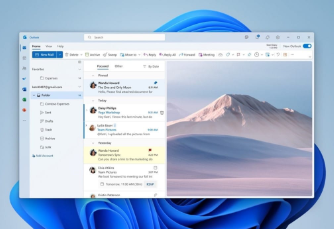
Turn off focused inbox in Outlook

Are you tired of your Outlook app automatically sorting your emails into a “focused” inbox and an “other” inbox? While some people find this feature helpful, others prefer to have full control over their inbox organisation. If you fall into the latter category, you’ll be pleased to know that turning off the focused inbox in Outlook is a simple process.

In this comprehensive guide, we’ll walk you through the steps to disable the focused inbox feature in Outlook across various platforms, including Windows, web, Mac, and mobile. So let’s get started and regain control of your email workflow!

Table of Contents

  1. Introduction
  2. How to Turn Off Focused Inbox in Outlook for Windows
  3. How to Turn Off Focused Inbox in Outlook for Web
  4. How to Turn Off Focused Inbox in Outlook for Mac
  5. How to Turn Off Focused Inbox in Outlook for Mobile
  6. Conclusion
  7. FAQ

Introduction

Outlook, a part of Microsoft Office suite, automatically categories your incoming emails into two sections – a “focused” inbox for important emails and an “other” inbox for less important ones. While this feature can be beneficial for some users, it may not align with everyone’s preferences or workflow.

Fortunately, Outlook provides an option to disable the focused inbox, allowing you to view all your emails in a single unified inbox. In the following sections, we will guide you step-by-step on how to turn off the focused inbox feature in Outlook across different platforms.

How to Turn Off Focused Inbox in Outlook for Windows

If you are using Outlook on a Windows computer, follow these steps to disable the focused inbox:

  1. Launch the Outlook application on your Windows computer.
  2. Click on the View tab located at the top of the Outlook window.
  3. In the View tab, locate and click on the Show Focused Inbox button.
  4. By clicking on the Show Focused Inbox button, the “Focused” and “Other” tabs will disappear from the top of your mailbox.

It’s that simple! You have successfully turned off the focused inbox feature in Outlook for Windows.

How to Turn Off Focused Inbox in Outlook for Web

If you prefer to use Outlook on the web, here’s how you can disable the focused inbox:

  1. Access your Outlook account through a web browser.
  2. Click on the Settings button, usually represented by a gear icon, located at the top right corner of the Outlook window.
  3. In the settings menu, click on Display settings.
  4. Locate the Focused Inbox section and select the Don’t sort messages option under the When email is received subtitle.
  5. Click on OK to save the changes.

Congratulations! You have now turned off the focused inbox feature in Outlook for the web.

How to Turn Off Focused Inbox in Outlook for Mac

Mac users can follow these instructions to disable the focused inbox feature in Outlook:

  1. Open the Outlook application on your Mac.
  2. Navigate to the Organise tab located at the top of the Outlook window.
  3. Under the Organize tab, select the Focused Inbox option.
  4. Once you click on the Focused Inbox option, the “Focused” and “Other” mailbox tabs will disappear, leaving you with a single unified inbox.

Well done! You have successfully disabled the focused inbox feature in Outlook for Mac.

How to Turn Off Focused Inbox in Outlook for Mobile

If you primarily use Outlook on your mobile device, here’s how you can turn off the focused inbox:

  1. Launch the Outlook app on your mobile device.
  2. Tap the menu button, usually represented by three horizontal lines, located at the top of the screen.
  3. Select the Settings button from the menu.
  4. Locate the Focused Inbox option in the settings menu and slide the toggle switch to the Off position.

Great job! You have now turned off the focused inbox feature in Outlook for mobile.

Conclusion

In summary, the focused inbox feature in Outlook can be a useful tool for organising your emails, but it may not suit everyone’s preferences or workflow. If you find that the focused inbox is causing more hassle than convenience, you can easily turn it off.

Whether you are using Outlook on Windows, web, Mac, or mobile, we have provided step-by-step instructions to help you disable the focused inbox feature across various platforms. By following these instructions, you can regain control of your email organisation and view all your emails in a single unified inbox.

FAQ

Q: Will turning off the focused inbox affect how my emails are sorted? A: Yes, disabling the focused inbox feature will remove the “Focused” and “Other” tabs, and all your emails will be displayed in a single unified inbox without any automatic sorting.

Q: Can I enable the focused inbox again if I change my mind? A: Absolutely! If you decide to give the focused inbox another try, you can easily re-enable it by following the same steps outlined in this guide, but selecting the appropriate option to turn it on.

Q: Will turning off the focused inbox affect any other features or settings in Outlook? A: No, disabling the focused inbox only affects how your emails are organised and displayed. All other features and settings in Outlook will remain unchanged.

Q: Are there any alternatives to the focused inbox feature in Outlook? A: Yes, if you prefer a different way of organising your emails, Outlook offers various features and tools such as rules, filters, and categories that can help you customise your email management according to your preferences.

Sharepoint: Empowering Collaboration and Streamlining Workflows

In today’s fast-paced and interconnected business environment, efficient collaboration and streamlined workflows are essential for success. To meet these demands, businesses are turning to Sharepoint, a powerful collaboration platform offered by Microsoft.

SharePoint enables teams to work together seamlessly, share information, and automate business processes, ultimately boosting productivity and driving business growth.

In this comprehensive guide, we will explore the fundamentals of Sharepoint, its benefits, and its various applications.

We will also delve into the latest features and updates in Sharepoint 2019, highlighting its enhanced capabilities and improved user experience.

So, whether you are new to SharePoint or looking to optimise your existing implementation, this guide will provide you with valuable insights and practical tips to leverage the full potential of Sharepoint in your business.

What is SharePoint?

Sharepoint is a collaboration system that empowers business teams to work together effectively. It utilises workflow applications, “list” databases, and other web parts and security features to facilitate seamless collaboration and information sharing across the organisation.

SharePoint also offers robust access control mechanisms, allowing businesses to control who can access specific information and automate workflow processes across different business units.

Microsoft offers Sharepoint in both on-premises and cloud-based versions. SharePoint Online, the cloud version, is part of the broader Office 365 suite, which integrates seamlessly with other Microsoft applications. This integration provides users with a comprehensive suite of tools to enhance collaboration, communication, and productivity.

Benefits of Using SharePoint

Implementing SharePoint in your organisation brings numerous benefits, empowering your teams and driving efficiency. Some key benefits of Sharepoint include:

Increased Productivity and Visibility

SharePoint provides a centralised platform where employees can access and collaborate on documents, projects, and tasks. With features like document co-authoring, version control, and real-time updates, SharePoint enables teams to work together more efficiently and effectively. It also offers visibility into project progress, facilitating better coordination and ensuring everyone is on the same page.

Secure Sharing and Content Management

SharePoint’s robust security features allow businesses to control access to sensitive information and protect their data. It enables secure sharing of documents and files within the business, ensuring that only authorised individuals can access and edit them.

Sharepoint also offers extensive content management capabilities, allowing businesses to organise, categorise, and tag documents for easy retrieval.

Workflow Automation

SharePoint enables businesses to automate repetitive and time-consuming tasks through its workflow capabilities. By defining custom workflows, businesses can automate document approvals, notifications, and other routine processes, saving time and reducing the risk of errors. This automation streamlines business operations and enables employees to focus on more strategic tasks.

Customisability and Scalability

SharePoint is highly customisable, allowing businesses to tailor the platform to their specific needs. It offers a wide range of templates, web parts, and integrations that can be customised to match the organisation’s branding and requirements. Sharepoint is also scalable, accommodating organisations of all sizes, from small businesses to large enterprises.

Sharepoint Use Cases

Sharepoint has been widely adopted across various industries and sectors, serving as a versatile platform for collaboration and content management. Some common use cases of SharePoint include:

Intranet and Document Management

SharePoint serves as an efficient intranet platform, enabling businesses to create a centralised hub for company-wide communication and information sharing. It allows employees to access important documents, policies, and announcements, facilitating seamless knowledge sharing and improving internal communication.

Project Management and Team Collaboration

SharePoint provides a collaborative environment for project teams, enabling them to share documents, track project progress, and communicate effectively. With features like task lists, shared calendars, and discussion boards, Sharepoint empowers teams to work together efficiently and ensures everyone is aligned towards project goals.

Records Management and Compliance

SharePoint offers robust records management capabilities, allowing organisations to maintain compliance with regulatory requirements. It provides features like document retention policies, version control, and audit trails, ensuring the integrity and security of important records.

Business Process Automation

SharePoint’s workflow capabilities enable organisations to automate business processes, reducing manual effort and improving efficiency. By defining custom workflows, organizations can automate tasks like document approvals, contract management, and employee onboarding, streamlining operations and minimizing errors.

External Collaboration and Client Portals

SharePoint allows businesses to collaborate with external stakeholders, such as clients, partners, and suppliers. It provides secure external sharing capabilities, ensuring that sensitive information is only accessible to authorised individuals. Sharepoint’s client portals enable organisations to provide a personalised and secure platform for clients to access relevant documents and communicate with the organisation.

SharePoint Apps: Extending Functionality

SharePoint offers a wide range of apps that can be integrated with the platform to extend its functionality and cater to specific business needs. These apps can add features and options that are not available in the standard Sharepoint platform. Some popular Sharepoint apps include:

Document Management Apps

Document management apps enhance SharePoint’s document management capabilities by providing additional features like advanced search, metadata tagging, and document analytics. These apps facilitate better organization, retrieval, and analysis of documents, making it easier for employees to find the information they need.

Workflow Automation Apps

Workflow automation apps enable businesses to automate complex business processes and streamline operations. These apps provide intuitive interfaces for designing and deploying workflows, allowing non-technical users to automate tasks without relying on IT support. They can automate processes like document approvals, employee onboarding, and contract management, improving efficiency and reducing manual effort.

Communication and Collaboration Apps

Communication and collaboration apps enhance SharePoint’s collaboration capabilities, enabling teams to communicate and work together seamlessly. These apps provide features like instant messaging, video conferencing, and virtual whiteboards, facilitating real-time collaboration and fostering teamwork.

Custom Development Apps

Custom development apps enable organisations to build custom solutions on top of SharePoint. These apps provide development frameworks, APIs, and tools that allow developers to create tailored solutions that meet specific business requirements. Custom development apps empower businesses to extend Sharepoint’s functionality and integrate it with other systems and applications.

SharePoint 2019: Enhanced Features and Updates

SharePoint 2019 introduces several new features and updates that further enhance its collaboration capabilities and user experience. These updates cater to the evolving needs of modern workplaces, empowering employees to work more efficiently and effectively. Some key features of Sharepoint 2019 include:

Modern Team and Site Pages

SharePoint 2019 introduces modern team and site pages, allowing users to customise their pages with modern web parts. Users can embed videos, incorporate feeds from external sources, and add documents and images to create engaging and interactive pages. These modern pages provide a visually appealing and user-friendly interface for sharing information and collaborating with team members.

Improved Lists and Libraries

Lists and libraries in Sharepoint 2019 have a modern look and feel, providing a faster and more intuitive user experience. Users can easily manage columns, interact with lists and libraries on mobile devices, and gain informative insights from data. The improved lists and libraries also offer advanced features like conditional formatting, making it easier to highlight important information and drive data-driven decision-making.

Enhanced Communication Sites

SharePoint 2019 introduces communication sites, which serve as a platform for sharing news, stories, and announcements within the business. These sites provide a customisable and visually appealing interface for showcasing content and engaging employees. Communication sites can be easily created by users, empowering them to share information and collaborate with colleagues without relying on IT support.

Mobile and Desktop Experience

SharePoint 2019 enhances the mobile experience for users, allowing them to access and engage with the business’s group from anywhere, on any device. The improved Sharepoint mobile app provides a seamless and intuitive interface for accessing documents, sites, and lists on the go. SharePoint 2019 also offers improved sync clients for OneDrive for Business, enabling users to sync files and access them offline.

Expanded Customisation Options

SharePoint 2019 provides expanded customisation options, empowering organisations to tailor the platform to their specific needs. Integration with Power Apps and Power Automate (formerly known as Flow) allows organisations to create custom workflows and automate business processes with ease. Sharepoint 2019 also supports SharePoint Add-Ins, providing a flexible and scalable approach to extending Sharepoint’s functionality.

Hybrid Solutions and Integration

SharePoint 2019 enhances its hybrid capabilities, enabling seamless integration between Sharepoint Online and Sharepoint Server. The improved search function offers an intuitive layout and real-time search results, improving the user experience. Sharepoint 2019 also supports hybrid taxonomy, allowing organisations to maintain a centralised managed metadata term store across both cloud and on-premises deployments.

Compliance and Security Enhancements

SharePoint 2019 extends its compliance capabilities, enabling organisations to effectively manage sensitive content and ensure regulatory compliance. The new version provides automatic content detection, central reporting for incidents, and enhanced sensitive content types. Administrators can search for sensitive information in real-time and apply policy templates to control and monitor content, aligning with industry standards and regulations.

Conclusion

In conclusion, SharePoint is a powerful tool for businesses looking to enhance collaboration, streamline workflows, and improve data management. Its potential is truly transformative. However, realising the full benefits of SharePoint requires expert guidance and support, which is where ATS Connection’s IT Support services come in.

Our team of experienced professionals can help you leverage SharePoint to its maximum potential, ensuring a seamless integration into your business processes.

Whether you’re just starting with SharePoint or looking to optimise your existing setup, ATS Connection is here to provide tailored solutions, ensuring that your technology works for you, not the other way around. Contact us today to explore how we can elevate your business with SharePoint and comprehensive IT Support.


Laptop & PC Repairs

In our fast-paced digital age, laptops and PCs are our trusty companions, our portals to the digital world. From work to play, these devices are essential for our daily lives. But what happens when your faithful companion stumbles, slows down, or encounters a technical hiccup? That’s where ATS Connection’s laptop and PC repair services step in.

A Lifeline in the Digital World

Your laptop or PC is more than a piece of hardware; it’s a repository of your work, memories, and daily tasks. When it starts to falter, panic can set in. But fear not! ATS Connection’s laptop and PC repair services are your digital lifeline, here to revive your devices and rejuvenate your digital world.

Why Choose ATS Connection for Laptop and PC Repairs?

1. Expertise You Can Trust

Our team of skilled technicians boasts years of experience in diagnosing and repairing laptop and PC issues. From hardware glitches to software bugs, there’s no problem we can’t tackle. You can trust our expertise to breathe new life into your devices.

2. Fast and Efficient Service

We understand the importance of your laptop or PC in your daily life. That’s why we prioritize speedy service without compromising on quality. Our efficient repair process ensures minimal disruption to your work and personal life.

3. Comprehensive Diagnostics

Not sure what’s causing the issue with your device? We’ve got you covered. Our comprehensive diagnostics check every aspect, from hardware components to software performance, identifying the root of the problem.

4. Affordable Solutions

Quality repairs shouldn’t break the bank. ATS Connection offers cost-effective repair solutions tailored to your budget. We believe in transparent pricing and providing value for your investment.

Our Laptop and PC Repair Services

Hardware Repairs:

  • Screen Replacement: Cracked or malfunctioning screen? We’ll replace it with precision and care.
  • Keyboard and Touchpad Repairs: Sticky keys or unresponsive touchpad? We’ll have your input devices working like new.
  • Battery Replacement: If your laptop’s battery is failing, we’ll replace it to restore your device’s mobility.
  • Motherboard Repairs: Complex issues like motherboard problems are no challenge for our experts.

Software Solutions:

  • Virus and Malware Removal: Say goodbye to pesky viruses and malware that slow down your system.
  • Operating System Fixes: We can diagnose and repair software issues to ensure your device runs smoothly.
  • Data Recovery: Accidentally deleted important files? We can help you recover them.

Client-Centric Approach

ATS Connection is dedicated to providing the highest level of client satisfaction. Our repair services are always client-centric, and we focus on delivering solutions that meet your unique needs.

Ready to Revive Your Laptop or PC?

If your laptop or PC is showing signs of distress, don’t wait until it’s too late. Contact ATS Connection today to breathe new life into your digital world. Our laptop and PC repair services are the lifeline you need to keep your devices running at their best.

Your digital life deserves the best care, and that’s what ATS Connection delivers. Don’t let device issues slow you down. Contact us today for efficient, affordable, and expert laptop and PC repairs.

Revive, rejuvenate, and restore your digital world with ATS Connection!

Looking at getting a PC or Laptop repaired? Contact us today and let our IT experts work their magic.

Defending Your Inbox

In today’s digital age, email is the lifeblood of business communication. It’s where we exchange critical information, collaborate with colleagues, and connect with clients and partners. Unfortunately, it’s also where a significant threat looms – scam emails. These malicious messages aim to deceive, steal data, and wreak havoc on unsuspecting individuals and organizations. But, fear not! ATS Connection stands at the forefront of the battle against scam emails with cutting-edge cybersecurity solutions driven by intuitive AI learning.

The Scourge of Scam Emails

Scam emails come in various forms, from phishing attempts impersonating trusted entities to fraudulent messages promising riches in exchange for sensitive information. The common thread? They prey on human vulnerability, tricking recipients into taking actions that compromise security.

The Consequences of Falling Victim to Scam Emails:

  1. Data Breaches: Scam emails can lead to unauthorized access to sensitive data, which can be devastating for both individuals and organizations.
  2. Financial Loss: Phishing scams often target financial information, leading to fraudulent transactions and monetary losses.
  3. Reputation Damage: Falling victim to a scam email can tarnish an organization’s reputation, eroding trust among clients and partners.
  4. Operational Disruption: Ransomware attacks, often initiated through scam emails, can cripple business operations.

ATS Connection’s Cybersecurity Arsenal

At ATS Connection, we understand that the evolving threat landscape demands advanced and proactive cybersecurity measures. That’s why our cybersecurity solutions employ state-of-the-art technology, including intuitive AI learning, to combat scam emails and keep your inbox secure.

1. Advanced Threat Detection:

Our intuitive AI algorithms scan incoming emails for suspicious patterns, identifying potential scams before they even reach your inbox. This proactive approach drastically reduces the risk of falling victim to phishing attacks.

2. Real-time Analysis:

In an ever-changing digital landscape, scam emails adapt quickly. Our AI-powered system continuously analyzes email content and sender behavior in real time, staying one step ahead of scammers.

3. Behavioral Analytics:

Our AI doesn’t just look at email content; it also assesses sender behavior. If an email claims to be from a trusted source but behaves unusually, our system raises a red flag.

4. Immediate Threat Response:

When a potential scam email is detected, our system takes swift action, including isolating the threat, blocking the sender, and alerting your IT team or administrator.

5. Employee Training Support:

Prevention is as important as detection. We offer training resources to educate your employees about the dangers of scam emails and how to recognize them.

Why ATS Connection’s Approach Works

1. AI-Powered Precision: Traditional spam filters rely on rule-based approaches that can be easily circumvented by scammers. Our intuitive AI adapts and evolves to stay ahead of ever-changing threats.

2. Reduced False Positives: By analyzing sender behavior in addition to email content, our system minimizes the risk of flagging legitimate emails as false positives.

3. Real-time Protection: Scammers don’t wait, and neither does our AI. Real-time analysis means threats are identified and neutralized as they happen.

4. Comprehensive Security: Our approach doesn’t stop at email; it’s part of a holistic cybersecurity strategy that safeguards your entire organization.

Cost-Effective Security

Beyond the obvious benefits of data protection and peace of mind, ATS Connection’s cybersecurity solutions are cost-effective. The financial impact of a data breach or ransomware attack can be staggering, often far exceeding the investment in advanced cybersecurity measures.

Additionally, the operational disruptions and reputational damage caused by scam emails can have long-lasting consequences. ATS Connection’s cybersecurity solutions not only save you money but also protect your brand and ensure your business continues to operate smoothly.

A Holistic Approach to Cybersecurity

While our intuitive AI learning is a powerful weapon against scam emails, it’s just one part of our comprehensive cybersecurity strategy. We also offer:

  • Firewall Protection: Guarding your network perimeter against intrusions.
  • Regular Software Updates: Patching vulnerabilities before scammers can exploit them.
  • Employee Training: Equipping your team with the knowledge to recognize and report scam emails.
  • Incident Response Planning: Preparing for the worst-case scenario to minimize damage.

Conclusion: Your Digital Guardian Against Scam Emails

In the digital realm, where scam emails can arrive at any moment, having a robust cybersecurity partner is essential. ATS Connection’s cybersecurity solutions, driven by intuitive AI learning, stand as your vigilant guardian, tirelessly scanning for threats, adapting to new tactics, and keeping your digital world secure.

Don’t wait for the next scam email to strike. Contact ATS Connection today and fortify your defenses against this ever-present threat. With our cybersecurity solutions, you can confidently navigate the digital landscape, knowing that your inbox is protected, your data is secure, and your business is safe from the growing threat of phishing emails.

Don’t wait for the unexpected to happen. Contact ATS Connection now to fortify your data’s defenses and secure your business’s future. Your data deserves nothing less than the best protection.

What is Cyber Security?

Cyber security is the defence against cyber threats for systems connected to the internet, including their hardware, software, and data. Individuals and businesses both utilise this technique to prevent illegal access to data centres and other digital systems.

A strong cyber security plan can offer a good security posture against malicious assaults intended to gain access to, alter, delete, destroy, or extort sensitive data and systems belonging to a business or user. Security measures are essential in preventing attacks that try to take down or impair a system or device’s functionality.

Why is cyber security important?

The importance of cyber security is only going to increase as there are more people, devices, and programmes in the modern business, along with an influx of more data, most of it sensitive or confidential. 

The issue is made even worse by the increase in the quantity and level of sophistication of cyberattackers and attack methodologies.

What are the elements of cyber security, and how does it work?

The subject of cyber security can be divided into a number of distinct parts, and it is essential for a company’s coordination within that field to have a successful cyber security programme. The following is a list of these sections:

  • Application security
  • Information or data security
  • Network security
  • Disaster recovery/business continuity planning
  • Operational security
  • Cloud security
  • Critical infrastructure security
  • Physical security
  • End-user education

For many businesses, maintaining cyber security in a threat environment that is continuously changing is difficult. Traditional reactive strategies, which focused resources on defending systems against the most significant known threats while leaving less significant threats undefended, are no longer an effective method.

An approach that is more proactive and adaptable is required to keep up with shifting security dangers. A number of significant cyber security consulting bodies provide direction. 

For instance, as part of a framework for risk assessment, the National Institute of Standards and Technology (NIST) advises adopting continuous monitoring and real-time assessments to protect against both known and unidentified threats.

What are the different types of cyber security threats?

It can be difficult to stay on top of emerging technology, security trends, and threat intelligence. It is required to safeguard data and other assets from many types of cyberthreats. Some examples of cyberthreats are:

  • Malware – A form of harmful software known as malware allows any file or programme to be used against a computer user. Worms, viruses, Trojan horses, and spyware are included.
  • Ransomware is also a type of malware. It entails an attacker encrypting and locking the victim’s computer system files, then demanding cash to decrypt and unlock them.
  • Social engineering – An attack known as social engineering uses human contact to persuade users to circumvent security measures in order to obtain sensitive information that is ordinarily protected.
  • Phishing –  A type of social engineering in which phoney emails or texts are delivered that appear to be from reliable or well-known sources. These communications, which are frequently random attacks, aim to steal sensitive information like credit card numbers or login credentials.
  • Spear phishing – A type of phishing attack that has an intended target user, organisation or business.
  • Insider threats – Security lapses or losses brought on by people, such as staff members, subcontractors, or clients, are referred to as insider threats. Insider threats can be malicious or careless. 
  • Distributed denial-of-service (DDoS) – Involve several systems interfering with the operation of a targeted system, such as a server, website, or other network resource. Attackers can slow down or disrupt a target system by flooding it with messages, connection requests, or packets, blocking legitimate traffic from accessing it.
  • Advanced persistent threats (APTs) – Targeted attacks that last a long time and involve an attacker infiltrating a network and avoiding detection for a long time in order to collect data.

Botnets, drive-by-download attacks, exploit kits, malicious advertising, phishing, credential stuffing assaults, cross-site scripting (XSS) attacks, SQL injection attacks, business email compromise (BEC), and zero-day exploits are additional frequent forms of attacks.

What are the cyber security challenges?

Hackers, data loss, privacy concerns, risk management, and evolving cybersecurity tactics all present ongoing threats to cybersecurity. In the near future, it is not anticipated that the number of cyberattacks would decline. 

Additionally, the emergence of the internet of things (IoT) has added attack access points, necessitating a greater requirement for network and device security.

The fact that security dangers are constantly changing is one of the most challenging aspects of cyber security.  New attack routes are created as a result of the emergence of new technologies and their use in novel or unconventional ways. 

It can be difficult to keep up with these constant changes and advancements in assaults and to update procedures to defend against them. 

Concerns include making sure that all cyber security components are regularly updated to guard against any vulnerabilities. 

For smaller companies without the workforce or internal resources, this can be particularly challenging and a reason why they should look at outsourcing their cyber security.

Additionally, businesses have access to a wealth of information on people who use one or more of their services. The risk of a cybercriminal wanting to steal personally identifiable information (PII) increases as more data is gathered. 

For instance, a ransomware assault may target a company that saves personally identifiable information in the cloud. Businesses ought to take all reasonable precautions to avoid a cloud breach due to costly fines and penalties.

End-user education should be a part of cyber security measures, as staff members may unintentionally introduce malware onto the premises on their laptops or mobile devices. Employees who regularly receive security awareness training can help protect their business from cyberthreats.

Lack of qualified cyber security staff is another issue facing cyber security. Businesses need cybersecurity employees to assess, monitor, and respond to problems as the amount of data they gather and utilise expands. The shortage of security experts in the workforce, according to (ISC)2, is projected at 3.1 million.

How is automation used in cyber security?

Automation is becoming a crucial part of keeping businesses safe from the numerous and sophisticated cyberthreats that are on the rise. Cyber security can be enhanced in three key areas by utilising artificial intelligence (AI) and machine learning in sectors with high-volume data streams:

  • Threat recognition –  Platforms powered by AI are able to evaluate data, identify known dangers, and forecast new ones.
  • Threat reaction –  Platforms powered by AI can also design and automatically implement security measures. 
  • Human augmentation –  Security professionals frequently have too many warnings and boring duties to complete. By automating large data analysis and other repetitive operations, AI can assist reduce alert fatigue by prioritising low-risk warnings automatically and freeing up human labour for more complex tasks.

Automation in cybersecurity also helps with attack and malware categorisation, traffic and compliance analysis, and more.

Cyber security tools

Cyber security suppliers frequently provide a range of security goods and services. Typical security devices and platforms include:

  • Identity and access management (IAM)
  • Firewalls
  • Endpoint protection
  • Antimalware
  • Intrusion prevention/detection systems (IPS/IDS)
  • Data loss prevention (DLP)
  • Endpoint detection and response
  • Security information and event management (SIEM)
  • Encryption tools
  • Vulnerability scanners
  • Virtual private networks (VPNs)
  • Cloud workload protection platform (CWPP)
  • Cloud access security broker (CASB)

Conclusion

There is much to be discussed when it comes to cyber security, and it can come across quite daunting when you read the full aspect of it. Here at ATS Connection we try to help businesses be mindful of the rising cases of companies being hacked by talking about the subject of cyber security in hope that it can help you be more cautious.

We offer cyber security management services to take this all of your shoulders and protect your company and it’s data.

If you would like to know more then please fill in the form below and one of our cyber experts will be in touch.

Name
What service are you interested in?