Helpdesk open 9am to 5.30pm, Monday to Friday
IT Support for Charities and Non-Profits
ATS Connection provides IT support for charities and non-profit organisations, with managed IT services and cyber security that protect donor and beneficiary data and keep your services running. Calls are answered by our own engineers, your charity gets a named engineer who knows its setup, and we make sure you get the Microsoft nonprofit licences you are entitled to.

When you call, you get one of us.The same small team, every time. No call centre.
From £30 per user, per month. Charities holding sensitive beneficiary data are usually best on Complete IT and security, £55 to £90.See IT support packages and pricing



Donor data protectedMFA, backup, access reviews
Volunteer accounts managedAdded and removed promptly
100+
UK businesses supported
<15 min
Average pickup for tickets logged by email
From £30
Per user per month, ex VAT
2 offices
Arundel and Chichester, supporting charities UK-wide
What clients say
Rated 5.0 on Google and trusted by local charities.
We have been with ATS Connection for years and they have always been reliable. Fast, efficient, and they really know their stuff.
Their proactive IT support has saved us a lot of headaches. We can focus on growing our business knowing our IT is sorted.
ATS Connection rebuilt our IT from the ground up and gave us systems we can actually rely on. Their team is responsive, knowledgeable and genuinely cares about the museum, it’s been a brilliant partnership.
Trusted by businesses including









THE REALITY FOR CHARITIES
Where charity IT quietly puts donors, beneficiaries and funding at risk
In the Government’s Cyber Security Breaches Survey 2025/2026, around three in ten charities (28%) reported a breach or attack in the previous 12 months, yet only 19% had a formal incident response plan and 9% had reviewed the risks posed by their immediate suppliers.
Charities run on the same technology as any business, usually with fewer people to look after it: a mix of staff and volunteers, donated or ageing laptops, a donor CRM, Microsoft 365 or Google Workspace, and often one person who looks after the computers on top of their real job.
Most problems build quietly: shared logins, volunteers who left months ago but can still sign in, licences that changed when Microsoft ended its free Business Premium grant, and backups nobody has tested. They surface at the worst moment: a fundraising appeal, a grant deadline or a trustee meeting.
ATS closes those gaps methodically, so your team can stay focused on the people you serve.
- Donor and beneficiary data protected
- Volunteer access controlled
- Microsoft nonprofit licensing checked
- Cyber Essentials alignment
What’s included
Managed IT services and cyber security for charities, under one accountable partner
One structured monthly service that keeps staff, volunteers and trustees productive, secure and protected. Smaller charities often start on Core support and add security as they grow, while charities holding sensitive beneficiary data usually sit on Complete IT and security; see our IT support packages and pricing. Many rely on us as their fully outsourced IT support, in place of an in-house IT team, and we provide the same support to schools and care homes.
IT support for charities
Unlimited helpdesk support for staff, volunteers and trustees, from named UK engineers who know your charity, your systems and your deadlines.
Learn more about IT support for charitiesCyber security for charities
MFA, Conditional Access, managed EDR and phishing defence on every account and device, aligned with Cyber Essentials and what funders and insurers now ask about.
Learn more about cyber security for charitiesMicrosoft 365 for nonprofits
Nonprofit licensing checked and applied, hardened tenants, tidy SharePoint and Teams, and controlled guest access for partners and trustees, managed by a Microsoft Partner.
Learn more about Microsoft 365 for charitiesPhones and connectivity
Cloud telephony, business broadband and WiFi, so offices, shops, community venues and home workers all stay reachable.
Learn more about business phone systems for charitiesBackup for donor and case data
Independent backup of Microsoft 365, shared files and the exports from your CRM, with restores that are tested rather than assumed.
Learn more about backup and disaster recoveryDevices for staff and volunteers
Encrypted, Intune-managed laptops, sensible controls for shared and donated devices, and secure access for staff working from home or out in the community.
Learn more about managed IT servicesTypical IT company vs ATS Connection
| Topic | Typical IT company | ATS Connection |
|---|---|---|
| Approach | Wait for things to break | Prevent problems before they happen |
| Your engineers | A different person every call | Named engineers who know your setup |
| Support style | Reactive, fixed only on failure | Proactive monitoring and maintenance |
| Response times | Slow, and you chase them | Calls answered by our own team, tickets picked up in under 15 minutes |
| Pricing | Only revealed after a sales call | Published online, from £30 per user a month |
| IT planning | No roadmap | Quarterly reviews and a clear IT plan |
| Visibility | Little or no reporting | Full reporting and visibility |
| Helpdesk | Often outsourced overseas | UK-based local team, no offshore outsourcing |
Many charities come to us from a volunteer, a trustee’s contact or a provider that only reacts. We would rather prevent the problem, and tell your trustees plainly where the risks are.
Microsoft 365 and cyber security
A secure Microsoft 365 environment, built around your charity
A layered security model across your tenant, accounts and devices, built to meet what trustees, funders, the ICO and the Charity Commission expect of a charity that holds personal data. Our cyber security services page explains each layer in more detail.
MFA on every account
MFA for staff, volunteers and trustees, including shared mailboxes and every admin account.
Conditional Access policies
Rules that stop donor and case records being opened from unknown devices, unexpected countries or old, insecure apps.
Phishing and impersonation defence
Link and attachment scanning plus impersonation protection, tuned for the fake chief executive and fake supplier emails charities receive.
Volunteer joiners and leavers
Accounts created with only the access each role needs, and switched off promptly when a volunteer or member of staff leaves.
Sign-in and sharing alerts
Alerts when an account signs in somewhere unusual, a mailbox starts forwarding email or files are shared outside the charity.
Managed EDR and MDR
Every staff laptop and office PC watched for ransomware and suspicious behaviour, with threats isolated before they spread to shared files.
Email authentication and DLP
DKIM, DMARC, SPF and data loss prevention that protect donor and beneficiary information and stop criminals sending fake appeals from your domain.
Supplier and CRM access records
A record of which suppliers hold your data and who can reach it, so an incident at a third party is not a guessing game.
Trustee-ready reporting
Plain-English reports on risk and progress for trustee meetings, with your environment kept aligned with Cyber Essentials.
How we partner with charities
A four-stage approach, sized for charity budgets
Every charity we onboard follows the same calm transition, designed to remove risk without disrupting the services people rely on. We plan around your funding cycle, so improvements are agreed and costed in advance rather than sprung on you.

01
Review and licence check
An independent review of Microsoft 365, accounts, devices, backups and suppliers, including which Microsoft nonprofit licences you are entitled to.
02
Secure and tidy up
MFA, Conditional Access, EDR, independent backup and old accounts removed, in a planned order that keeps your services running.
03
Support and monitor
Named UK engineers, continuous monitoring and unlimited support for staff, volunteers and trustees.
04
Report and plan
Regular reviews with your chief executive or trustees covering risk, budget and a roadmap that fits your funding cycle.
Case study
Rebuilding a community museum’s IT after a previous provider’s mistakes
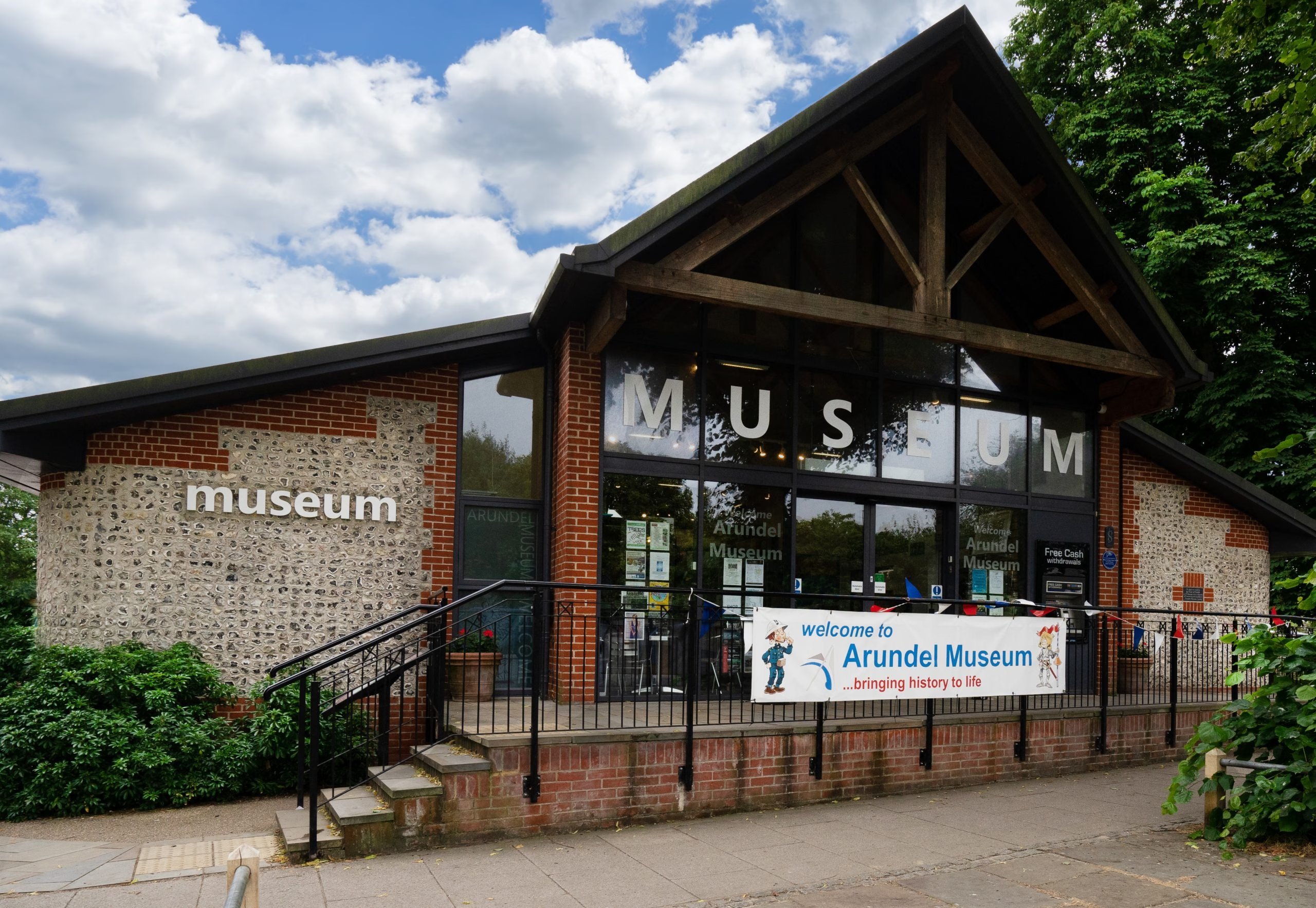
Arundel Museum is a community-run museum in the heart of Arundel. A previous IT company had introduced costly errors, and outdated infrastructure, unreliable broadband and an inconsistent phone setup were making day-to-day communication difficult for the team. ATS moved the museum onto Microsoft 365, took over and stabilised its broadband and VoIP phones, put right what had been left behind and now looks after it with proactive monitoring and ongoing support.
The challenge
- Costly errors left by a previous IT provider
- Outdated infrastructure
- Unreliable broadband
- An inconsistent phone setup
What ATS put in place
- Migration to Microsoft 365
- Broadband and VoIP phones taken over and stabilised
- Issues left by the previous provider put right
- Proactive monitoring and ongoing support
Also supported
PACSO, Bognor Regis
PACSO (Parents and Carers Support Organisation) supports families of children and young people with special educational needs and disabilities across Chichester and Arun. ATS has provided the charity with managed IT services and cloud backup.

100+
Businesses supported
<15 min
Average ticket pickup
2015
Established
WHY CHARITIES CHOOSE ATS
IT support for charities, explained plainly to your trustees
Predictable support, well-run Microsoft 365 and practical advice, from engineers who understand how charities work: tight budgets, volunteers who come and go, grant deadlines and trustees who need straight answers rather than jargon.
- Named engineers, not a ticket queue
- Nonprofit licensing checked
- Prices published in full
- Plain-English trustee reporting
We explain your risks to your trustees in plain English, and we hold our own systems to the same standard, because an attack on an IT supplier can reach every charity it supports.
Book a free charity IT reviewSteady support, well-run Microsoft 365 and practical advice, from engineers who understand how charities operate.
Continuous monitoring
Failing drives, full mailboxes, risky sign-ins and security drift caught long before staff or volunteers feel them.
Microsoft 365 governance
Hardened tenants, tidy SharePoint and Teams, and controlled guest access for partners and trustees.
IT planning around your funding
Regular reviews, a costed roadmap and budget guidance you can use in grant bids and your annual plan.
Security built in
MFA, endpoint protection and patching from day one, with managed EDR, backup and Cyber Essentials help in Complete IT and security.
Responsive support
Calls are answered by our own engineers, and tickets logged by email are picked up in under 15 minutes on average.
Long-term partnerships
Named engineers who know your charity, and regular reviews with your chief executive or trustees.
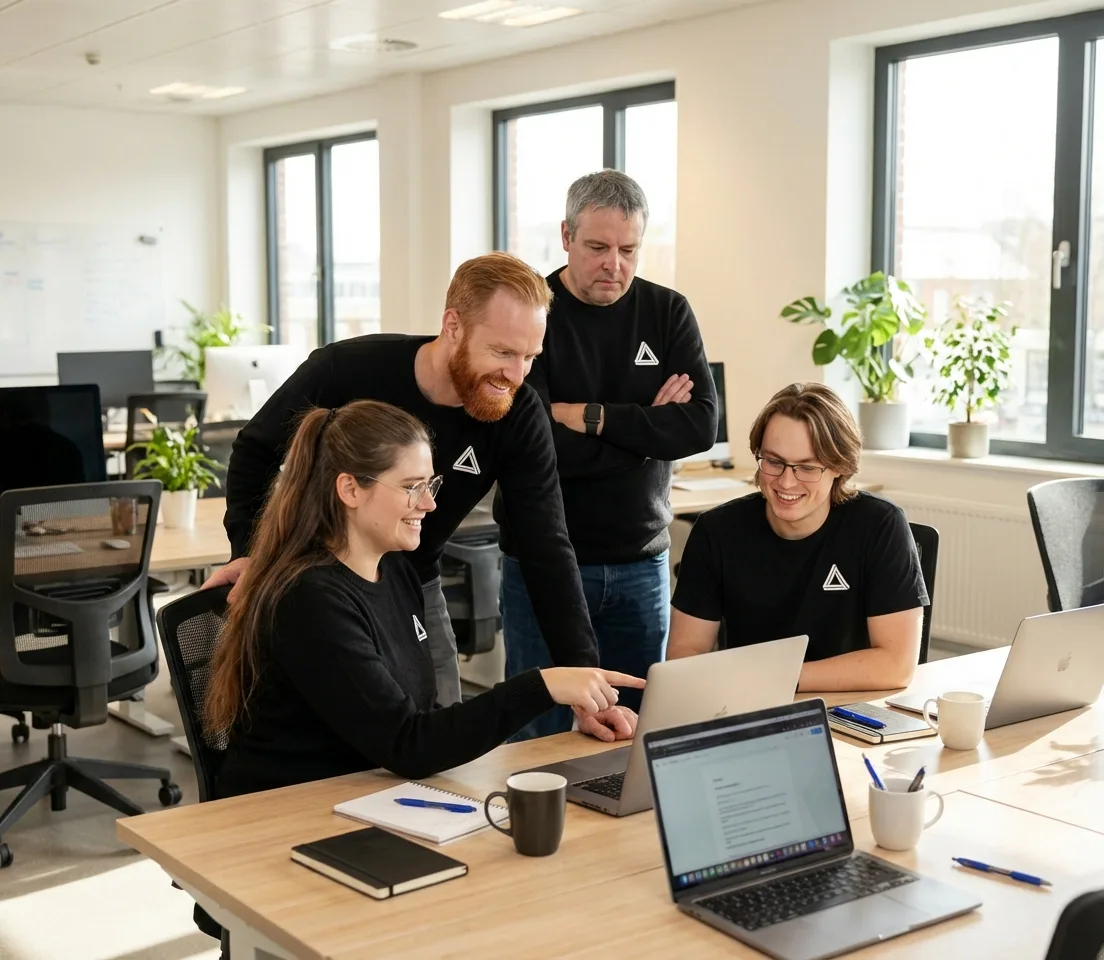
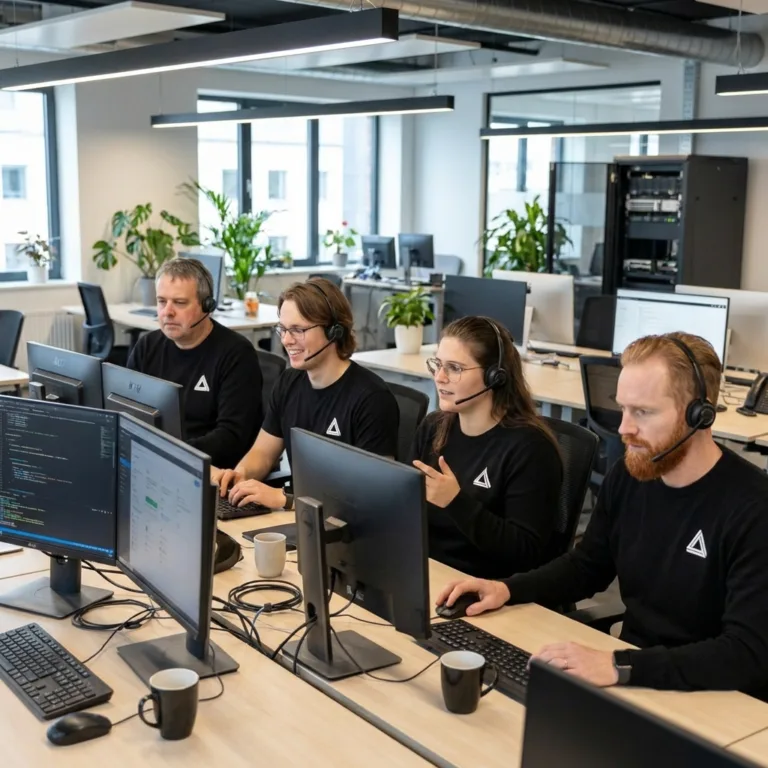
Your charity IT team
The people who pick up the phone.
No call centre and no outsourcing. When a charity calls ATS, it speaks to one of us: the same small team, every time, who get to know your charity, your systems and your volunteers. Tap a photo to meet them, or read more about the team.
- Two officesArundel and Chichester, with engineers on site across Sussex, Surrey, Hampshire and London.
- Local charity experienceWe support Arundel Museum and have managed IT and cloud backup for PACSO in Bognor Regis.
- Named engineersThe people who answer your calls are the people who know your systems.
 Leads ATS, with over 12 years in IT services and a focus on trusted, long-term client relationships.
Jake BoaseDirector  Over 10 years in IT infrastructure, overseeing technical delivery, security and reliability.
Matthew JonesSoftware Developer and Infrastructure  Day-to-day support, troubleshooting and proactive maintenance that keep client systems running smoothly.
Tobias GillottIT Engineer  Hands-on support for business IT systems, fixing issues and keeping day-to-day operations reliable.
Jamie WoodIT Engineer  Proactive support and troubleshooting that keep systems secure, efficient and easy to use.
Alex LeonardIT Engineer  Responsive support, system maintenance and practical fixes that keep client IT running reliably.
Sarah AttworthIT Engineer
IT support pricing for charities
Clear prices, published up front.
Two packages, billed per user, per month, so the cost grows only as your team does. Smaller charities often start on Core support. Complete IT and security adds managed cyber security, Microsoft 365 management, independent backup and Cyber Essentials guidance. Move the slider to see a starting monthly cost for your charity.
Core support
£30 to £48per user, per month, plus VAT
For your team: from £600 a month
Reliable day-to-day IT without surprise bills.
- Unlimited helpdesk support
- 24/7 proactive monitoring
- Patching and endpoint protection
- Named engineers who know your setup
Most complete
Complete IT and security
£55 to £90per user, per month, plus VAT
For your team: from £1,100 a month
For charities holding sensitive donor or beneficiary data.
- Everything in Core support
- Managed cyber security
- Microsoft 365 management
- Backup and disaster recovery
Rolling annual agreement. Licences and hardware are billed separately at cost, and we apply any Microsoft nonprofit grants and discounts you are eligible for. Estimates use the starting price of each range. See exactly what is included.
Built for how charities work
Nonprofit licensing, donor CRMs and trustee reporting, covered
Microsoft ended its free Business Premium grant for nonprofits at renewals from 1 July 2025. Eligible charities can still get Business Basic free for up to 300 users, and Business Premium at a nonprofit price of £4.20 per user per month. We check what you are entitled to and move you onto the right mix before a grant lapses, so you keep the device management and security that Premium provides. Our guide to Microsoft 365 for charities sets out every plan.
Your donor CRM, whether that is Beacon, Donorfy, Salesforce or Raiser’s Edge, holds your most sensitive data. We look after the devices, Microsoft 365, network and backups around it, keep MFA on every account that can reach it, and work with your CRM supplier on anything inside the system. When Beacon CRM reported a cyber security incident in August 2026, the Charity Commission told affected charities to consider serious incident reports and their duties to the ICO, so knowing exactly what each supplier holds for you matters.
If an incident results in, or risks, significant harm, trustees are expected to report it to the Charity Commission, and personal data breaches may need reporting to the ICO within 72 hours. We contain the incident and give your trustees the facts they need to decide.
- Small and medium charities
- Staff, volunteers and trustees
- On site across Sussex, Surrey, Hampshire and London
- Remote support UK-wide
What we look after for charities
Offices in Arundel and ChichesterSupporting charities across the UK
- Microsoft 365 nonprofit
- Google Workspace
- Donor CRMs
- Teams and SharePoint
- Volunteer accounts
- Shared and donated devices
- Guest WiFi
- Independent backup
We support the devices, network, Microsoft 365 and backups around your CRM and finance systems, and work with your software suppliers on anything inside them.
Charity IT support at a glance
| IT support for charities | At a glance |
|---|---|
| Monthly support | Core support from £30, or Complete IT and security from £55, per user per month on a rolling annual agreement |
| Included in Complete | Managed cyber security, Microsoft 365 management, independent backup and Cyber Essentials guidance |
| Ad hoc work | £100 an hour, £340 a half day or £650 a day |
| Microsoft 365 licences | Billed at cost; we help eligible charities use Microsoft’s free Business Basic licences and nonprofit pricing |
| Helpdesk hours | 9am to 5.30pm on working days, with urgent out-of-hours support when you need it |
| Average response | Under 15 minutes for tickets logged by email; calls answered by our own engineers |
| Charity clients | Arundel Museum (Microsoft 365, broadband and VoIP) and PACSO, Bognor Regis (managed IT and cloud backup) |
| Coverage | Offices in Arundel and Chichester; on site across Sussex, Surrey, Hampshire and London; remote support UK-wide |
| Accreditations | Cyber Essentials certified, Microsoft Partner |
All prices exclude VAT. Full details on our IT support pricing page.
Free Confidential Senior engineer 30 minutes
Book a free
charity IT review
A no-obligation conversation with one of our senior engineers, focused on protecting donor and beneficiary data, checking your Microsoft nonprofit licensing and giving your trustees a clear, costed plan.
IT support for charities
- Check your Microsoft 365 nonprofit licensing
- Review backup, recovery and continuity
- Benchmark Microsoft 365 security and volunteer access
- Map a clear, costed IT and cyber roadmap
Cyber Essentials Certified
Microsoft Partner
If it is urgent, call us on 01903 255 159.
FAQ
IT support for charities: common questions
Straight answers to the IT and cyber security questions charity leaders and trustees ask us most.
What IT support does a charity need?
Most charities need the same foundations as any organisation, plus a few extras. That means a helpdesk staff and volunteers can call, Microsoft 365 or Google Workspace set up securely, MFA on every account, managed devices, backups that are tested and someone keeping track of who can access what. On top of that, charities need the right nonprofit licences, a clear process for volunteers joining and leaving, and plain-English reporting for trustees.
How much does IT support cost for a charity?
Core support is £30 to £48 per user per month, and Complete IT and security is £55 to £90 per user per month, both on a rolling annual agreement. Ad hoc work is £100 an hour, £340 a half day or £650 a day. All prices exclude VAT, and because pricing is per user the cost scales with the size of your team. Microsoft 365 licences are billed at cost on top, and eligible charities can get them free or discounted. The full breakdown is on our IT support pricing page.
Can charities still get Microsoft 365 for free?
Partly. Microsoft discontinued its free Business Premium grant for renewals on or after 1 July 2025, so existing grant licences expire at their next renewal. Eligible charities can still get Microsoft 365 Business Basic free for up to 300 users, and Business Premium is available at a nonprofit price of £4.20 per user per month. Our guide to Microsoft 365 for charities lists every plan. We check what you are eligible for and move you onto the right mix before a grant runs out, so you do not lose the security features you rely on.
Should our charity use Microsoft 365 or Google Workspace?
Both have nonprofit programmes, and both can be run securely. Microsoft 365 suits charities that rely on Word, Excel and Outlook, want Teams and SharePoint, or need the device management that comes with Business Premium. Google Workspace suits teams that already work in Gmail and Google Docs. We support both, and the right answer is usually the platform your team already uses well, set up properly, rather than a migration.
How common are cyber attacks on charities?
Around three in ten charities (28%) reported a cyber security breach or attack in the previous 12 months, and 14% were victims of at least one cyber crime, according to the Government’s Cyber Security Breaches Survey 2025/2026. Phishing is by far the most common attack, reported by 25% of charities. That is why we start with the basics: MFA on every account, email filtering and awareness for staff and volunteers.
Do we have to report a cyber attack to the Charity Commission?
It depends on how serious it is. The Charity Commission expects trustees to report a serious incident where it results in, or risks, significant harm, loss or damage, and significant data breaches are among the incidents it lists. If personal data is involved, you may also need to report the breach to the ICO within 72 hours of becoming aware of it. The decision rests with your trustees. We help you contain the incident, work out what happened and give your trustees the facts they need to decide.
What should we do if a supplier, such as our CRM, has a data breach?
Find out quickly what that supplier held for you and who it relates to, then decide with your trustees whether to make a serious incident report and whether to tell the ICO and the people affected. That was the Charity Commission’s advice to charities affected by the Beacon CRM cyber security incident in August 2026. It is much faster if you already have a record of which suppliers hold your data, which is part of the review we carry out when we take on a charity.
How do you manage volunteer accounts?
Volunteers often come and go, so we set up accounts with only the access each role needs and switch them off promptly when you tell us someone has left, so former volunteers do not keep access to donor or beneficiary data. Where possible we replace shared logins with individual accounts, which makes it clear who did what, and we choose the most economical licence for volunteers who only need email and Teams.
Does a charity need Cyber Essentials?
There is no general legal requirement, but some funders, commissioners and contracts ask for it, and it is a sound baseline for any charity holding personal data. Only 16% of charities said they were aware of the scheme in the Government’s latest survey. Our supported certification is £510 plus VAT for organisations with up to 9 employees, and our Cyber Essentials guide explains what is involved.
Do you work with small charities?
Yes. Arundel Museum, a community-run museum, is one of our clients, and we have also managed IT services and cloud backup for PACSO (Parents and Carers Support Organisation), which supports families of children and young people with special educational needs and disabilities across Chichester and Arun. Because our pricing is per user, the cost scales with the size of your team.
Can you support charities with several sites, shops or home workers?
Yes. We support charities working across offices, community venues, charity shops and from home, with Intune-managed devices, secure remote access and one Microsoft 365 setup that works the same way everywhere. Central monitoring means every site is covered by the same support relationship.
Who is responsible for cyber security in a charity?
Overall responsibility sits with the trustees, because protecting the charity’s assets, including its data and reputation, is part of their duty. In practice they delegate the day-to-day work to staff and suppliers. We give trustees regular plain-English reports on risk and progress, so they can see that responsibility is being met.
How quickly can ATS respond?
When you call, you speak to one of our own engineers. Support tickets logged by email are picked up in under 15 minutes on average, by named engineers who know your setup. Critical incidents, including suspected breaches or outages affecting your services, are escalated immediately.
What are your support hours?
Our helpdesk is open from 9am to 5.30pm on working days, and urgent out-of-hours support is available when you need it. Monitoring runs around the clock.
Guides for charities
Further reading for charities
Microsoft 365 for charities
The free Business Basic grant, discounted Business Premium, and what changed when Microsoft ended the Premium grant.
Read the guide: Microsoft 365 for charitiesHow to spot a phishing email
The tell-tale signs of phishing, with examples, so staff and volunteers can spot a fake before they click.
Read the guide: How to spot a phishing emailBusiness continuity plan template
A free template to plan how your charity keeps running if the office, the internet or a key system is lost.
Use the template: business continuity plan templateCyber Essentials requirements
What the scheme requires in 2026, a readiness checklist and how certification works.
Read the guide: Cyber Essentials requirementsFree • 12 minutes • Written PDF report
Who actually holds the keys to your systems?
List the systems your business runs, answer plain-English questions about how they are controlled, and get a report with a red, amber and green rating for every area and what to fix first. Nothing on your systems is touched.
Cyber Essentials certified · Microsoft Partner · rated 5.0 on Google