Helpdesk open 9am to 5.30pm, Monday to Friday
Business Phone Systems That Ring Wherever You Work
A cloud phone system for small and growing businesses, on your desk phone, laptop, mobile and Microsoft Teams. From £14 per user per month, with UK landline and mobile calls included.
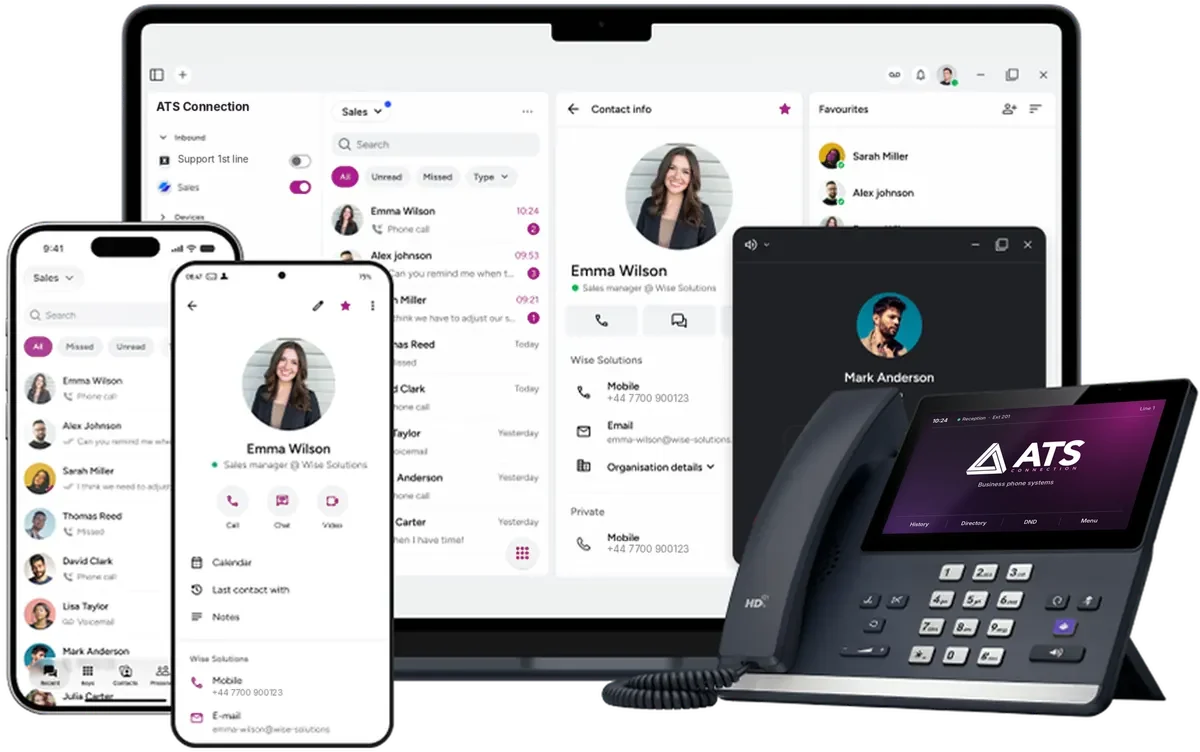
Mobile appYour business number on iPhone and Android. Customers see the company number, never your personal mobile.
Desktop appCalls, chat, contacts and call history in one window on Windows or macOS.
See who is callingCalls pop up with the caller’s name from your shared contacts, so you can answer by name.
Desk phonesRent or buy. We set them up with your numbers and call groups, so they ring from day one.
£14
Per user per month, ex VAT
UK calls
Landlines and mobiles included
30 days
Rolling contract, or 12 to 36 months
Since 2015
Supporting UK businesses
Cloud phone systems explained
What is a cloud phone system?
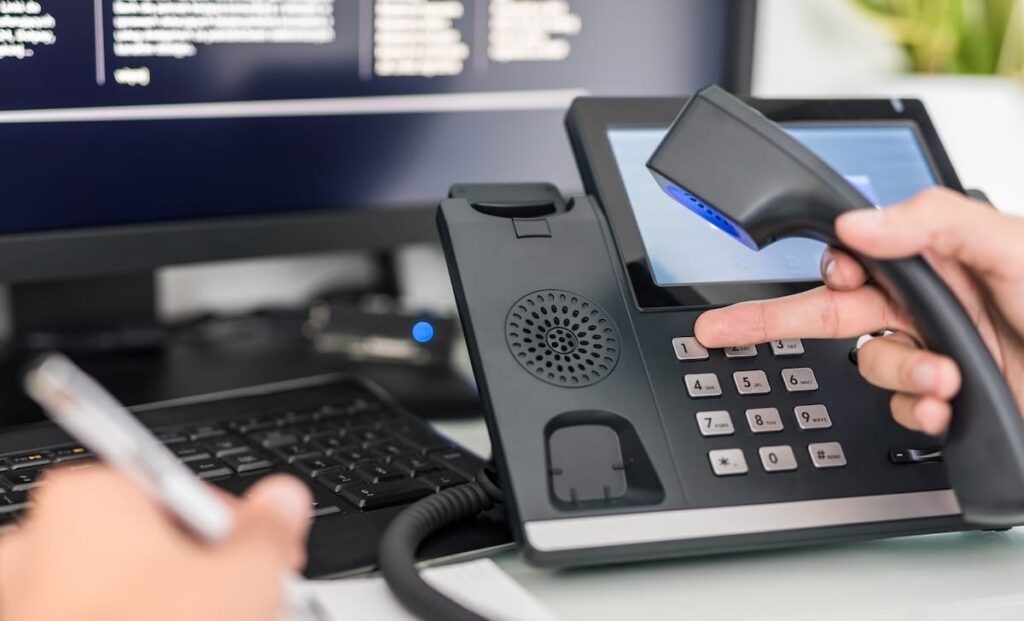
A cloud phone system runs your business phone lines over the internet instead of copper lines and a box in a cupboard. Your numbers, menus, call groups, voicemail and recordings live in a secure data centre, and your team makes and takes calls on any device. You will also see it called hosted telephony, a hosted business phone system, cloud PBX or VoIP. They all describe the same idea.
A small business phone system, from one user
You do not need a big team or any hardware. Start with one licence on a 30-day rolling contract, use the apps on the phones and laptops you already have, and add colleagues in a few clicks as you grow. Sole traders get the same features as larger firms, and nothing to worry about when the old analogue network is switched off.
- Start with one licence
- No hardware to buy
- Keep your existing numbers
- Ready for the analogue switch-off
One app on every device
Your business number, wherever you pick up.
One licence per person, not per device. The same calls, contacts, voicemail and history follow each user from the desk phone to the laptop to the mobile, so a customer always reaches a person rather than a ringing empty office.
Desk phones
Certified Yealink, Snom and Fanvil desk phones, Gigaset cordless phones and Jabra or EPOS headsets, to rent or buy. Hot desking lets anyone sign in to a shared phone with a personal code, and their calls follow them.
Desktop app
For Windows and macOS. Make and take calls, see who is free, chat with colleagues and scroll back through every call with a customer.
Mobile app
For iPhone and Android. Calls show your business number, not your personal one, and your working hours decide when it rings, so evenings stay your own.
Already using Microsoft 365? See how it fits with Microsoft 365, and how the apps support remote and hybrid teams.
Call flows
Every call answered, day or night.
Menus, opening hours, call groups and voicemail work together and switch automatically with the time of day. Try it: this is how a call to a typical small business is handled right now.
- Opening hours, lunch cover and bank holidays switch by themselves
- Call groups ring together or in order, on every device
- Urgent calls reach an on-call mobile out of hours
- Voicemail lands in your inbox with a written transcript
Incoming callto your main number
10:24amRight now a call to your business would be answered by your team.
- Welcome messageThanks for calling. Press 1 for sales, 2 for support.
- Rings your sales teamDesk phone, laptop, mobile and Teams ring together
- No answer in 20 seconds?Moves to the next group, then to voicemail
Answered on the mobile app
Example call flow. Yours is built around your hours, your team and your menu.
Phone system features
Every feature on one licence. No upgrade tiers.
Most business phone systems sell features in bundles and charge more for the useful ones. Ours includes every core feature for every user, at one price.
Menus and opening hours
Greet callers, route them (“press 1 for sales”) and switch automatically for lunch, evenings and bank holidays.
Call groups and queues
Choose who rings and in what order. Queues play messages, and wrap-up time gives people a breather between calls.
Call back instead of waiting
When the queue gets long, callers can ask for a call back rather than hold.
Voicemail to email
Messages land in your inbox and the app, with a written transcript.
Live presence
See who is free, busy or away before you transfer, with status set by your calendar.
Hot desking and pickup
Sign in to any shared phone with a code, and pick up a colleague’s ringing call with one tap.
Video calls and chat
Chat, video and screen sharing. Customers join from their browser, with no download.
Microsoft 365 and Teams
Microsoft 365 sign-in, users managed from Entra ID and presence shared with Teams.
Contacts and CRM
The caller’s record and past conversations on screen as the phone rings, with notes and labels as you talk.
Returning callers
Someone who calls again can go straight to the person they last spoke to.
Call recording
Record automatically or on demand, and turn recordings into searchable text.
Text messages
Send appointment reminders and confirmations from the app, from your business number.
Reporting
Answered and missed calls, busy periods and calls per person, emailed on a schedule, with Power BI for deeper analysis.
Live wallboards
Callers waiting, wait times and whether you are hitting your answer targets, live on screen.
Call journeys
Every step a caller took through your menus and queues. Ideal for fine-tuning menus and looking into complaints.
Listen in and coach
Supervisors can listen to a live call and send advice the caller cannot hear.
- UK landline and mobile calls
- Keep your existing numbers
- Desktop, mobile and Teams apps
- Set up and supported by our UK team
Business phone system pricing
One price per user, published up front.
£14 per user per month, excluding VAT, with every feature and UK landline and mobile calls included. Pick how long you want to commit for; the monthly price is the same on every term.
Every feature included
Cloud phone licence
£14per user, per month, plus VAT
For your team: £140 a month
30-day rolling: £140 a month, cancel with 30 days’ notice
- UK landline and mobile calls included
- Desktop, mobile and Teams apps
- Menus, call groups and queues
- Call recording and reporting
- Number porting handled by us
- UK support from our own team
Extras, quoted for you
Only if you need them. We quote these once we know your setup.
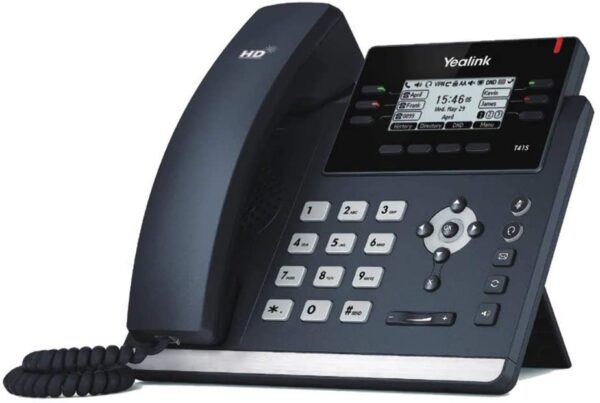
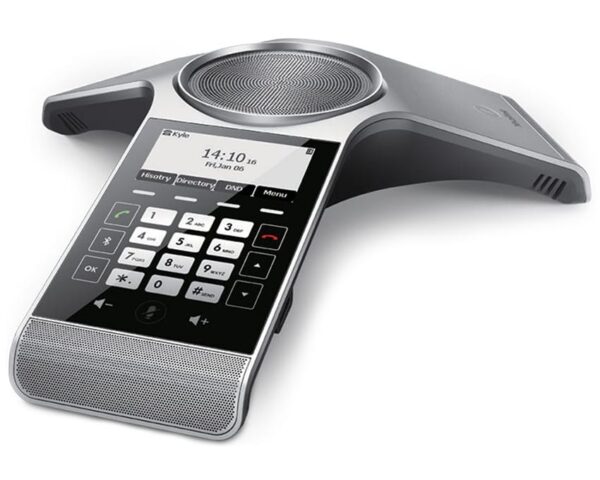
- Desk phones and headsets, to rent or buy
- WhatsApp Business and website webchat
- AI assistant for routine calls and chats
- Conversation analysis
- Business broadband or a leased line
Prices exclude VAT. UK landline and mobile calls are included; international calls are not. Phones and connectivity are quoted separately. See our business broadband and leased lines if your connection needs an upgrade.
The Big Switch Off
The analogue phone network is being switched off.
BT and Openreach are retiring the old copper phone network (PSTN), and ISDN goes with it. The migration is due to finish on 31 January 2027, and around 350,000 business premises were still to move in September 2026. Lines that have not moved are expected to go onto a temporary emergency voice service that costs more than a modern digital line.
Source: ISPreview, September 2026.
109days to 31 January 2027
What it can affect
- Phone lines and numbers
- Older card machines
- Intruder and fire alarms
- Lift emergency lines
- Door entry and gates
- Fax machines
A cloud phone system replaces your lines and keeps your numbers. We can check the rest with you.
Microsoft Teams phone system
Works with Microsoft Teams and Microsoft 365.

If your business runs on Microsoft 365, the phone system fits straight in. People sign in with their Microsoft account, their calendar sets their status automatically, contacts come across, and presence is shared both ways with Microsoft Teams, so colleagues can see who is on a call.
If you would rather make and take every call inside Teams itself, we also set up Teams Phone using Direct Routing or Operator Connect. We will recommend whichever suits how your team works, and as a Microsoft Partner we look after the licences and the setup either way.
- Microsoft 365 single sign-on
- Calendar-based status
- Presence shared with Teams
- Teams Phone if you prefer
Phone system security
Secure by design. Private by default.
Your phone system holds customer details and recorded calls, so security is built in rather than bolted on. And the team that looks after it is Cyber Essentials Certified.
ISO 27001 certified platform
Independently audited for information security, with regular penetration testing.
Encrypted apps
The desktop and mobile apps use encryption to protect calls and messages from interception.
Access by role
You decide who can play recordings, manage queues or change settings. Nothing is granted by default.
Retention you control
Choose how long call recordings are kept, to match your own data policy.
Backed up off site
Regular backups, with key settings kept in a second data centre and disaster recovery tested.
GDPR compliant
Your data stays yours. It is never shared with third parties for analysis or product research.
Business phone system examples
Set up around how you work, not the other way round.
Every business gets the same features. What changes is how calls are routed. Here are typical setups for the kinds of businesses we look after.
Example setup
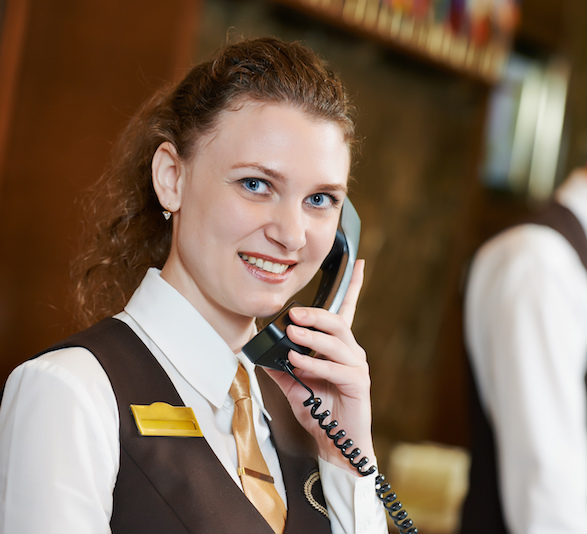
Hotels and hospitality: Reception, rooms and the restaurant on one system.
- Reception rings first, then the duty manager’s mobile
- Room phones reach reception with a short extension
- A separate bookings number with its own opening hours
- Overnight calls ring the night porter, not an empty desk
In practice: the Norfolk Arms Hotel runs desk phones in every room, bar and reception.

Example setup
Clinics, vets and practices: Appointments answered, emergencies routed.
- A menu for appointments, prescriptions and emergencies
- A queue that tells callers their place during the morning rush
- Out-of-hours calls pointed at your emergency cover number
- Call recording, so you can check what was agreed
In practice: Neighbourhood Vet in Gosport runs its phones, broadband and IT with us for 13 staff.

Example setup
Trades, installers and estate agents: The office number on every mobile.
- Outgoing calls show your business number, not a personal mobile
- The office group rings first, then whoever is on call
- Voicemail lands in a shared inbox with a written transcript
- Customers reach a person, even when everyone is out on jobs
In practice: Bright Spark Energy uses its phones in the office and when working remotely.

Example setup
Professional services and multi-site firms: Two offices, one phone system.
- Extension dialling between offices, wherever they are
- A direct number for each person, plus one main number
- Presence shared with Microsoft Teams before you transfer
- Recording and reporting for client calls
In practice: a 23-person law firm runs its Brighton and London offices as one phone system with us.

Example setup
Home and hybrid workers: The same number at home and in the office.
- Calls follow each person to the laptop and mobile apps
- Working hours set per person, so calls stop at home time
- Colleagues can see who is free before they transfer a call
- Callers cannot tell whether you are at home or in the office
More on remote and hybrid phone systems.
Switching phone provider
Moving to a cloud phone system, without missing a call.
Most of the work is ours. We plan the move with you and keep your numbers ringing throughout.

01
Free review and quote
We look at your lines, numbers, contracts and how calls come in today, then send one clear monthly price.
02
Design your call flow
Menus, opening hours, call groups and voicemail, set up around how your team actually works.
03
Move your numbers
We handle the porting paperwork with your current provider. Your numbers stay yours.
04
Go live and get trained
Apps installed, phones set up and your team shown the essentials, with our own team on hand afterwards.
Phone systems we run
Businesses that pick up on our phone systems.
Hotel, Arundel
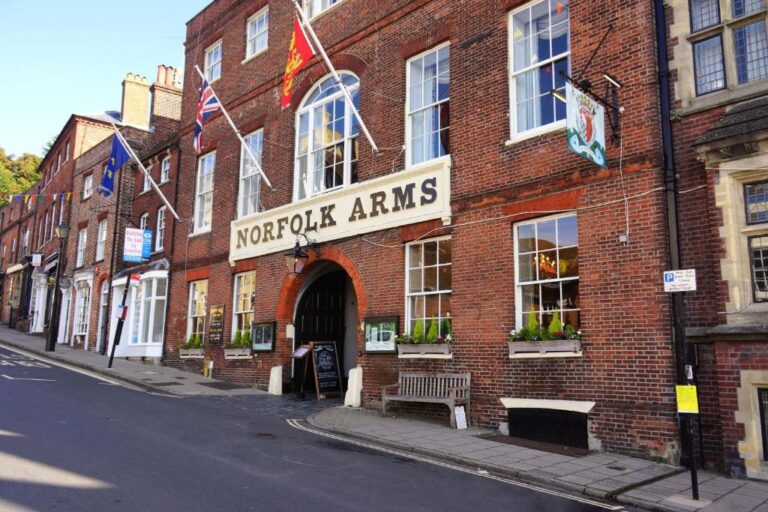
Norfolk Arms Hotel
A historic 37-room hotel in a listed building, with thick stone walls and phones spread across bars, ballrooms and gardens. ATS put desk phones in every room, bar and reception, alongside full-property WiFi and monitored security.
Read the case study
Solar and EV installer, Littlehampton
“ATS Connection manages our IT, cyber security and VoIP, giving us one team to rely on across the business. As a solar installation company, our staff need dependable systems and communications both in the office and when working remotely.”
Mark Stevenson, Director, Bright Spark Energy
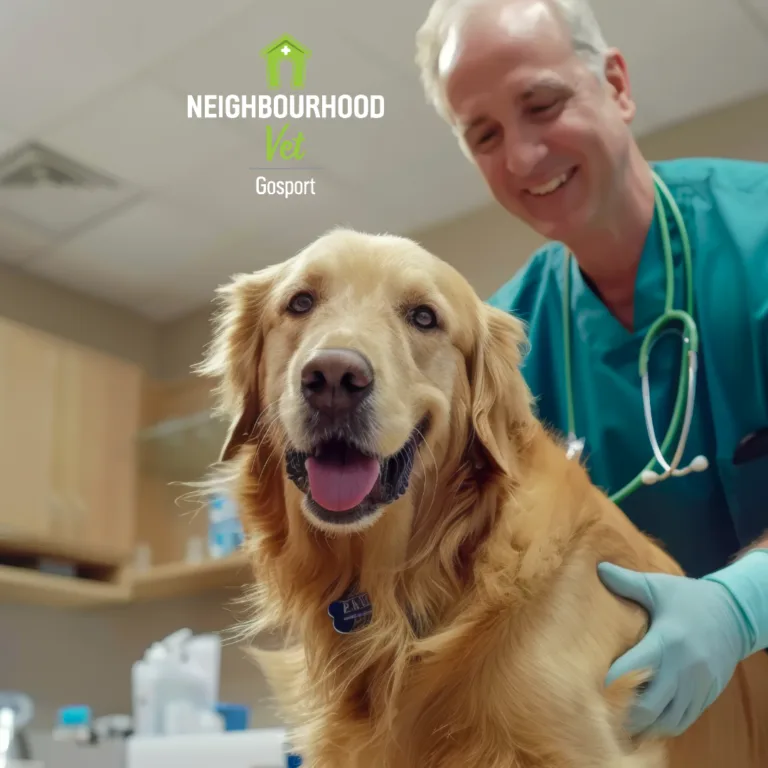
Vet practice, Gosport
Neighbourhood Vet
“With 13 staff relying on our systems throughout the day, reliability is really important to us.”
Adrian Ward MRCVS, Neighbourhood Vet
IT for vet practices
Museum and charity, Arundel
Arundel Museum
An inconsistent phone setup and unreliable broadband were making communication difficult. We took over the museum’s phones and broadband, moved it to Microsoft 365 and fixed the problems a previous provider left behind.
Read the case studyLaw firm, two offices
Brighton and London, one phone system
A 23-person law firm with offices in Brighton and London. We run its IT, cyber security, phones and broadband under one contract, with both offices connected as one phone system and held to the same standard.
IT for law firmsWe have been with ATS Connection for years and they have always been reliable. Fast, efficient, and they really know their stuff.
Their proactive IT support has saved us a lot of headaches. We can focus on growing our business knowing our IT is sorted.
ATS Connection has been a huge help. Whenever we run into IT issues, they are always there to resolve things quickly.
Trusted by businesses including











Old phone lines vs a cloud phone system
| Topic | Traditional phone system | Cloud phone system with ATS |
|---|---|---|
| Where it runs | Copper lines and a box in a cupboard | Secure data centres, nothing on site |
| Working from home | Calls stay on the office phone | App on your laptop and mobile |
| Adding a person | A new line or an engineer visit | Added from the admin portal |
| Busy times | Callers wait on hold or ring off | Callers can ask for a call back |
| Recording and reports | Extra kit, if possible at all | Included for every user |
| The 2027 switch-off | Being retired | Not affected |
| Price | Line rental plus call charges | £14 per user, UK calls included |
Need extra numbers too? See our business phone numbers, including 0800, 0333 and local numbers.
Free No obligation One clear price
Get a business phone system quote
Tell us how many people need a phone, which numbers you have and how calls come in today. We will come back with one monthly price and a plan for moving your numbers.
Business phone systems
- Check your numbers, lines and contract dates
- Design menus, call groups and opening hours
- Check your internet connection is ready
- Plan the switch-off for alarms and card machines
Cyber Essentials Certified
Microsoft Partner
Get your phone system quote
Tell us how many users you have and what you use today. We reply within one working day with one clear monthly price.
Get your phone system quote
Tell us how many users you have and what you use today. We will reply with one clear monthly price.
Tell us what you need. It takes a minute.
A named engineer reviews it, not a call queue.
We reply within one working day with honest next steps.
Thanks, your message has been received.
FAQ
Business phone systems: common questions
Straight answers on cloud phone systems, hosted telephony, pricing and the analogue switch-off. Want more detail on the switch-off? Read our Big Switch Off guide.
What is the best phone system for a small business?
For most firms the best small business phone system is a cloud phone system: no hardware to buy, a simple price per user and apps on the phones and laptops your team already has. Look for UK calls included, call groups, voicemail to email, a mobile app and a short or rolling contract, so you are not locked in while you grow.
How much does a business phone system cost?
Our cloud phone system is £14 per user per month, excluding VAT, with every feature and UK landline and mobile calls included. The price is the same on a 30-day rolling contract or a 12, 24 or 36-month term. Desk phones and headsets are optional, to rent or buy, and quoted separately. For a full breakdown, including what other UK providers charge, see our guide to business phone system costs in the UK.
What is hosted telephony?
Hosted telephony means your phone system is run for you in a data centre rather than on a box in your office. Calls travel over your internet connection, and features like menus, call groups, voicemail and recording are managed through an app and a web portal. Hosted telephony, cloud phone system and hosted VoIP describe the same thing.
Is VoIP the same as a cloud phone system?
VoIP (voice over internet protocol) is the technology that carries calls over the internet. A cloud phone system is the full business service built on it: your numbers, menus, call groups, apps, recording and support. Every cloud phone system uses VoIP, but a VoIP line on its own is not a full phone system.
Can I keep my existing business phone number?
Yes. We move your existing numbers across from your current provider, including local and non-geographic numbers, and handle the porting paperwork for you. Your numbers stay yours, and we plan the switchover so calls keep ringing.
Do I need new desk phones?
Not necessarily. Many people use only the desktop and mobile apps. If you want desk phones or headsets, we supply certified Yealink, Snom and Fanvil desk phones and Jabra or EPOS headsets to rent or buy, plus Gigaset cordless phones for people who move around the building. We can also check whether any phones you already have are compatible.
What happens to my phone line when the analogue network is switched off?
The migration off the analogue network is due to finish on 31 January 2027. Lines that have not moved are expected to go onto a temporary emergency voice service that costs more than a digital line. Moving to a cloud phone system keeps your numbers working, and our free switch-off checker shows what else in your business, such as alarms or card machines, may need attention.
Does it work with Microsoft Teams?
Yes. The phone system shares presence with Microsoft Teams both ways, signs people in with their Microsoft 365 account and uses their calendar to set their status. If you would rather make calls inside Teams itself, we also set up Teams Phone using Direct Routing or Operator Connect.
Can I get a business landline number without a phone line?
Yes. A business landline number, such as a local 01 or 02 number, works on a cloud phone system with no physical line. Calls ring on your desk phones and in the apps, so you can keep a local presence wherever your team works.
What internet connection do I need?
A stable business broadband connection is enough for most offices. We check your connection before going live, including jitter and packet loss, which affect how calls sound, and if it needs an upgrade we can supply business broadband or a leased line and look after it alongside the phones.
Is a cloud phone system secure?
Yes, when it is set up properly. The platform we use is ISO 27001 certified and regularly penetration tested, the apps are encrypted, and you decide who can listen to recordings and how long they are kept. Backups include a copy of key settings in a second data centre, and our own team is Cyber Essentials Certified.
Is a cloud phone system reliable?
Yes. The platform runs in resilient data centres rather than on a single box in your office. If your office internet drops, people can carry on in the mobile app, and calls that are not answered fall back to a colleague, another group or voicemail.