By data, we mean how fast the code that makes your HD streaming, game connection and internet surfing is able to go back and forth to a server. The faster the line, the faster and more data you can send and receive to and from a server.
Do I need Fibre Broadband?
You may not notice it all the time, but if you live in a shared house with a family and everyone is using the internet at the same time, your home’s allocated data is split between each user.
If you’re streaming your favourite show, you may notice the occasional buffering or quality change. Not to mention when you connect to the internet at peak times with hundreds of other users all connecting at once.
Imagine you’re in the middle of downloading a critical file for work with a slow connection. What if you’re playing a competitive video game and that one moment of slow connection costs you the game. It gets frustrating, doesn’t it?
If this happens far too often for your liking, then maybe it’s time to get an upgrade.
How does Fibre work?
As previously mentioned, fibre uses fibre optic cabling, which are able to deliver much higher speeds over much greater distances. The data travels at the literal speed of light. Unlike copper wires where certain electrical signatures either produced a one or zero for binary, fibre sends light signals down the wire at 186,000 miles per second in a sequence to create binary, the language that computers speak.
According to Ofcom, most UK homes still use ADSL broadband which uses standard copper phone lines. Although efforts by Openreach and partners are being made to supply fibre to as many homes as possible it is a big task to undergo.
Fibre to the Cabinet, sometimes referred to as ‘superfast broadband’ the fibre optic cable is run to a telephone exchange box where a copper cable is run the remainder of the distance to the property. You probably have seen these cabinets, a dark green cabinet, located all over the country.
What is FTTP?
Fibre to the Property which can also be called FTTH (fibre to the home), this is the ultra-fast broadband or full fibre broadband. Fibre optic cables are run the entire way into your home, this is the fastest domestic broadband speeds currently available however, availability is scarce depending on where you live.
How fast is Fibre Broadband?
Ultra-fast FTTP connections offer a minimum download of 300Mbps according to Ofcom. Superfast broadband FTTC minimum download is around 30Mbps.
Although, the actual speed is rather determined based on how far away your home is from the street cabinet. There are some other things that can affect your top speeds;
Fibre optic cables are built to last. Much more resistant than copper wires, fibre can handle most things you could throw at it, such as, electrical interference and cold weather.
Signal Strength
The further away from an exchange you are, the more your signal strength will drop. Fibre is able to transport larger amounts of data over greater distances compared to copper lines.
Bandwidth
Bandwidth is determined by the amount of data that you can transfer in a certain time. Low bandwidth equals slow internet, especially if you have multiple users.
Copper cables were not originally designed to transfer data. The further the cable runs from a cabinet, the more bandwidth they lose. FTTC was introduced to combat slow internet speeds by making the copper cable only part of the way. FTTP loses no bandwidth whatsoever.
Can I get Fibre?
Now you know more, now is the time to see if you can get fibre. Just enter your postcode and address into our checker to see if it is available.
Remote Monitoring and Management software is one of the most useful and important software programs that we use as an IT company.
It lets us support our clients wherever we are, and wherever they are, and it is the tool behind our remote IT support.
RMM allows us to support our clients faster and address problems with minimal user interruption. Support-wise, RMM allows us to remotely control the computer, we can see the screen and perform inputs such as typing. This means we don’t have to always go on-site to resolve an issue, reducing callout charges.
More than a remote
RMM does so much more than just letting us control a computer. We can completely review the workings of the computer such as how hard certain components are working, storage space, fan speed, heat generated, and more. With this information we’re alerted to problems before something can go critically wrong, we can take actions to stop an issue progressing.
Scripts and Automation
Scripts and automation give us more time to focus on the important things. We can set certain alerts and severity scaling to warrant appropriate scripts. Usually used on low to medium scale alerts an automatic response can be made, scripts can be sent and run through the RMM to fix small issues.
We run scheduled thorough audits on many of the devices we cover to scan for problems where we can then take action based on the output. Security audits are also performed via script deployment, which return detailed security reports.
Quick jobs are also very helpful in performing pre-written scripts, this can let us administer patches and updates without interruption. We can also install some apps, which makes deploying software over a large company much quicker.
Policies
Polices can be applied globally or to certain sites, depending on how managed a company wants their devices. Policies can also be configured with scripts and automation, some companies may always require a certain software in their devices. With policies, software can automatically be downloaded and kept up to date if it were removed or if a new device was added.
Policies are also great for making sure that software programs and operating systems are up-to-date, improving the security of devices and their performance.
Reports
When requested by the client or needed by us, reports globally or per site can be generated and give us an outline of;
Usage over a period of time.
Current status of installed software programs and versions.
Storage capacity.
Average lifespan of the device.
Want more control over your business IT system?
ATS Connection can offer your business fully and partially managed IT Support. All our retainer business clients are enrolled to our RMM software, so there’s no extra costs. We always stay proactive with our clients systems, and RMM makes that easier and more precise.
SoGEA stands for Single Order General Ethernet Access, a bit of a mouthful, probably best we stick to the abbreviation. This line utilises the existing copper phone line to connect the network, these phone lines can be found in almost every building in the country. However, instead of phone calls they are repurposed to transfer data.
SoGEA is an interim solution for areas that currently don’t have access to fibre connection. SoGEA is quicker and cheaper to install than Fibre to the Cabinet (FTTC) because it doesn’t require any new infrastructure. Also due to it being a single order line issues can be identified and resolved quickly, another perk is the better service that you’ll receive. Without the phone line interfering traffic is gone meaning you receive better connection speeds.
What’s the difference between SoGEA and FTTC?
Fibre to the cabinet is currently the most common type of broadband connection. Utilising a blend of copper and fibre wires to deliver your property broadband. However, your top speed will always be determined by the slowest part of the wire.
The main difference is mainly within the infrastructure, currently a FTTC connection has a phone line with a fibre broadband connected over the top of it.
Openreach has launched SoGEA, this means no copper phone line is needed. SoGEA broadband just needs to be ordered with no line rental to worry about.
What’s the difference between SoGEA and FTTP?
Fibre to the Premises/Property is a fully fibre connection, from the supplier to the property it is complete fibre cable. Full fibre is becoming available to both residential and business properties but Openreach faces a challenge to supply all the properties with full fibre. SoGEA provides an interim for your property if fibre is not yet available.
FTTP has un-rivalled speeds, if FTTP is available it should be the first choice. Realistically FTTP is the fastest we will be able to go for a while unless we find a way to move something faster than light.
Both are easy to install, cost-effective, and easy to fix. FTTP is an ideal solution for businesses which rely on high internet speeds especially with the move over to VOIP systems.
Do you need to move to SoGEA?
You may know that Openreach are shutting down the ISDN and PSTN network in 2025, many businesses and households still use this connection despite the shutoff being right around the corner. If Fibre isn’t available for you then you may need to consider moving to SoGEA sooner than later.
Need to move? We can do that for you. We offer super-fast SoGEA and full fibre broadband options.
Want to know what speeds you can reach? Get in touch today for a quote same day.
Landline phones have become so obsolete that even one of our director’s Jake Boase’s parents have given up theirs. While many of us increasingly rely on our phones for everything, the UK still has a fully functional landline network, and many people still have at least one phone connected into a socket in their home.
There are 22 million conventional landlines in use in the UK, and they will face significant changes in the not-too-distant future. The network is transitioning to VoIP, and if you don’t have a suitable phone, you may find yourself in trouble.
When does the UK HAVE to move over to VoIP?
VoIP (Voice over Internet Protocol) is on the way, but you don’t have to jump on board just yet (even though we advise to!). However, in December 2025, there will be a technological shift, and traditional landline phones that use analogue technology will be phased out.
The replacement will be a much better internet-based IP, or Internet Protocol, network, which will be much more future-proofed than the current system, which is based on the remnants of the UK’s antiquated copper wire network – though much of that has already been superseded by fibre optic cable, which VoIP takes advantage of.
Why is the UK moving to VoIP?
The improvement is, without a doubt, long needed. While you’ll be able to keep your landline if you want one, there will be plenty of VoIP-compatible landline phones to pick from which will make receiving calls significantly enhanced. The UK’s original telephone network is nearly a century old, and what we have now is a patchwork quilt of wiring that has been spruced up in some parts and completely replaced in others.
The phone and broadband firms have teamed up to devise a clever strategy that will see a completely revamped network launched in December 2025. The initiative is also monitored by the government and the telecoms regulator Ofcom. The good news is that you won’t have to do anything about the landline phone network update; your landline phone provider should take care of everything and notify you when it happens.
While the network will change without you having to do anything, if your existing phone does not allow VoIP, you will need to purchase a new phone.
Will you be able to keep your number?
Although it’s impossible to say for sure, it appears like you’ll be able to keep your current landline number when the network switches to VoIP. If you’ve had the same phone number for a long time, this is great news.
However, as we always say, your phone may need to be replaced, especially if you’ve owned it for as long as your phone number. However, anyone who has updated their landline handset in the recent few years may discover that it will work just fine when the time comes to upgrade.
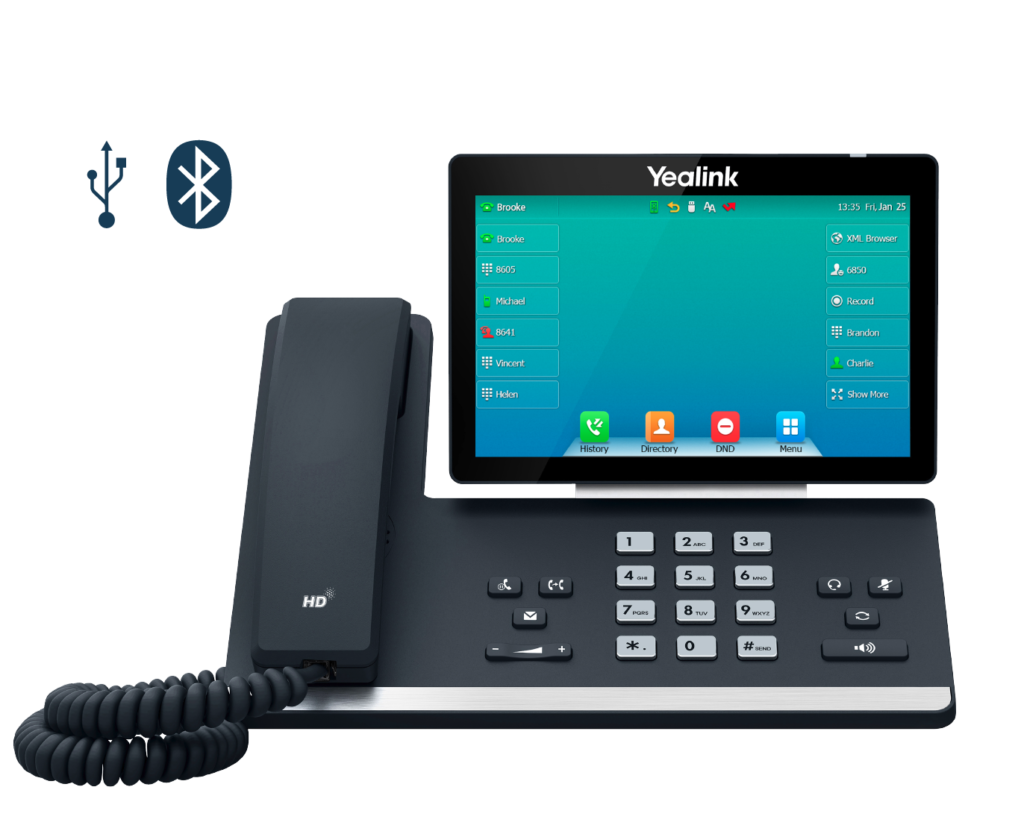
A new phone can completely change the way you use it, especially with the latest models from Yealink and Mitel that use technology to make it easier to avoid annoying calls. In fact, a number of the phones we tested were able to completely block undesirable callers, so that’s money well spent right there. Even more so if you’re getting calls from scammers on a regular basis.
VoIP landline phones: What you need to know
The fact that VoIP landline phones are being rolled out now that many of us have broadband at home seems reasonable. This is because, in the future, you’ll be connecting your calls via the internet, rather than the ageing copper wire network.
The call quality, which should be crisper and more audible, is one of the primary advantages. You will, of course, require a broadband connection for this to work, so if you haven’t already done so, contact your phone company.
Another thing to keep in mind about phones that rely on broadband, a router, and a power supply to work is that they rely on services being available online. As a result, if you lose electricity, you may be unable to make or receive calls. If you have a backup phone, this isn’t a problem, but if you don’t, it’s something to keep in mind so you know where you are in the event of an emergency.
Why are VoIP phones so good?
Another advantage of having a landline that uses VoIP to connect you is that it is a lot less expensive option to make calls. Of course, you may argue that you’ll need access to the internet, which you might not have had before. On the bright side, having access to the internet is so beneficial that we believe the advantages far exceed any disadvantages.
While it may seem strange that someone today does not have access to the internet at home, we must acknowledge that not everyone wants it or, in some situations, wants it but is unable to obtain it. If that’s the case, you’re probably reading this on your smartphone right now.
But, returning to the cost issue, let’s face it: for many years, phone companies have done quite well by charging you for making calls, whether they are local, national, or international. If you have a lot of individuals you need to talk to on a regular basis, VoIP phones can save you a lot of money over time.
Another advantage of utilising a VoIP phone is that it is far more robust than older phones that were connected using outdated technology and a network made up of a jumble of copper wire and fibre cables.
Water penetration is common on older phone lines, causing interference and frequently stopping your connection in its tracks. While VoIP technology isn’t infallible, it should make your phone connection less sensitive to external interruptions than before.
That could save you money as well, because there’s a lower chance you’ll need to call in an engineer and deal with all the time and aggravation that entails.
VoIP phones typically offer more features and capability, so if you get one of the best landline phone models on the market today, you’ll find yourself with a veritable telecoms powerhouse on your sideboard. That, in the words of an old BT commercial campaign, should mean that it’s ‘nice to chat’ on it once more.
Summary
So as we know, traditional phone lines will be made redundant in 2025 for a new system to come into place. This system will be powered by internet based phones which will heavily involve VoIP. While the need for VoIP is already in demand due to the benefits the system has to offer, the price will increase nearer to 2025 we get.
At ATS Connection we are doing a price fix promise which will mean that for any business who signs up to our VoIP packages, they will not see a price increase due to the demand.
Get in touch
Speak to a real engineer, not a call queue
Tell us what is going on and we will come back with straight answers. No obligation and no hard sell.
1
Tell us what you need. It takes a minute.
2
A named engineer reviews it, not a call queue.
3
We reply within one working day with honest next steps.
Do you ever look at an email and think twice about its authenticity?
Well your definitely not being paranoid, these emails are known as phishing emails which in the recent 2021 government survey identified to be the most common form of attack on businesses and individuals.
What is a phish?
Phishing is when cyber criminals impersonate companies or “Persons of Authority’ such as a bank or government agency to mislead users into revealing information, making payments or downloading malicious software usually through emails. Recently phishing scammers have branched onto mobile messages so this blog concerns both email and mobile.
The main types of Phishing
Mass scale – This is the most common of phishing scams because it’s so easy for cyber criminals todo. What cyber criminals will do is send a mass amount of emails to hundreds and even thousands of people at once with a generic email that could relate to anyone. This method relies on the chance that one or two people fall for this scam.
Spear Phishing – This method is much more direct. Focused at an individual or group of individuals. This method for the victim is much harder to identify as the cyber criminals will have knowledge of your personal details from other sources making the scam that more believable.
Whaling – A version of spear Phishing which targets a high value member within an organisation such as directors.
The impact Phishing causes
Depending on the attack the damage could be severe towards an individual or business.
For individuals most phishing scams will try to gain personal information which can then be related to further issues such as identity theft.
Companies can suffer massive loss of revenue on top of hefty fines if they were to suffer a phishing scam that affected customers. Phishing can affect companies in many ways and usually with diverted time which would be prioritised to fixing the issue.
However, if at all a phishing scam entered the companies system and leaked private information about clients, then the company could face a fine of up to £17.8 million or 4% of global revenue if the digital security of the company did not meet UK GDPR guidelines during an investigation.
Another big phishing impact would be to get you to install something onto your computer. If you didn’t know, downloading links from people you don’t know is usually a bad idea but if it were from a phishing scammer you could be installing anything onto your computer, Malware, remote monitoring and control software, viruses and others. This can then result if data loss and your system being held for ransom.
Anyone is a target
Phishing can affect even the most technologically and financially advanced businesses. A false invoice phishing attack impersonating one of Facebook’s main Asian-based suppliers cost the company $100 million between 2013 and 2015. Crelan Bank in Belgium lost $75.8 million in a CEO fraud scheme that was only discovered through an internal audit.
The criminals responsible are yet to be found.
How can I recognise phishing scams myself?
Suspicious attachments or links.
An infected attachment is a document that appears to be normal however conceals malware. It is recommended that you never open an attachment unless you are certain the message is from a legitimate source. The validity of the download will be flagged by your anti-malware programme if you have one. If this is the case, don’t go any farther.
Look at the email address.
Many people don’t look at email addresses, we cut straight to the content. Phishing scammers have found ways of displaying names that don’t correlate with the email address. This disguises the true origin of the email.
Genuine emails will have organisation names in the domains such as @paypal.com and @barclays.com. If they look any different then you should ignore the message and block the domain.
Another part would be that domains are misspelt in ways that are indistinguishable from the ones being impersonated. Creating a domain extremely similar to a company is called Typosquatting. ‘Google’ could be changed to ‘Yoogle’ or ‘Voogle’ in the chance that you wouldn’t notice the difference, this is because our brains are able to correct spellings without us even knowing and why we can read jumbled letters if placed correctly.
Messages require immediate action.
The longer you think about it, the more likely you are to notice something is amiss. The attackers are well aware of this. As a result, they use strategies to convince you to act now rather than later. PayPal, Windows, and Netflix are examples of frequently used services that are vital to the majority of people. As a result, they’re great because you’ll be able to deal with them right away.
The solution
Although very serious these are very easily and solvable problems:
Educate yourself and your employees. Noticing phishing emails today is crucial and can save you a lot of time and money. Spam filters will never be 100% effective so everyone is responsible for protecting their email and their organisation. Spending some on training your employees is much cheaper than the losses that you could receive from phishing scams.
Identify scams and report them to others. This gets the word out about emails to ignore.
If you were to receive anything immediate from your bank or government which you don’t recognise then you should contact them directly (over the phone preferably).
Use the knowledge within this blog to help you better understand how phishing scammers operate.
We hope that this blog helped you in some way. If you think that you have fallen victim to a phishing scam we may be able to assist you or point you in the right direction to recovery.
At home, or at work? This guide works for both. If you would rather somebody just sorted it, we look after home IT support and home broadband from our Arundel office. If this is a business network, start with business wireless networks instead.
Do you find that your WiFi doesn’t reach all around your home? Perhaps your one too many rooms away from the router and you notice extended buffering and generally slow performance.
Maybe some parts of your property there is no signal at all where even loading a web page seems to take an eternity.
Usually these ‘black spots’ are often caused by distance, thick walls like brick and interference from other devices.
Nowadays WiFi is essential especially since working from home has become the new norm with video calls and cloud sharing becoming more popular. So when your WiFi keeps dropping out it can get increasingly frustrating and disruptive.
Luckily there are many different ways to extend your routers range all around your property to give you the same performance as if you were right next to the router.
Move the router
The easiest option would be to move the router to a better spot. Sounds simple enough but there are a few tricks to placing the router in the best spot.
Firstly have the router out in the open preferably in a raised place, not in a cupboard or behind the TV. Also getting the router as close to the centre of the house as possible will help distribute a signal evenly.
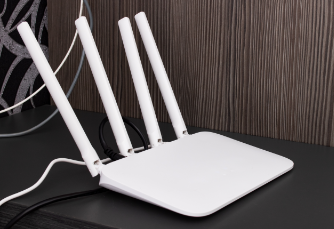
Although something of the past now some routers still have antennas and adjusting them to be perpendicular to the router will help. Antennas send the best signal out of the sides and less out of the top and bottom. Also if your router has multiple antenna your could position them accordingly to target certain parts of the house.
Upgrade the router
If moving your router around seems to not solve anything then perhaps your router is not powerful enough or too old. If this is the case then maybe its time to upgrade it to a newer one, most ISPs give these out if you ask and being a long-time user of the provider may help you out. Just watch out if they try to sell you a new contract.
The oldest to newest WiFi standards are: 802.11b, 802.11g, 802.11n, 802.11ac and WiFi 6. If you have an older “b” or “g” wireless router we really recommend upgrading.
A common misconception is that the latest WiFi standard gives you the best performance and range. While this is partially true the best speeds come at the expense of range so you’ll actually get the best coverage from a router with really good performance using 2.4GHz, not 5GHz.
However, this merges with the next option of a mesh WiFi.
Mesh WiFi kit
A mesh WiFi network is when two or more routers work together to provide the best coverage than what a single router could deliver. What it does is replace your existing routers WiFi and although this sounds confusing the process has been made very simple so that people with little to no knowledge of IT can set it up.
To set up a WiFi mesh kit connect the main device to the router via ethernet and put the other mesh devices around the house. Depending on what sort of coverage you need and how big the property is you may need one or more mesh devices. All the devices communicate with one another creating a reliable connection around the house even into the garden.
Powerline adapters
One of our most recommended options would be to use your properties electrical circuit. Powerline adapters are similar to mesh kits where a module is in each room that wants to be boosted. These even can work in places such as garages or outhouses.
All you need to do is plug an adapter into a power socket near the router and connect the two via ethernet. Then plug in the extenders in the rooms that you want a boosted signal in and press a few linking buttons and you’re all setup.
Depending on what model you get sometimes the extenders create new connections which sometimes means you have to switch your internet. However there are some good ones that simply work off the main connection meaning you don’t have to switch around when going into different rooms.
Powerline adapters are more expensive than mesh kits however they mirror the signal that the router provides meaning no loss of bandwidth on each extender.
Wireless boosters
WiFi extenders which also go by repeaters or boosters increase your WiFi signal by capturing the wireless signal from your router and then rebroadcasting it. These do work however are not the best option if you require extremely fast WiFi speeds.
These are very cheap and very easy to install with some models little than £20 or so. However these use the older 801.11n standard. There are newer models if you’re looking for something slightly faster, 802.11ac boosters can be brought for around £35.
They work by having two halves of an antenna, one to receive and one to transmit which effectively halves the potential speed of the original WiFi signal.
Realistically this shouldn’t be too much of a problem if you are doing basic things like browsing the web but you could see some buffering if trying to stream in HD or downloading large files.
Wireless boosters work best when placed in a central location and are not to far away from the main router. If you think that putting a booster in a place where the connection is bad it will do no good as it is just spreading around a weak signal and will reduce the speed of the rest of the network.
So the best spot for the booster is somewhere in the middle between the router and the desired device that you want to be connected.
Using 2.4GHz instead of 5GHz WiFi
If you didn’t know WiFi uses two frequency bands: 2.4GHz and 5GHz. Most people think that the fastest option would be 5GHz. In a technical sense you’d be correct 5GHz is faster than 2.4GHz however you’d have to sacrifice the walls and ceilings in your house or sit right next to the router.
This is because 5GHz cannot penetrate walls, ceilings or anything because of its wavelength. The higher the frequency the shorter the wavelength.
2.4GHz is much better at delivering a signal over greater distances but at slower speeds. That is why you may benefit from forcing your device to connect to the 2.4GHz network instead. Most basic routers combine the network so separating them can sometimes be a challenge.
If this is the case then all you have to do is log into the settings web page (type your routers IP directly into a browser) and look for a WiFi menu where you can split the two frequencies into two entities.
Bear in mind some household devices can interfere with a 2.4GHz connection such as baby monitors, Bluetooth, Microwaves and more. These can reduce the speed and range a WiFi signal has.
Ultimately you have to decide if you want a greater range with lower speeds or shorter range with greater speeds. Mileage may differ but it is very well worth understanding the difference between the WiFi bands and use it for your advantage.
Conclusion
There are many different ways of boosting a WiFi signal over your property. Some options are much better than others but really it depends on what property that you have. There are many different things that can influence the choice of WiFi extender, such as what your properties internals are made out of such as brick or plaster, also the size of the coverage that you want should influence your choice. It is easy to forget the reliability of your broadband causing an issue. If your property can’t currently get FTTP then SoGEA is the best alternative for speed and reliability.
All the options that we’ve covered in this article are viable options but if you’re having trouble deciding what would best suit you, don’t worry.
Here at ATS Connection we can find the best option for your property and install everything to ensure that you receive top-notch WiFi everywhere.
If you do want a professional opinion feel free to call us on 01903 255 159 or email hello@atsconnection.co.uk
Get in touch
Speak to a real engineer, not a call queue
Tell us what is going on and we will come back with straight answers. No obligation and no hard sell.
1
Tell us what you need. It takes a minute.
2
A named engineer reviews it, not a call queue.
3
We reply within one working day with honest next steps.
At home, or at work? This guide works for both. If the trouble is at home and you would rather somebody just sorted it, we handle home IT support and home broadband from our Arundel office. If it is a business network dropping out, start with business wireless networks instead.
Do you have issues connecting to the internet in some parts of your home? Does browsing the web become a chore? Is your line just slow to begin with?
There are many reasons why your WiFi signal could be slow and generally not work, below we’ll be looking at some of the reasons and how you could go about to fix the problems.
Router positioning
Some people like to hide their routers in cabinets and other enclosed spaces to keep their home clear of wires and boxes. Unfortunately enclosing routers is one of the main reasons for slow WiFi speeds.
This is because the signal has to pass through material which ultimately slows it down, as routers distribute a wavelength depending on the speed. 2.4GHz is the standard frequency that routers distribute on because it has a wavelength that can pass through walls. This wavelength when it collides with an obstacle such as a wall shortens which ultimately hinders the maximum data flow.
The way to fix this issue is very simple. Place the router in an open place preferably raised off the floor and roughly in the centre of the property. This will have an even amount of signal all over the property. Or alternatively place the router close to a device that you want the best speeds on, we also suggest using an ethernet cable if possible.
Keep the router updated
Another easy option would be to keep your router updated on the most recent firmware and hardware. Most modern routers are able to update themselves firmware wise however can be limited by their hardware.
Routers are mainly made to give out the maximum signal that is available at the time and when the signal improves the router can’t keep up and isn’t giving out your full potential signal strength.
If you think that your router isn’t giving out the best WiFi it should be giving then perhaps it’s time for a replacement. If you are with a large ISP then most likely you can ask for a newer version router, they’ll more times than not try to avoid sending you a new one and say that your speeds are fine so slightly more persuasion may be required. Also you should be careful not to be signed into a new contract especially if it’s more expensive than your current one.
Antenna configuration
Depending on what router that you have you may still have antennae on your router. Most modern routers have an antenna inside of it but if you have purchased a much more powerful router then most likely they will have multiple antennae which can be configured.
If you do have antennae on your router you may not know but they should be configured in a particular way for the maximum effect. The best signal comes out of the sides of the antenna not the top or bottom, this means that you can point the antennae accordingly to maximise the coverage of your home. This links with router positioning as well as having the router in the optimal spot with antennae facing towards high usage devices.
So what you want to do is have the antennae facing straight up or with the side towards a priority device. That’s it, it’s a very simple fix and can be altered at anywhere.
Stop wifi leeches
The need for accessible WiFi nowadays is greater than ever and if you have personal WiFi best make sure that it is encrypted and has a strong password because if you think your neighbours aren’t going to use it you’d be wrong.
Usually all the passwords that are given to you by default are very strong so you shouldn’t need to worry too much about intruders getting onto your WiFi unless they get hold of the card with all the details.
Many people don’t know but you can change your WiFi details such as the name and the password by typing your routers IP into a search engine while connected to it. Which may be a good idea if you have had the same password for a long time or if you want something slightly more memorable.
If you are changing your password remember to create the strongest one you can by doing the following;
Include a combination of lower and uppercase characters
Avoid common passwords like 123456, qwerty and so on.
We recommend eight characters minimum for any password. Short passwords can be brute forced.
Avoid personal details like your name or any dates.
Never write you password down on anything physical. If you can’t remember it store it in a password manager.
Some routers may provide a guest network which can be turned on from the settings page which creates a separate connection with different details. This is the best option if you have multiple guests connected to the WiFi.
Use repeaters, extenders or boosters
We have a much more detailed article of all the different options that you have here. Really to find the best option for your home you may need to survey your property to see where the weak spots are and figure out how many extenders that you might need. All the options that you have use different ways of connecting and vary in price.
Now, you may get into all sorts of confusion when searching for WiFi boosters etc due to the amount of devices on the market! So here are ones we tend to recommend:
The above items vary in price but hopefully that gives you a good idea on where to start.
If you are interested, here at ATS Connection we can give you an expert opinion on the best option for you. Well even set everything up for you!
Your property location
If you live in a rural area you are most likely going to get worse speeds than those in towns and cities. This is because most of these locations still use copper cables to connect the properties from a cabinet that receives fibre.
ISPs don’t see a profit in upgrading these rural areas and instead prioritise towns and cites first, this is understandable when looking from a business standpoint but for the consumer can be very irritating. There are other ways of connecting your property instead of outdated copper wires. One of the best solutions that we personally have had with those in rural areas is mobile broadband. How they work is they use a mobile signal much like your mobile phone. Instead an antenna is put at a high point of your property that goes to a router with a mobile SIM inside.
Use a different wifi channel
Similar to lanes on a highway there are multiple WiFi channels which a WiFi router can broadcast from. Most countries have six standard channels which WiFi uses and very commonly your router will use channels one and six.
This creates a jam on the line as many packets of data are trying to use the same channel which will create a backlog and slow your connection down. The solution for this is to find out which channel is the least occupied and manually switch your router to it. To do this;
Log into your router as admin.
Go to settings and find Wireless Settings
Find an option that has Channel and most likely the setting will be on auto.
Switch to the desired channel.
Save your settings and wait for a few minutes for it to switch.
Prioritise applications
Some applications like streaming services or online gaming use a lot of bandwidth and if there are many things connected to your router at once it can slow down your speeds. Luckily modern routers provide a quality of service (QoS) which allows users to prioritise certain applications over others. This stops other people from interrupting your streaming session when on the same network.
This is also done within the router admin panel. Although some admin panels are far from intuitive and can be difficult to change these settings. If you have any doubts about any changes that you are making be sure to research your changes before applying or contact your ISP directly.
Use the latest wifi technologies
The newest wireless standard 802.11ac and WiFi-6 offers a superior download and upload speed compared to its older counterparts. Make sure that your router is compatible with the latest WiFi standards and that other devices in your home are able to receive the same WiFi standard otherwise this exercise may be pointless.
To find out what standard your router uses you could contact your ISP or find a manual either digitally or physically. If you do have a non compatible router then perhaps its time to upgrade, some ISPs depending on how long you’ve been with them may send you an upgraded router for free otherwise you might have to purchase one yourself.
If you are starting from scratch then unless you are on a very strict budget you should get the best option that you can get even if it’s a bit more expensive as then you will have an exceptional WiFi connection and are relatively future-proofed. Routers generally should have a lifespan of five years as that is how long it usually takes for a new WiFi standard to be released. Also you should look for routers that come with extra perks like the previously stated quality of service and guest networks.
Switch your routers frequency
Your router comes with two standard frequencies, 2.4Ghz and 5Ghz. You are most likely using a 2.4GHz frequency when connected to your router as it is the most versatile at long distances although is slower than 5GHz. 5GHz is the faster option with one major downfall, distance. 5GHz frequency’s have an extremely short range and have no penetration so the router would have to be in clear sight and close to the device that you want to receive the best signal.
Most routers combine the frequencies to keep things simple but the two can be separated again in the admin panel for the router usually under wireless settings. We recommend that you use both frequencies in conjunction to avoid any dropouts if you leave the range of the router.
Reboot your router
The classic expert IT advice of turning it on and off does solve most problems even potentially your WiFi troubles. A reboot clears the routers memory and can jumpstart any new firmware updates to install.
To restart your router find a small hole usually on the back of the router which you may need a pin or similar object to press down and hold for a few seconds before releasing. Alternatively you can pull the plug on your router completely disconnecting it from any power.
If your router does start installing a new update then be patient for it to finish even if not all its services are available. Also ever intentionally disconnect it from any power while its updating as this could cause permanent damage to the device.
Wired connection
Wired connection will always be superior to wireless connections because there are no obstacles for the cable like walls or ceilings. They are also the best way to test your internet line speed.
If so far your internet is still very slow then we recommend testing your line speed. To do this use an ethernet cable and plug it in to the router and a device with an ethernet port like a laptop or desktop. Then use a website like Ookla to check your speed. Checking your speed multiple times throughout the day is the best way to make a fair test as certain times of the day will have peak times when there are lots of active people at once.
If you’re not reaching a speed that you think you should be, contact your ISP and explain the situation and give your test results to further your claim.
Change your DNS
The Domain Name System is used to convert domain names such as www.google.com to an IP address. Most likely your modem is configured by default to your ISPs DNS server, whose performance may not be the best.
Don’t worry though most routers let you change the default DNS which is one of the easiest ways to boost your WiFi speeds. If you do want to change your DNS there are a couple suggested public servers you can use such as Googles server (8.8.8.8) or Cloudflares server (1.1.1.1)
Purchase a better plan
More often than not you pay for what you get and depending on how much you spend you’ll receive an average speed. If your current plan just isn’t enough for your needs then no matter what you do you’ll never be able to improve it unless you pay for a better plan.
If you’ve been on the same plan for ages then maybe you should take a closer look and see if the speeds that the ISP provide is enough and if it’s time to get a better plan.
If you’re lucky or good at picking your providers then you may be in luck. Some providers offer loyalty schemes and you may get better prices for other packages they offer.
Purchase a better plan
If nothing else has worked so far then perhaps it has nothing to do with you and instead a fault on your ISPs side. If nothing that you’ve done has helped you should consider calling your ISP directly where they will attempt to find the problem and resolve it.
ISPs receive loads of calls everyday so getting through to them can be difficult at times, they might not be able to resolve the issue right away depending on the problem that they find so it might require some patience.
We hope this article has helped you in some way. If you’re still unsure of any of the points in this article feel free to call us at 01903 255 159 or alternatively email us at hello@atsconnection.co.uk
You’ve probably heard the term 5G a lot more lately – it’s one of those phrases that has got the tech world buzzing, with many bold claims about the future being made by mobile networks, device manufacturers and tech journalists alike.
But what is 5G? And realistically, for the average small or medium business owner, what effect will it have?
To understand this, let’s remind ourselves of a little history. The 5 in 5G simply refers to this being the fifth generation of mobile networks. The first generation – remember playing Snake on those old Nokia phones? – let users make calls and not much else. The 1990s didn’t just bring us the Spice Girls and Britpop – they also gave us the second generation, complete with the ability to communicate by Short Message Service (SMS) – better known as texting.
At the turn of the 21st century, 3G enabled mobile data, bringing the internet, maps, and email to our phones for the first time. It was such an important technology that whole devices were named after it – Apple’s iPhone 3G among them. Finally – for now – 4G built on that use of data, giving us faster music streaming, video calls and more practical email and business applications on the go.
So what about 5G – that just means more speed, right? Well… yes and no. Speed is a factor but there is far more to it than that. The most exciting benefits are 5G’s portability, and its low latency – simply put, a shorter delay between a signal being sent and received.
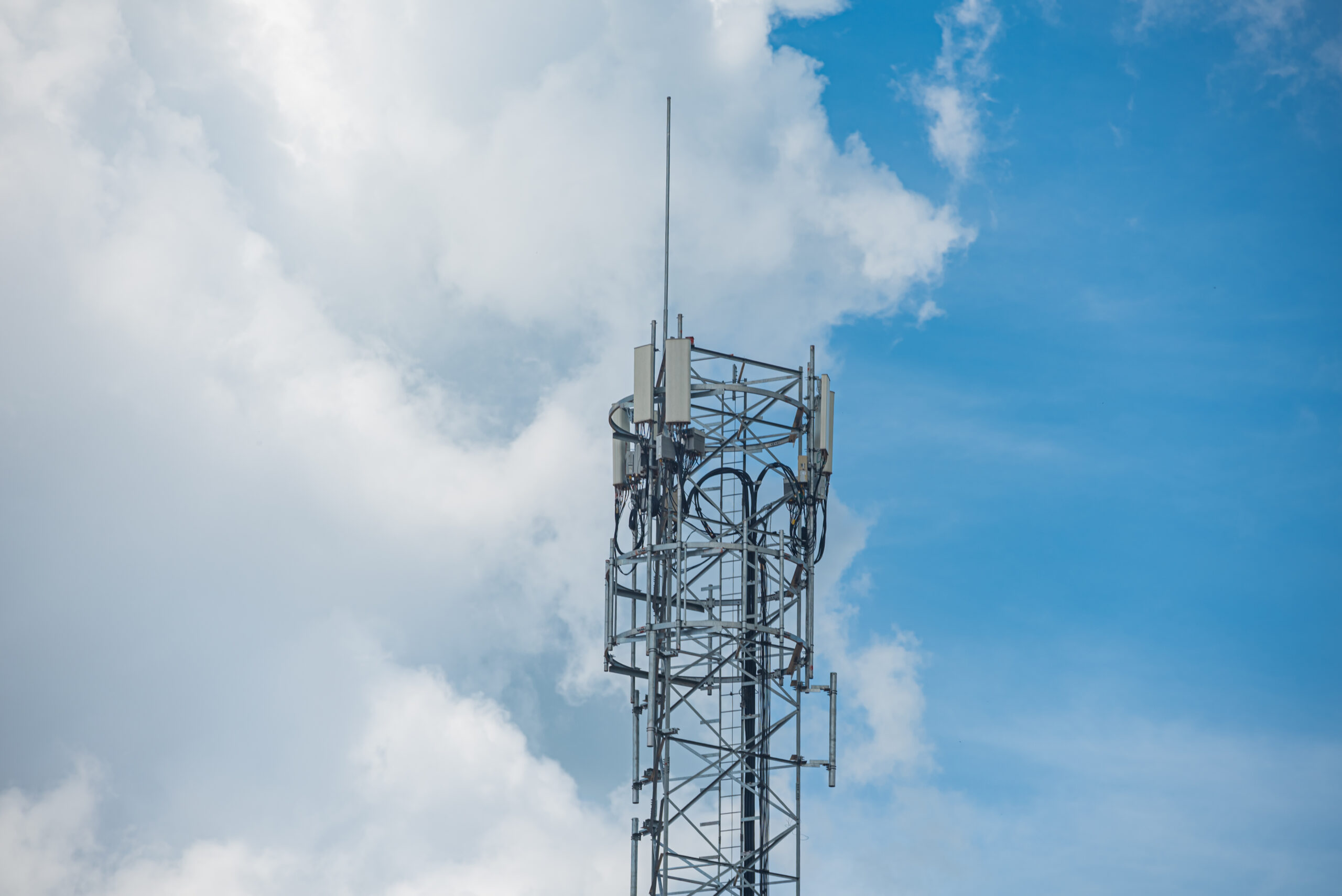
The first of those benefits – portability – comes because 5G doesn’t need to be delivered through large mobile masts. It operates on much higher radio frequencies delivered by smaller access points, similar to WiFi networks. In urban areas we are likely to see these points on lampposts, billboards, and anywhere a network operator can cost-effectively install one. This means that current ‘blackspots’ and remote places – even those where even 4G isn’t available – could see much better connectivity on 5G.
The second benefit – low latency – will accelerate the growth of the Internet of Things (IoT) – this is where smart devices talk to each other over the network. In the consumer world, this has been referred to in terms of driverless cars and fridges that order milk when it runs out, but the business applications are more exciting than that.
Imagine, for example, turning up to a meeting with colleagues and partners from around the world through augmented reality, with some of the attendees there as holograms. Or a fleet of mobile plumbers in smart cars which can predict traffic patterns and take the most efficient routes from job to job. Or buildings fitted with smart sensors that can analyse the movement patterns of staff throughout the day – not only adjusting heating and lighting depending on where people are, but also using artificial intelligence to predict which rooms and facilities will be needed in an a hour, or two hours, or tomorrow. Cupboards that automatically order stationery, coffee machines that have a cuppa ready for every member of staff before the morning meeting, lights that automatically adapt to reduce eye strain at different times of the day, real time tracking of lone employees out at night and a host of applications nobody will have even thought of yet will be possible to make working life easier, more efficient and more enjoyable.
In the short term, businesses will certainly be able to enjoy faster, higher quality video conferencing, which, as anyone who has ever sat through a Skype business meeting or a Google Hangout knows, currently isn’t always an enjoyable or seamless experience. 5G could also encourage more remote working, with better quality connectivity, improving the ‘virtual workplace’ and supporting the movement towards more flexible working patterns – and much, much more.
Let’s not get ahead of ourselves though – however exciting they seem, truly connected buildings and Star Trek-style hologram meetings are still a long way off. Some companies which are renewing device contracts in the immediate future may want to consider becoming early adopters of the first 5G devices so they are ready for the changes that will come during the lifetime of those devices. Others may want to wait for more 5G-enabled technology to become available – for example, while Samsung has already unveiled its first 5G handsets, Apple has yet to reveal its plans.
It’s also unlikely we will see all regions in the UK benefiting from 5G for some years – so the impact on business will be slower in some areas than others. Aside from some localised tests, the rollout in the UK isn’t expected to begin until 2020, with full UK coverage coming much later. There will be no fanfare, no overnight switch-on – this is an evolution rather than a revolution. The best description we have heard is that adoption of 5G will be a “trickle followed by a rush”.
What’s important, though, is that businesses recognise the potential of this new technology and start to think about a road map for the next five years or so. At Onecom we will be starting and maintaining conversations with our customers about their individual needs and potential – and watch this space for more thoughts on how the 5G future will unfold.
Traditionally, Integrated service digital network (ISDN) technology allowed inbound and outbound voice calls through a ‘digital’ line – through the internet. But SIP trunking is now replacing ISDN services, which means ISDN will slowly be phased out over the next 5 years. Why? Because it’s better technology. Think 5G replacing 4G, which replaced 3G in turn. Gradually, they are then phased out as new technology comes along. Not only is it better technology, it’s also cheaper, more flexible and can help business future-proof their telecommunications systems.
What is ISDN?
ISDN stands for integrated service digital network. It originally appeared back in the 80’s but is still widely used in businesses. It became popular due to the fact that it allowed the opportunity to transmit both voice and data over the same line.
ISDN is a digital line that runs through copper wiring. It was a lot faster than traditional analogue lines and could be used for data as well as carrying voice calls. The main issue with ISDN is that it relies on physical infrastructure, the copper lines, which can be costly to maintain. It also requires an additional private telephone network that is used within the company (also known as a private branch exchange or PBX).
In a nutshell, ISDN takes up space, is costly to maintain and cannot easily be fixed when things break.
Replacing ISDN with SIP trunking
Session Internet Protocol (SIP) trunking is the next-in-line future-ready solution to replace ISDN. It’s still a digital connection, ensuring calls are transmitted via the internet. However, it connects the PBX to the network via broadband, Ethernet or a private circuit. It enables you to make calls via the internet. (NB: SIP is also known as VoIP, which struggled to take off due to early signal issues and problems. Therefore, SIP came along as technology advanced, enabling more reliable and scalable communication options for businesses.)
The trunking part? Well, that is a tech-jargon for a system which provides network access to many people by sharing a set of lines. Think of a tree trunk with many branches running off it or a network with a central hub. A ‘trunk’ is one communications channel between one point and another, typically one being the central hub.
SIP enables businesses to mange their communications more easily and have a more reliable solution that is flexible to their business needs.
Why does my business need SIP?
The main reason you should switch to SIP, is because ISDN is on its way out. BT completely plan to phase out ISDN by 2025, with Internet Protocol (IP) calling seen as a much-preferred alternative. We highly, recommend getting yourselves into the modern world and upgrading your phone lines. But don’t just take our word for it. Here’s more reasons why you should be looking at moving from ISDN to SIP.
You’ll save money
One of the major benefits of upgrading to SIP is that you can see unprecedented savings on your call costs. SIP means running your calls via the internet, which takes out the need for physical infrastructure and therefore, maintenance. It is suggested that business can save up to 50% on their business calls on average.
What’s more, as your line is run through the internet, providers often give you inclusive minutes included within your monthly charge. You can make even more savings, the larger your business too.
You get flexibility
With SIP adding new lines is really simple – in fact, it can be done in less than a minute. Calls via the internet can help you to meet business demand and control where your calls go easily.
Setting up new offices or working remotely is a lot easier as there’s no need for installing new lines. It also enables a business to keep their existing numbers, even when they move locations.
SIP trunking is scalable, which means it can be grown with your business really easily.
You get more reliability
When traditional ISDN connections go down, it can be timely and difficult to fix. Your business can be out of action for hours, if not days. Business continuity is reliant upon maintain connections.
With SIP trunking you get a new level of resilience. Your calls can be diverted to a different line or redirected to another office. It also enables calls to be redirected to mobiles too, which can be great for remote workers or employees out for meetings.
Stepping towards SIP
Switching lines can be met with resistance. Particularly, because traditionally switching can cause disruptions within a business.
However, your switch to SIP can be flexible. You can switch in one move or phase the transition by each site, office or even floor. One of the best benefits is that SIP can actually work alongside ISDN so there’s no need to worry about down time.
In fact, there’s little disturbance to your business activities, if any. Testing and checks can be carried out in a controlled environment too.
With the removal of ISDN there is no good reason to continue using old phone lines. Especially, when you can save money, get more reliability and have calls that can meet your business demand.
For more information about making the transition from ISDN to SIP trunking, contact our team at ATS Connection today on 01903 255 159 today or get in touch.
With the most recent release of 5G it’s easy to take this incredible technology for granted – do you remember the release of 1G?
We’re going to take you on a trip down memory lane and our journey to 5G…
1G – First Generation Mobile.
Analogue technology: the sound quality was okay but interference was common. Alongside some background noise or hissing sounds such as white noise. Handsets were extremely bulky – which device do you remember?
Reception was pretty poor, but it really did make a difference if you held your phone up to the sky and pointed it in different directions!
SMS and internet was yet to come…
Did you know? when we switched from 1G Analogue to 2G Digital, the networks added white noise to the connection on purpose because people thought the line had gone dead when no-one was speaking.
2G – Second Generation Mobile.
Digital voice calls – a lot clearer than analogue, sounded like you were in the room next door!
SMS (short message service) was introduced, but our phones didn’t have keyboards then, so you had to tap the numbers multiple times to get the letter you wanted. Typing a 160-character text message was very time consuming until the introduction of predictive text in 1995!
Figure this one out – 44-33-555-555-666.
Mobile data was also introduced and was very slow at start, with speeds of just 9.6 kbps. Speeds were improved with the introduction of 2.5G GPRS data (171 kbps) and EDGE (384 kbps = 0.4 Mbps), less than half a meg per second = still slow! The connection types were represented by a G and E on the phone screen next to the signal strength indicator.
Did you know? The first iPhone was launched in late 2007 after the commercial 3G rollout has started, however it was known as iPhone 2G because it was only 2G capable. There was no iPhone 1 or 1G.
3G – Third Generation Mobile.
Same text and voice services but with improved data speeds of 2 Mbps were introduced.
Data speeds improved with HSPA or 3.5G, giving speeds of 14.4Mbps, which is when we start to see the introduction of the Smartphones that can access full internet pages on larger mobile screens and apps!
‘Mobile broadband’ introduced as a data only mobile connection using a standard mobile SIM in a data device (i.e. dongle).
Messaging apps start to take over from traditional SMS – WhatsApp (2009) and iMessage (2011) use data to send messages.
4G – Fourth Generation Mobile.
The 4G network provides data connectivity only – voice and SMS is still available via 2G/3G connection.
Data speeds increase again to around 300Mbps (realistic speeds were a lot lower, but still fast enough for standard smartphone usage).
In 2014, Smartphone connections to the internet exceed PCs. Voice calls using a data connection, or Voice over IP (VoIP) is now common – think Facetime, WhatsApp audio, etc.
5G – Fifth Generation Mobile
For the Connected World!
This is not a smartphone technology. It was designed to address the issues with current 3G/4G networks in order to advance mobile technology to another level.
Key to the new connected world is not just speed, but capacity, latency, and battery efficiency.
“Many think 5G is simply the next step up from 4G – but it’s much more than just an upgrade. 5G is set to change the way we work and will kick-start the 4th Industrial Revolution.”
Speeds now reach 1Gbps (realistic 300Mbps on smartphone).
With over one thousand times the data capacity of 4G, 5G will be able to:
Handle thousands of Internet of Things (IoT) devices, compared to just over one hundred on 4G
Provide ten times higher data speeds than 4G
Connect one million personal devices per square kilometre, compared to two hundred on 4G
Provide ultra-reliable low latency, five times better than 4G
And enable battery life of up to ten years on machine-type devices
Analysts believe that 5G will move cellular connectivity to a completely new level, where all devices can communicate and share information easily. Some go as far to say that 5G will achieve the landmark of being considered a General Purpose Technology, a designation given to technologies that change the world. Other GPTs include the printing press, electricity, automobiles, and the internet, putting this potential classification into proper context.