Business Internet Backup: 4G Failover, Dual WAN Routers and Second Lines Explained

The short answer: business internet backup means having a second connection, such as 4G or 5G mobile broadband or a second fixed line on a different network, and a router that switches to it automatically when your main line fails. That automatic switch is called failover. For most small offices, a dual WAN router with a 4G or 5G backup is the simplest way to stay online through a line fault. Businesses that cannot afford any downtime add a second fixed line that takes a separate route into the building.

In this guide:

Why a business needs a backup connection

Most offices now run almost everything over one internet connection: email, Microsoft 365, cloud accounting, card payments, the phone system and remote access. If that line fails, all of it stops at once. Roadworks, a damaged cable, a fault in the street cabinet or a failed router can each take a business offline for hours or days.

Repair times on business broadband depend on the care level your provider buys from Openreach. As reported by ISPreview, the basic level (Care Level 1) aims to clear a fault by 23:59 on the day after next, Monday to Friday, while the highest level (Care Level 4) aims to clear faults within 6 hours, any day of the year. Even the fastest repair target still leaves you offline for part of a working day.

Businesses also have less protection than households. Ofcom’s automatic compensation scheme pays residential customers when a broadband or landline fault is not fixed after two full working days, but it covers residential products only. A backup connection means you are not left waiting on a repair to keep working.

How internet failover works

Failover needs three things: a main connection, a backup connection and a router that can use both. The router watches the main connection. If it stops working, the router moves your traffic onto the backup without anyone needing to do anything. When the main line is restored, the router can move traffic back, which is known as failback.

There are two common ways to set this up. In failover mode, the backup sits idle until it is needed. DrayTek, a router maker, describes this as keeping a connection “in Failover mode (idle) until the main WAN link disconnects”. In load balancing, both connections carry traffic all the time, and if one fails the other carries everything. Load balancing makes use of bandwidth you are already paying for, but it only suits a backup without tight data limits.

A switch is rarely completely seamless. Your business will usually appear on the internet from a different address once it moves to the backup, so anything that was connected at the time, such as a call in progress, a VPN or a video meeting, may drop and reconnect. Switching back can do the same: DrayTek notes that when failback is enabled, all sessions going through the backup are dropped when the main line reconnects. The aim is a short interruption rather than a lost day.

Your backup options compared

Backup optionWhat it protects againstWhat to watchBest for
4G or 5G mobile broadbandCable, cabinet and exchange faults on your fixed lineIndoor signal, data allowance, private IP addresses on some mobile servicesMost small and medium offices
Second line on the same networkFaults with one line or one provider accountOften shares the same cabinet, exchange and cable route as the first lineLimited protection only
Second line on a different networkMost faults on your main networkAvailability at your address, installation timeOffices that cannot work offline
Leased line with broadband or 5G backupFaults on the leased line while it is repairedCost of two servicesBusinesses that depend on guaranteed bandwidth

4G and 5G failover

A 4G or 5G backup uses the mobile network instead of cables, so a dug up road or a fault in the street cabinet does not affect it. That independence is what makes it a good partner for a fixed line. There is no cable to install, so it can be in place quickly.

Mobile coverage is good across much of the UK. Ofcom’s spring 2026 Connected Nations update found 5G available outside 64% of premises from all mobile operators, and good 4G coverage from all operators across 84% of the UK landmass, using January 2026 data. Those are outdoor figures, though. Thick walls, basements and metal buildings weaken the signal, so check the signal where the router will sit before you commit.

Three practical points are worth checking:

  • Data allowance. A backup that sits idle uses very little data, but if the main line is down for two days the whole office runs over it. Make sure the plan will not run out or slow down when you need it most.
  • Public IP address. Many mobile services put customers behind carrier grade NAT, which means your router does not get its own public address. As Zyxel explains, that stops devices on the internet from connecting in, so remote access VPNs and port forwarding will not work. Ask for a static or public IP address on the backup if you need them.
  • Router position. Moving the router nearer a window, or fitting an external aerial, can improve a weak indoor signal.

Our 5G business broadband can sit alongside your full fibre, SoGEA or leased line as a backup, with a router set up to switch over on its own.

Dual WAN routers

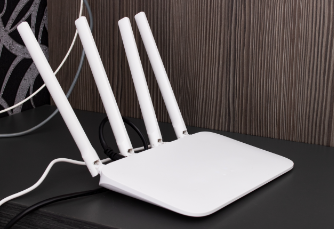
A dual WAN router has two internet connections, known as WAN ports, rather than the one on a standard broadband router. The main line plugs into one and the backup into the other. Some models have a 4G or 5G modem built in, or take a USB mobile modem, so the backup does not need a separate box. Larger multi WAN routers can handle three or more connections.

The router decides when a line has failed using its connection detection settings, then moves traffic across. According to DrayTek, a connection in failover mode stays inactive until a condition is met, such as the main line disconnecting or traffic passing a set threshold, and goes back to standby when the main line recovers. In load balancing, the router spreads traffic so that each line is used to a similar level.

When choosing a dual WAN router for a business, look for:

  • Support for the type of backup you plan to use, whether that is a second fixed line, a built-in mobile modem or both.
  • Failure detection that checks the internet is reachable, not just that the cable is plugged in. A line can stay connected while traffic stops flowing.
  • Rules that let you choose which traffic uses which connection, for example keeping large backups off the mobile line.
  • Alerts, so someone knows when the office has switched to the backup and the main line needs reporting.
  • Business features such as a firewall, VPN support and security updates from the manufacturer.

The router is also a single point of failure. If it fails, both connections go down with it, so keep it on a supported model, apply firmware updates and know how quickly a replacement can be fitted.

A second fixed line on a different network

A second fixed line gives you more speed than most mobile backups, but where it comes from matters. Two broadband lines on the same network often share the same street cabinet, the same exchange and the same cable route into the building. If a digger cuts that route or the cabinet fails, both lines can go down together, and you have paid for two connections that fail as one.

For real resilience, the backup line should be on a different network and, ideally, enter the building by a different route. In practice that usually means pairing an Openreach based line with a line from another fibre network, or pairing a fixed line with 4G or 5G. Ask the provider to confirm how the two connections reach your building, not just which brand is on the bill.

If your business depends on guaranteed bandwidth, a leased line with a broadband or 5G backup is a common setup. The leased line carries day to day traffic with a business service level agreement, and the backup keeps you working if it develops a fault. Our leased line cost guide explains how pricing works, and our EFM guide covers bonded copper lines, which some businesses use as a second connection where fibre is limited.

Where SD-WAN fits

SD-WAN, short for software defined wide area network, is often mentioned alongside failover. Cloudflare describes it as a way of connecting networks across large distances using controlling software, able to use connection types such as broadband, MPLS and LTE (4G), and to route traffic dynamically based on network conditions.

SD-WAN earns its place when a business has several sites to connect and manage centrally. For a single office with one main line and one backup, a well configured dual WAN router does the job at a lower cost.

Do not forget power

A backup line will not help if the equipment has no power. Your router, any full fibre terminal box and your network switch all run on mains electricity, so a power cut takes the office offline even when the lines are fine. Phones are affected too: Ofcom explains that a digital phone only works in a power cut if it has battery backup.

Ofcom’s guidance on power cuts says providers of phone services should have at least one solution that lets customers reach the emergency services for a minimum of one hour during a power cut, and it applies to business customers as well as households. For the office network, a small uninterruptible power supply (UPS) on the router, fibre terminal and main switch keeps the connection up through short cuts. Our 2027 switch-off guide covers what else on your premises still relies on old phone lines.

What to ask a provider

Before you buy a backup, ask these questions:

  • Does it switch over automatically? Failover should not depend on someone noticing the problem and moving a cable.
  • Is the backup on a different network and route? Ask how both connections physically reach your building.
  • What happens to phone calls and VPNs during the switch? Expect a short drop, and check that your phone system and remote access are set up to reconnect over the backup.
  • Will I keep a static IP address on the backup? This matters if staff connect in remotely or a supplier allows access from your address only.
  • How much data does the backup include? Check what happens if the main line is down for a few days.
  • Who supplies and configures the router? A router set up and tested by the provider avoids finding a problem on the day you need it.
  • Who monitors it? Someone needs to know the office is running on the backup, so the main fault gets reported and fixed.
  • What care level is on the main line? The backup buys you time, but a faster repair target shortens how long you need it.

It is also worth adding your internet connection to your business continuity plan, alongside data backup and disaster recovery, so everyone knows what happens if the line goes down.

Our team in Arundel and Chichester can check what is available at your address, including 5G signal and whether a second network reaches your building, and recommend the right backup for how your business works. We have supported businesses since 2015, we can supply and set up the router, and your calls are answered by our own engineers. Ask us for a quote for your address and we will tell you what you can get and what it costs, alongside our business broadband options.

Frequently asked questions

What is internet failover?

Internet failover is when your router automatically moves your traffic from your main internet connection to a backup connection if the main one stops working. When the main line comes back, the router can switch back again, which is called failback. It needs two connections and a router that supports failover.

What is a dual WAN router?

A dual WAN router is a business router with two connections to the internet, called WAN ports. It can keep the second connection on standby and switch to it when the first fails, or share traffic across both at once, which is called load balancing. Some models have a built-in 4G or 5G modem, so the mobile backup sits inside the router.

Is 4G good enough as a business broadband backup?

For most small offices, yes. A 4G or 5G backup keeps email, cloud apps, card payments and internet phone calls running while the main line is repaired. It does not use the same cables as your fixed line, so a cable fault will not affect it. Check the signal inside your building and the data allowance before you rely on it.

Can I use two broadband lines from the same network as backup?

You can, but it gives less protection than you might expect. Two lines on the same network often share the same street cabinet, exchange and cable route, so a cut cable or exchange fault can take out both at once. A backup on a different network, or on 4G or 5G, removes that shared weak point.

Do I need SD-WAN for internet backup?

Usually not for a single office. A dual WAN router handles failover between two connections. SD-WAN is software that manages several connections across many sites and routes traffic over the best available path, which suits businesses with a number of offices to connect.

Will my phones keep working if the internet goes down?

Internet phone systems need a working connection. With failover in place, calls move to the backup connection along with everything else. Many hosted phone systems can also divert calls to mobiles if the office goes offline. Digital phones also need power, so in a power cut they only work if the equipment has battery backup.

Sources

Coverage, repair targets and router features vary by provider, model and address. This guide reflects what we found in November 2026.
Leased Line vs Broadband and Full Fibre: Which Does Your Business Need? (2026)

The short answer: Most small offices are well served by full fibre (FTTP) or SoGEA broadband, which cost tens of pounds a month and usually install in a single engineer visit. A leased line costs hundreds of pounds a month and takes weeks or months to install, but it gives you bandwidth nobody else shares, the same speed up and down, and a service level agreement with fix times measured in hours rather than days. Choose a leased line when losing the connection would stop the business, when you upload a lot, or when many people and phone calls depend on one line.

In this guide:

Leased line vs broadband at a glance

Business broadband now comes in two main forms: SoGEA, which is fibre to the street cabinet with copper for the last stretch, and full fibre (FTTP), which is fibre all the way to your building. A leased line is a dedicated fibre just for your business. Here is how they compare.

SoGEA broadbandFull fibre (FTTP)Leased line
How it reaches youFibre to the street cabinet, copper to your buildingFibre to your building, shared with the surrounding areaA single fibre to your building, just for you
Top download speedUp to 80 MbpsUp to 1.8 GbpsUp to 10 Gbps (the range we supply)
Upload speedUp to 20 Mbps220 Mbps on a 1 Gbps business lineThe same as download
At busy timesCan slow at peak timesCan slow at peak timesNo slowdown
Typical fix timeBroadband repair termsNext working day5 hours or less
Typical installationUsually one engineer visitUsually one engineer visit where availableOften 45 to 90 working days
Monthly price, ex VAT£42.99 (our SoGEA 80)From £45.99 (ours)From £200 (ours)

Speeds from ISPreview reports on Openreach’s FTTC and SoGEA and full fibre tiers. Fix times as described by Openreach. Leased line installation time from Selectra. Prices are our own.

Contention: shared or dedicated?

Contention simply means sharing. On broadband, the network capacity serving your area is shared between many premises, so speeds can dip when lots of people are online at once. Openreach describes full fibre as a shared connection with the surrounding area that can experience speed throttling during peak traffic periods. SoGEA shares capacity in the same way, through the street cabinet.

A leased line is uncontended. Openreach describes its Ethernet Access Direct product as replacing the default shared fibre with a single point to point fibre cable to your site, so the bandwidth is not shared with the local area. If you buy 500 Mbps, you have 500 Mbps at 9am on a Monday, at lunchtime and at the end of the day.

For a small team on email, web and Microsoft 365, contention is rarely noticeable. It starts to matter when everyone relies on the connection at the same moment: video calls across the office, a cloud phone system, card payments and bookings, or remote staff connecting into office systems.

Symmetrical speed and why upload matters

Broadband is built for downloading. According to ISPreview, Openreach’s top FTTC and SoGEA tier is 80 Mbps down and 20 Mbps up. Its 1 Gbps full fibre tier uploads at 115 Mbps on home lines and 220 Mbps on business lines, and its 1.8 Gbps tier uploads at 120 Mbps. A leased line is symmetrical: a 1 Gbps line uploads at 1 Gbps.

Upload is what your business sends: cloud backups, files saved to SharePoint or OneDrive, video from your end of every call, CCTV viewed off site and remote desktop sessions. Here is how long a 50 GB backup takes on each connection:

ConnectionUpload speedTime to upload 50 GB
SoGEA 8020 MbpsAbout 5 hours 33 minutes
Full fibre 1 Gbps, home line115 MbpsAbout 58 minutes
Leased line 100 Mbps100 MbpsAbout 1 hour 7 minutes
Full fibre 1 Gbps, business line220 MbpsAbout 30 minutes
Leased line 1 Gbps1 GbpsAbout 7 minutes

Our own arithmetic at each connection’s full upload speed, treating 1 GB as 1,000 MB, before network overheads. Try your own files with our upload and download time calculator.

Notice that a 100 Mbps leased line uploads more slowly than 1 Gbps business full fibre on paper. Raw speed alone is rarely the reason to choose a leased line. The reasons are that the speed is guaranteed at every hour of the day, and that faults are fixed faster.

Symmetric full fibre is also starting to appear. In 2024 Openreach said it planned to launch symmetric 1 Gbps FTTP in selected Project Gigabit areas from April 2025, according to ISPreview, so it is worth asking what is available at your address. It remains a shared broadband service with broadband repair terms.

SLAs and fix times

This is the difference that matters most when something goes wrong. Openreach describes the service level on its Ethernet Access Direct lines as typically a 5 hour fix or less, depending on the product. For full fibre it says typically next working day, with no resilience built in.

Leased line repairs are also regulated. Ofcom requires Openreach to repair 94% of faults on relevant Ethernet and dark fibre products within the SLA time, measured over a year, in the areas its quality of service rules cover. Ofcom kept that standard in its October 2023 statement.

In practice, a broadband fault reported on a Monday morning can leave the office offline until Tuesday. On a leased line, the target is the same day. Whoever you buy from, ask for the SLA in writing, including whether it covers evenings and weekends and what compensation applies if a fix time is missed.

Installation lead times and construction charges

Where full fibre or SoGEA is already available, installation is usually a single engineer visit. A leased line is closer to a small construction project, because a new fibre has to be built into your building.

BT says a new BTnet leased line can take up to 70 working days, depending on the survey. Selectra puts a typical EAD installation at 45 to 90 working days on a site with fibre already in the street, and 6 to 9 months for some rural sites and business parks. Where no new infrastructure is needed, Beaming says activation can come within a 30 day target.

Excess construction charges

If reaching your building needs new ducts, poles, a longer fibre run or roadworks, the carrier can pass on excess construction charges, or ECCs. On new Openreach EAD lines, every order carries a fixed ECC fee, which rose from £638 to £708 excluding VAT on 1 October 2025 and sits within the connection price, according to ISPreview. That fee funds an allowance: Openreach absorbs construction costs up to a threshold and bills the rest. In March 2026 it told providers that threshold was rising from £2,800 to £3,680 excluding VAT, ISPreview reported.

Selectra says ECCs are usually nil in a city centre with fibre in the street, but can reach £15,000 to £50,000 on remote or fibre-poor sites. Ask for a written ECC assessment, and how any charge found after the survey will be handled, before you sign.

Planning around the lead time

  • Moving office? Order the leased line as soon as you have the address, and arrange broadband or 4G or 5G for day one.
  • Contract ending? Start well before your current contract ends, so you do not pay for two lines for months or end up with a gap.

Beaming names roadworks that need local authority permission, and wayleave or planning issues with landlords and neighbours, as common causes of delay.

Cost compared

ConnectionMonthly price, ex VATSource
SoGEA 80 broadband£42.99ATS Connection
Full fibre broadbandFrom £45.99ATS Connection
1 Gbps business full fibre£30 to £50Selectra
100 Mbps leased line£200 to £400Selectra
1 Gbps leased line£350 to £700Selectra
Business leased linesFrom £200ATS Connection

Selectra’s leased line prices are for a 36 month contract, before any excess construction charges. Ours start from 12 month agreements, with a static IP included, and every line is priced for your address after a survey.

Selectra puts the gap between 1 Gbps business full fibre and a 1 Gbps leased line at roughly £300 a month, or £3,600 a year. The useful question is not which is cheaper, but what a day without the internet costs your business compared with that difference. For prices by speed, installation charges and contract lengths, our leased line cost guide goes into the numbers in detail.

Leased line vs FTTP: both fibre, so what is different?

Full fibre and a leased line both bring fibre into your building, which is why they are easy to confuse. The difference is in how the fibre is used and what the provider promises. Based on how Openreach describes its own products:

Full fibre (FTTP)Leased line (Ethernet)
ConnectionShared with the surrounding areaA single point to point fibre to your site
At peak timesCan experience speed throttlingBandwidth dedicated to you
LatencyVariable, usually no guaranteesGuaranteed ultra-low latency
Service levelTypically next working dayTypically a 5 hour fix or less
ResilienceNoneDiverse routing available
Openreach says it typically suitsHomes and small businesses of up to five employees with low data trafficMedium to large businesses with connectivity-critical needs

So a leased line vs FTTP decision is rarely about headline speed. Full fibre is the better buy for many small offices. A leased line earns its cost when the connection is critical to how the business runs.

Which does your business need?

SoGEA broadband suits you if

  • Full fibre has not reached your address yet.
  • You are a small team working mainly on email, web and Microsoft 365.
  • You want to move off the old phone line ahead of the 2027 switch-off at the lowest cost.

Full fibre suits you if

  • It is available at your address.
  • You want fast downloads and better uploads than SoGEA for a modest monthly price.
  • A next working day fix would be acceptable, especially with a mobile backup in place.

A leased line suits you if

  • Losing the internet would stop the business, not just slow it down.
  • Your phones run over the internet, as most business phones will once the old phone network closes. Our guide to the 2027 switch-off explains the deadline.
  • You upload a lot every day, or many people share the connection.
  • You link several sites or host systems that others connect to.
  • You need speeds and fix times in writing, not broadband terms.

Many businesses land in between, and full fibre with a 4G or 5G backup is a common middle ground. Our business broadband page sets out every option, and our guide to EFM covers the copper alternative to a fibre leased line.

Backup: the part most comparisons leave out

Whichever you choose, a single connection is a single point of failure. The common ways to stay online are:

  • Broadband plus a mobile backup. 4G and 5G business mobile broadband sits alongside full fibre or SoGEA, and your router switches over automatically if the main line fails.
  • A leased line plus broadband. A full fibre or SoGEA line keeps calls and cloud systems running while the leased line is repaired.
  • Two diverse leased lines. For sites that cannot go offline, Openreach offers two diversely routed feeds from separate exchanges, terminating in different parts of the building with at least 5 metres between the duct feeds.

A backup is only as good as its route. Two lines in the same duct can be cut by the same digger, so ask how each connection reaches your building. Our guide to business internet backup covers failover, dual WAN routers and second lines in more detail.

Our team in Arundel and Chichester can check what is available at your address, from SoGEA and full fibre to fibre leased lines, and tell you which fits the way your business works. We have supported businesses since 2015, and when you call, you speak to our own engineers. Business broadband starts from £42.99 a month ex VAT, full fibre from £45.99 and business leased lines from £200, each with a static IP included. Ask us for a quote for your address and we will tell you what you can get and what it costs.

Frequently asked questions

What is the difference between a leased line and broadband?

Broadband, including full fibre and SoGEA, is shared with other premises in your area, uploads more slowly than it downloads and is repaired on broadband terms, typically by the next working day for full fibre. A leased line is a dedicated fibre just for your business, uploads as fast as it downloads and comes with a service level agreement, typically a 5 hour fix or less on Openreach Ethernet lines.

Is a leased line faster than FTTP?

Not always for downloads. Openreach’s fastest full fibre tier offers up to 1.8 Gbps download. The leased line advantage is upload and consistency: a 1 Gbps leased line uploads at 1 Gbps and is not shared, while 1 Gbps business full fibre uploads at 220 Mbps and can slow at peak times.

Is a leased line worth it for a small business?

It is worth it when losing the connection would stop the business, when phones and key systems run over the internet, or when you upload a lot of data. For a small office without those needs, full fibre or SoGEA broadband with a 4G or 5G backup is usually better value.

How much more does a leased line cost than broadband?

Selectra prices 1 Gbps business full fibre at £30 to £50 a month and a 1 Gbps leased line at £350 to £700 a month, excluding VAT, a gap of roughly £300 a month. Our SoGEA broadband is £42.99 a month and our leased lines start from £200 a month, both excluding VAT.

Why does a leased line take longer to install than broadband?

A leased line needs a new dedicated fibre built into your building, often with a survey, permits and sometimes digging. Selectra puts a typical installation at 45 to 90 working days where fibre is already in the street, while broadband, where available, is usually a single engineer visit.

Can I use broadband as a backup for a leased line?

Yes. A full fibre, SoGEA or 4G or 5G connection on a different route can take over automatically if the leased line fails, keeping calls and cloud systems running while the fault is fixed.

Sources

Prices, speeds, fix times and installation times vary by provider and address. This guide reflects what we found in November 2026.
FTTP vs FTTC: Which Should Your Business Choose? (2026)

The short answer: FTTC (fibre to the cabinet) runs fibre to the street cabinet and copper for the last stretch into your building, giving download speeds of up to 80 Mbps and uploads of up to 20 Mbps on the Openreach network. FTTP (fibre to the premises, often called full fibre) runs fibre all the way to your building, with download speeds of up to 1,600 Mbps and much faster uploads. If FTTP is available at your address, it is the better choice for almost every business: it is faster, it does not slow down with distance, and it is the network that is replacing copper. FTTC, now usually sold as SoGEA, still makes sense where full fibre has not arrived yet.

In this guide:

What is FTTC?

FTTC stands for fibre to the cabinet. Fibre optic cable runs from the telephone exchange to the green street cabinet that serves your road. From the cabinet, the signal travels the rest of the way over the copper telephone line that is already in your building, using a technology called VDSL2. FTTC is often sold as superfast broadband or part fibre broadband.

Openreach describes FTTC as its option for reaching “the widest possible range of customers”. Its weakness is the copper. Signals on copper fade over distance, so a building close to its cabinet may get near the top speed while a building further down the road gets far less. Older joints and wiring inside the building can also pull speeds down.

What is FTTP?

FTTP stands for fibre to the premises. It is also called full fibre, and you may see FTTH (fibre to the home) used for homes. With FTTP there is no copper at all: fibre runs from the network straight into your building, where an engineer fits a small box called an optical network terminal. Your router plugs into that box.

Because there is no copper section, your speed does not depend on how far you are from the street cabinet: the speed you buy is the speed the line is built to carry. It is still broadband, so the network is shared with other users, but it removes the copper bottleneck entirely. For a full explanation of how fibre works, see our guide to what fibre broadband is.

FTTP vs FTTC at a glance

FTTC (and SoGEA)FTTP (full fibre)
How it reaches youFibre to the street cabinet, copper telephone line to your buildingFibre all the way into your building
Maximum download (Openreach)Up to 80 MbpsUp to 1,600 Mbps
Maximum upload (Openreach)Up to 20 MbpsUp to 120 Mbps on the fastest tiers, 220 Mbps on the 1 Gbps business tier
What limits your speedDistance from the cabinet and the condition of the copperMainly the package you choose
Needs a phone lineNo, when supplied as SoGEANo
Long-term futureCopper, being withdrawn exchange by exchangeThe network replacing copper
Our business priceFrom £42.99 a month ex VAT (SoGEA 80)From £45.99 a month ex VAT

Speeds are maximums published by Openreach: FTTC from its superfast product page, full fibre download from its fibre broadband page, and full fibre uploads as reported by ISPreview. Other networks offer their own speed tiers.

Download and upload speeds compared

Openreach quotes FTTC download speeds of up to 80 Mbps on its product page for providers, and up to 76 Mbps on its page for the public. Uploads top out at 20 Mbps. These are maximums: what you actually get depends on how far your building is from the cabinet, and buildings a long way from their cabinet get well below the top figure.

Full fibre is in a different league. Openreach’s public figures go up to 1,600 Mbps download, and in 2024 it launched 1.2 Gbps and 1.8 Gbps tiers for providers to sell. Upload speeds rise with the package: according to ISPreview, Openreach’s 1 Gbps tier carries 115 Mbps uploads for homes and 220 Mbps for business lines, and its 1.2 Gbps and 1.8 Gbps tiers carry 120 Mbps.

Why upload speed matters for a business

Download speed gets the headlines, but upload speed is often what holds an office back. Every time someone sends a large email attachment, saves to OneDrive or SharePoint, joins a video call with their camera on or runs a cloud backup, they are uploading. On FTTC, all of that shares a maximum of 20 Mbps.

As a rough example, uploading a 2 GB file takes around 13 minutes at 20 Mbps, before allowing for overheads. At 115 Mbps the same file takes just over two minutes. Try your own file sizes in our upload and download time calculator.

Both FTTC and FTTP are broadband, which means the network is shared and there is no guaranteed speed. If you need the same speed in both directions, guaranteed bandwidth or a fix time written into your contract, look at a business leased line instead.

Where SoGEA fits in

SoGEA stands for Single Order Generic Ethernet Access. It is Openreach’s name for broadband supplied on its own, without a traditional phone service on the line. Openreach launched it commercially in March 2020. In practice, SoGEA is FTTC without the landline: the same cabinet, the same copper and the same speeds.

SoGEA exists because the old analogue phone network is closing. Openreach says BT Group intends to retire the analogue network (the PSTN) by 31 January 2027, and new analogue lines have already stopped being sold. So if you order FTTC for a business today, it will normally be supplied as SoGEA, and any phone calls go over the internet. Our SoGEA broadband page explains the service in more detail, and our 2027 switch-off guide covers phones, alarms and card machines that still rely on old lines.

Full fibre does not need a phone line either, so whichever you choose, you are no longer paying for a landline you do not use.

Copper retirement and stop sell

FTTC depends on copper, and copper is being withdrawn. The process works exchange by exchange rather than on a single national date:

  • Stop sell starts at 75%. Once full fibre is available to more than 75% of premises in an exchange area, Openreach can stop selling copper products there to new customers, with 12 months’ notice. According to ISPreview, this covers SoGEA (FTTC), ADSL, Gfast and analogue phone lines.
  • It already covers millions of premises. By 5 June 2026, 1,432 exchange areas covering 14.2 million premises were due to be under active stop sell, about 61% of Openreach’s full fibre footprint, as reported by ISPreview in May 2026.
  • Full fibre is now widely available. Ofcom’s Connected Nations update found full fibre available to 24.9 million UK homes, 82% of the total, in January 2026. According to ISPreview, Openreach’s own full fibre network passes more than 22 million premises, and it is aiming for 25 million by the end of 2026.

If you already have FTTC, stop sell does not cut you off. It means that in a stop sell area, new orders are for full fibre rather than copper. The direction of travel is clear, though: copper broadband is being replaced, and choosing FTTP now saves you a second change later.

How much do FTTC and FTTP cost?

The price gap between the two is now small. Our business SoGEA (FTTC) starts from £42.99 a month excluding VAT for SoGEA 80, with a £100 installation charge on a 12-month contract. Our business full fibre starts from £45.99 a month excluding VAT. For a few pounds a month, full fibre removes the copper bottleneck, opens up much faster upload options and gives you a connection that will not need replacing as copper is retired.

Installation is different too. Moving to SoGEA usually reuses the copper line already in your building. Full fibre normally needs an engineer visit to bring the fibre in and fit the optical network terminal, which needs a mains socket nearby. If the building has never had fibre, allow time for that visit and check with your landlord if you lease the premises.

A leased line costs more because the bandwidth is dedicated to you and comes with a business service level agreement. Ours start from £200 a month excluding VAT. Our leased line cost guide explains what drives the price.

Which should your business choose?

Choose FTTP if it is available at your address. For most offices it is the clear winner: much faster speed options in both directions, speeds that do not fade with distance and no exposure to copper retirement, for a small difference in price. See our business full fibre page.

Choose FTTC (SoGEA) if full fibre has not reached you yet. It is still a solid connection for smaller offices that mainly browse, email and use cloud apps, and a 12-month contract leaves you free to move to full fibre when it arrives. Check again each year, as availability changes quickly.

Consider a leased line if broadband is not enough. If you run hosted phones for a busy team, move large files all day or cannot accept a broadband fix time, a dedicated line gives you symmetrical, guaranteed bandwidth. If fibre is not an option at all, our guide to EFM explains the copper alternative and its limits.

Think about a backup. Whichever line you choose, it is a single connection. Many businesses add 4G or 5G mobile broadband as a backup, so a line fault does not stop the office.

Our team in Arundel and Chichester can check exactly what is available at your address, including whether full fibre has reached you and whether your exchange is in a stop sell area. We have supported businesses since 2015, and your calls are answered by our own engineers. Ask us for a quote for your address and we will tell you what you can get and what it costs, whether that is full fibre, business broadband or a leased line.

Frequently asked questions

What is the difference between FTTP and FTTC?

FTTC (fibre to the cabinet) runs fibre to the green street cabinet and uses the existing copper telephone line for the last stretch into your building. FTTP (fibre to the premises, also called full fibre) runs fibre all the way to your building. Because FTTP has no copper section, it is much faster, especially for uploads, and its speed does not drop with distance from the cabinet.

Is FTTP faster than FTTC?

Yes. On the Openreach network, FTTC offers download speeds of up to 80 Mbps and uploads of up to 20 Mbps. FTTP packages go up to 1,600 Mbps download on the figures Openreach publishes for customers, with uploads of up to 120 Mbps on its fastest tiers and 220 Mbps on its 1 Gbps business tier.

What is FTTC broadband?

FTTC stands for fibre to the cabinet. Fibre runs from the exchange to a street cabinet near your building, and the copper telephone line carries the signal from the cabinet to you. It is sometimes called superfast or part fibre broadband. The further your building is from the cabinet, the lower the speed you will get.

Is FTTC being switched off?

Not overnight, but it is being phased out. Openreach stops selling copper based broadband, including FTTC and SoGEA, to new customers in an exchange area once full fibre can reach more than 75% of premises there, after 12 months’ notice. By 5 June 2026, 1,432 exchange areas covering 14.2 million premises were due to be under stop sell.

Is SoGEA the same as FTTC?

SoGEA (Single Order Generic Ethernet Access) is FTTC broadband supplied without a traditional phone line. The connection and speeds are the same as FTTC, but you no longer pay for a landline you do not need. Calls, if you need them, are made over the internet using a VoIP phone system.

Is FTTP worth it for a small business?

In most cases, yes. Where full fibre is available, the price gap with FTTC is usually small. Our business full fibre starts from £45.99 a month and our SoGEA from £42.99 a month, both excluding VAT. Full fibre opens up far faster upload speeds for cloud backups, video calls and file sharing, and it is not part of the copper network being retired.

Sources

Speeds, prices and availability vary by provider and address. Prices shown are ATS business prices and exclude VAT. This guide reflects what we found in November 2026.

What Is EFM? Ethernet First Mile Explained for UK Businesses (2026)

The short answer: EFM (Ethernet in the First Mile, often called Ethernet First Mile) is a business internet connection that bonds between two and eight copper telephone pairs from your local exchange to give the same speed in both directions, usually up to about 35 Mbps, with a business service level agreement. Today it is outpaced by full fibre and fibre leased lines, and it runs on the copper network Openreach is retiring, so most businesses should treat EFM as a stopgap rather than a long-term choice.

In this guide:

What is EFM?

EFM stands for Ethernet in the First Mile. The name comes from the IEEE 802.3ah standard, approved in 2004, which set out ways to carry Ethernet over the “first mile” between a telecoms network and a customer’s building. In the UK, the term almost always means one thing: a business connection delivered over several ordinary copper telephone pairs, bonded together to act as one line.

You will see EFM sold under several names, including Ethernet First Mile, EFM leased line, copper leased line, bonded copper and Ethernet over copper. They all describe the same idea. What sets EFM apart from broadband is how it behaves:

  • Symmetrical speed. Uploads are as fast as downloads, which matters for cloud backups, video calls and remote access.
  • Usually uncontended. The bandwidth is yours rather than shared with neighbouring premises, so it should not slow down at busy times.
  • Business service level agreement. Providers commit to fix time targets, often with compensation if they miss them, rather than broadband’s best efforts.
  • Resilience built in. If one copper pair develops a fault, the line usually stays up at a lower speed on the remaining pairs.

How does EFM work?

An EFM line uses the same kind of copper pairs that carry a traditional phone line. Instead of one pair, the provider connects several, usually between two and eight, from your premises back to equipment in your local telephone exchange. Each pair carries a symmetrical DSL signal, and the equipment at each end combines, or “bonds”, them into a single Ethernet connection. From the exchange, your traffic travels over the provider’s fibre network.

Because the copper runs all the way to the exchange rather than to a nearby street cabinet, distance matters a great deal. The IEEE standard’s long reach copper option is rated at up to about 5.7 Mbps per pair at distances of up to 2.7 km, and speeds fall as the cable gets longer. UK providers generally offer EFM only within roughly 4 to 4.5 km of cable from the exchange.

One major EFM provider quotes a typical installation time of about 25 working days, quicker than a fibre leased line because it uses existing copper. For comparison, our leased line cost guide suggests planning for 30 to 90 working days for a fibre leased line.

How fast is EFM?

Most UK EFM services run from 2 Mbps up to about 35 Mbps, the same in both directions. Some providers cap their EFM product lower, for example at 20 Mbps over two or four pairs. Three things decide what you can get:

  • Number of pairs. More bonded pairs means more bandwidth, up to the provider’s maximum, usually eight pairs.
  • Distance from the exchange. The further the copper runs, the weaker the signal and the lower the speed.
  • Line quality. Older or longer copper, joints and electrical interference all reduce the speed each pair can carry.

Providers often guarantee a speed below the line’s maximum, so check the guaranteed figure in the contract rather than the headline. To see what a given speed means in practice, try our upload and download time calculator.

EFM vs FTTC, full fibre and fibre leased lines

EFMFTTC broadbandFull fibre broadbandFibre leased line
Typical maximum speedUp to about 35 MbpsUp to 76 Mbps downloadUp to 1,600 Mbps download10 Mbps to 10 Gbps
Upload speedSame as downloadMuch slower than downloadSlower than download, for example 115 Mbps on a 1 Gbps serviceSame as download
Shared with othersUsually notYesYesNo
Service level agreementBusiness SLABroadband termsBroadband termsBusiness SLA
Runs overBonded copper pairs to the exchangeFibre to the cabinet, copper to youFibre all the wayDedicated fibre all the way

FTTC and full fibre maximum speeds are as quoted by Openreach. Fibre leased line speeds are the range we supply. Our FTTP vs FTTC guide compares the two broadband types in more detail.

EFM vs a fibre leased line

Both give you symmetrical, dedicated bandwidth with a business service level agreement. The difference is headroom. EFM tops out at about 35 Mbps, while a fibre leased line starts at 10 Mbps and can grow to 10 Gbps on the same connection. Ours start from £200 a month plus VAT. For most businesses that need guaranteed bandwidth, a fibre leased line is now the better long-term choice.

EFM vs FTTC and full fibre broadband

FTTC and full fibre are broadband: faster downloads, usually for less money, but shared bandwidth, slower uploads and no business-grade guarantees. If your business mainly downloads and can live with broadband terms, full fibre will usually beat EFM on speed and price. If you depend on uploads, hosted phone calls or a guaranteed fix time, EFM or a fibre leased line gives you more certainty.

EFM vs Ethernet over FTTC (EoFTTC)

Ethernet over FTTC, usually shortened to EoFTTC, is the other copper-based business Ethernet option. It runs over the same fibre to the cabinet lines as FTTC broadband, but it is sold as a business Ethernet service rather than broadband. Published services typically guarantee a symmetrical 20 Mbps that is not shared with other users, let downloads burst higher when the line allows, and come with a business service level agreement. ISPreview has reported one EoFTTC service as 20 Mbps both ways with downloads bursting to 76 Mbps and a 7 hour fix time, and another as 20 Mbps symmetrical with bursts up to 80 Mbps.

The key difference is where the copper starts. An EFM leased line bonds several copper pairs all the way from the exchange, so it reaches premises further out but tops out at about 35 Mbps. EoFTTC uses fibre as far as the green street cabinet and copper only for the last stretch, so it can be faster, but Openreach says FTTC speeds can start to drop noticeably beyond around 300 to 400 metres from the cabinet. In 2015, one EoFTTC provider described it as giving “higher performance at a lower cost where it is available” compared with EFM.

EFMEoFTTC
Copper runs fromYour local exchangeThe street cabinet
Typical speedUp to about 35 Mbps, the same both ways20 Mbps both ways, with downloads able to burst higher
Distance limitsRoughly 4 to 4.5 km of cable from the exchangeSpeeds can drop beyond around 300 to 400 metres from the cabinet
Shared with othersUsually notNot for the guaranteed 20 Mbps
Service level agreementBusiness SLABusiness SLA
Long-term outlookRelies on copper that is being retiredRelies on copper that is being retired

Neither is a fibre leased line. Openreach says the copper used by FTTC will remain in service until full fibre reaches your area, so EoFTTC is a useful step up from EFM where it is available, but a fibre leased line or full fibre is the longer-term answer.

Is EFM being switched off?

We have not seen a published national switch-off date for EFM. But EFM depends on two things that are being phased out: Openreach’s copper lines and the local exchanges they connect to.

  • Copper is being retired. Openreach stopped selling new analogue phone lines nationally on 5 September 2023, and BT intends to retire the old analogue phone network by 31 January 2027.
  • Copper sales stop exchange by exchange. Under Ofcom’s copper retirement rules, once full fibre reaches more than 75% of premises in an exchange area, Openreach can stop selling copper-based services there, with a year’s notice to providers.
  • Exchanges are closing. Openreach plans to close around 4,600 of its roughly 5,600 exchanges, starting with 105 sites due to be completed by around 2030/31.

EFM equipment sits in the local exchange, so as copper is withdrawn and exchanges close, EFM services will have to move. The practical advice is the same whatever the exact timing: if your business relies on EFM, plan your move to fibre now, while you can choose the timing, rather than waiting for a notice.

If you also have phone lines or alarm and payment lines on the old copper network, our guide to the 2027 switch-off covers what needs to move.

Is EFM still worth it?

EFM can still make sense in a few situations:

  • Full fibre is not yet available at your address and a fibre leased line would need significant building work.
  • You need symmetrical bandwidth and a business service level agreement now, and modest speeds are enough.
  • You want a second, separate connection as a backup alongside fibre.

If none of these apply, a fibre leased line or full fibre will usually give you more speed for the money and a connection that will not need replacing as copper is retired. For a backup line that does not rely on copper at all, 4G and 5G business mobile broadband is another option.

If you have an EFM line now

  • Find your contract end date and any notice period, so you can plan a move without paying to leave early.
  • Check what is available at your address. Full fibre coverage has grown quickly, so it is worth checking again even if it was not available last time.
  • Look at your usage. If cloud backups, video calls or file uploads are slow, you have probably outgrown EFM already.
  • Ask your provider whether your exchange is in a stop sell area or on the closure list.
  • Allow time for a fibre install. A fibre leased line can take several months, so start well before your EFM contract ends.

Our team in Arundel and at our Chichester IT support office can check what is available at your premises and give you a straight answer on whether full fibre, a leased line or business broadband is the right replacement. We have supported businesses since 2015 and manage the carrier for you. Ask us for a quote for your address and we will tell you what you can get and what it costs.

Frequently asked questions

What does EFM stand for?

EFM stands for Ethernet in the First Mile, often shortened to Ethernet First Mile. It comes from the IEEE 802.3ah standard approved in 2004, which defined ways to run Ethernet over the connection between a telecoms network and a customer’s premises, including over ordinary copper telephone pairs.

Is EFM a leased line?

EFM is often sold as a copper leased line. Like a fibre leased line it gives you the same speed up and down, is usually uncontended and comes with a business service level agreement. The difference is that it runs over bonded copper telephone pairs rather than a dedicated fibre, so speeds are much lower, typically up to about 35 Mbps.

How fast is EFM?

Most UK EFM services offer between 2 Mbps and about 35 Mbps, the same in both directions. The speed you can get depends on how many copper pairs are bonded, usually two to eight, and how far your premises are from the telephone exchange.

How far from the exchange can you get EFM?

Providers generally limit EFM to premises within roughly 4 to 4.5 km of cable from the exchange, and speeds drop as the distance grows. The cable route is often longer than the straight line distance, so an availability check at your address is the only reliable answer.

Is EFM being switched off?

We have not seen a published national switch-off date for EFM. However, EFM runs over the copper network that Openreach is retiring, and Openreach plans to close around 4,600 of its roughly 5,600 exchanges, starting with 105 sites due to be completed by around 2030/31. Businesses on EFM should plan their move to fibre rather than wait for a deadline.

What is the difference between EFM and FTTC?

FTTC is shared fibre broadband to the street cabinet, with copper for the last stretch. It offers faster downloads, up to 76 Mbps according to Openreach, but much slower uploads and no business-grade guarantees. EFM gives a lower but symmetrical, usually uncontended speed with a business service level agreement.

What is Ethernet over FTTC (EoFTTC)?

Ethernet over FTTC, or EoFTTC, is a business Ethernet service delivered over fibre to the cabinet lines. Published services typically guarantee a symmetrical 20 Mbps that is not shared, with downloads able to burst towards 80 Mbps, plus a business service level agreement. It uses copper only from the street cabinet rather than bonded copper pairs from the exchange, so it can be faster than EFM if you are close to a cabinet, but like EFM it still relies on copper.

Sources

Speeds, distances and availability vary by provider and address. This guide reflects what we found in October and November 2026.

What is Fibre Broadband?

Home or business? If this is for your house, our home broadband page has the packages and prices. If it is for a business, full fibre to the property and leased lines are the options worth looking at.

By data, we mean how fast the code that makes your HD streaming, game connection and internet surfing is able to go back and forth to a server. The faster the line, the faster and more data you can send and receive to and from a server.

Do I need Fibre Broadband?

You may not notice it all the time, but if you live in a shared house with a family and everyone is using the internet at the same time, your home’s allocated data is split between each user.

If you’re streaming your favourite show, you may notice the occasional buffering or quality change. Not to mention when you connect to the internet at peak times with hundreds of other users all connecting at once.

Imagine you’re in the middle of downloading a critical file for work with a slow connection. What if you’re playing a competitive video game and that one moment of slow connection costs you the game. It gets frustrating, doesn’t it?

If this happens far too often for your liking, then maybe it’s time to get an upgrade.

How does Fibre work?

As previously mentioned, fibre uses fibre optic cabling, which are able to deliver much higher speeds over much greater distances. The data travels at the literal speed of light. Unlike copper wires where certain electrical signatures either produced a one or zero for binary, fibre sends light signals down the wire at 186,000 miles per second in a sequence to create binary, the language that computers speak.

According to Ofcom, most UK homes still use ADSL broadband which uses standard copper phone lines. Although efforts by Openreach and partners are being made to supply fibre to as many homes as possible it is a big task to undergo.

Currently, there are two types of fibre broadband available; Fibre to the Cabinet (FTTC) and Fibre to the Property (FTTP).

What is FTTC?

Fibre to the Cabinet, sometimes referred to as ‘superfast broadband’ the fibre optic cable is run to a telephone exchange box where a copper cable is run the remainder of the distance to the property. You probably have seen these cabinets, a dark green cabinet, located all over the country.

What is FTTP?

Fibre to the Property which can also be called FTTH (fibre to the home), this is the ultra-fast broadband or full fibre broadband. Fibre optic cables are run the entire way into your home, this is the fastest domestic broadband speeds currently available however, availability is scarce depending on where you live.

How fast is Fibre Broadband?

Ultra-fast FTTP connections offer a minimum download of 300Mbps according to Ofcom. Superfast broadband FTTC minimum download is around 30Mbps.

Although, the actual speed is rather determined based on how far away your home is from the street cabinet.
There are some other things that can affect your top speeds;

  • Wireless speed of your device
  • Internal wiring of the property
  • Number of users on the network
  • Peak usage times

We offer three types of Fibre Broadband

What are the benefits of Fibre Broadband?

Internet Speeds

  • Stream HD and 4K
  • Download movies and music
  • Game online
  • Surf the web
  • Online shopping
  • Social media
  • Work from home

Connection

Fibre optic cables are built to last. Much more resistant than copper wires, fibre can handle most things you could throw at it, such as, electrical interference and cold weather.

Signal Strength

The further away from an exchange you are, the more your signal strength will drop. Fibre is able to transport larger amounts of data over greater distances compared to copper lines.

Bandwidth

Bandwidth is determined by the amount of data that you can transfer in a certain time. Low bandwidth equals slow internet, especially if you have multiple users.

Copper cables were not originally designed to transfer data. The further the cable runs from a cabinet, the more bandwidth they lose. FTTC was introduced to combat slow internet speeds by making the copper cable only part of the way.
FTTP loses no bandwidth whatsoever.

Can I get Fibre?

Now you know more, now is the time to see if you can get fibre. Just enter your postcode and address into our checker to see if it is available.

Protect Your Business From A Cyber Kill Chain

Email, Phishing compromises are more personalised whilst malicious attachments and spoofed domains are more convincing. These cyber kill chains are nuanced, and potentially devastating for targets. That’s why nowadays it’s incredibly important to have the best top-tier, layered security protocols protecting you and your business.

What is a Cyber Kill Chain?

Simply the Cyber Kill Chain is the course of actions that a cyber criminal will perform to attack their victim. Most of these kill chains follow a core structure with variations based on the attack type and personal style of the cyber criminal.

The phases usually go in the order of;

Breaking in

The first step of any cyber criminal is to access the system undetected to avoid raising any alarms. This first step normally causes no immediate damage. While there are many ways of breaking into an employees system, phishing scams has been reported as one of the most common choices of accessing a system. Malicious attachments which can lead to malware being spread throughout the system without your knowledge.

Once Malware has been integrated within the system then it is an extremely difficult and expensive endeavour to then get rid of it. In 2018 a shipping conglomerate had malware spread through the entire system costing the company £300 million.

Investigating your system

The next step a cyber criminal would take is to investigate the system familiarising themselves with it. They will use specialised tools to identify areas that have vulnerabilities or areas with valuable assets like bank details or logins. More times than not this process is completely undetectable.

A report from IBM found that the average breach goes undetected for 212 days. However, depending on the type of attack these cyber kill chains can might only span the course of a few days or even hours.

Executing an Attack

Once your system has been breached and surveyed and the cyber criminal has determined that they have enough information on your device and its contents they will execute the attack. This is when the cyber criminal decides the fate of your system. 

They could hold it for ransomware locking all your files and data until you pay a sum of money for them to release them. Even if you pay they may not release the files demanding more money.

They could just want to steal your information which can then lead to identity theft causing you problems in the long run.

Some hackers just like to destroy your system for no apparent reason. Activating software changing system code to make it unusable or removing it entirely along with all your files.

It is important to note that this is a version of a cyber kill chain, kill chains are very customisable, sequential processes. The process is all dependant on what the cyber criminal wishes to gain out of their work.

Usually the gain is always financial. Hackers can and will attack anyone, conducting small raids on individuals or more sophisticated large attacks on companies. Hackers can cause a lot of damage and trouble in an extremely short amount of time.

How to protect yourself from cyber criminals

There are two common threats that your business will face. Business email compromise (BEC) and ransomware. With a BEC attack cyber criminals harvest accounts and credentials from an executive or management team, impersonate them and persuade employees and clients to release valuable information. This can span from employee payment information and wire transfers. 

Ransomware also often starts with email, and has become the most common from of extracting money from small to medium sized businesses. In order to counter threats like these you need to have a layered security approach that can counter unique attack types and kill chains.

Security Monitoring

A solutions such as a Security Operations Service combines cutting-edge Security Information and Event Management technology and established threat intelligence to track privilege elevation, data leaks and breaches, suspicious network activity, user identity and account lockouts and real time endpoint monitoring.

Endpoint protection provides a safety net after an employee engages with potential malicious content, this catches the malicious content before it can spread into the system.

This gives your IT team a chance to intervene so they can identify and eliminate threats as well as take precautions on other machines.

Firewalls

Firewall is a word thrown around but not many people actually know what it does. Simply it stops any non-requested data from entering a network. That’s because it identifies the requested code and will only let that exact code through.

Firewalls can also be configured by your IT team so strict parameters can be set around inbound and outbound mail. They can establish certain rules that need to be met for things such as attachments, links, forwarding and geofencing. Other tools can be utilised such as single-sign-on and two factor authentication for an additional layer of behavioural analysis.

Having a strong network security can go a long way into protecting your business.

Endpoint protection

Endpoint protection identifies suspicious user actions and behavioural patterns. There are many programs such as Microsoft InTune which provides a single dashboard which your IT team can monitor and respond to. 

With InTune for example an IT team can view enrolled endpoint devices and accessed resources, ensure that the compliance meets with organisational standards, access reports on (non)compliant users and devices, remote wipe data from lost, stolen or retired devices and push certificates for easy access to WiFI or network VPNs.

Here at ATS Connection we want to ensure that your business is protected from cyber criminals trying to access your private data. The cost of setting up a great cybersecurity is far less than the costs that you could receive if you lost data. Outsourcing your cyber security have great benefits too!

We offer great cyber security packages for both businesses and individuals along with 24/7 monitoring.

Everything your business needs to know about SoGEA

What is SoGEA broadband?

SoGEA stands for Single Order General Ethernet Access, a bit of a mouthful, probably best we stick to the abbreviation. This line utilises the existing copper phone line to connect the network, these phone lines can be found in almost every building in the country. However, instead of phone calls they are repurposed to transfer data.

SoGEA is an interim solution for areas that currently don’t have access to fibre connection. SoGEA is quicker and cheaper to install than Fibre to the Cabinet (FTTC) because it doesn’t require any new infrastructure.
Also due to it being a single order line issues can be identified and resolved quickly, another perk is the better service that you’ll receive. Without the phone line interfering traffic is gone meaning you receive better connection speeds.

What’s the difference between SoGEA and FTTC?

Fibre to the cabinet is currently the most common type of broadband connection. Utilising a blend of copper and fibre wires to deliver your property broadband. However, your top speed will always be determined by the slowest part of the wire.

The main difference is mainly within the infrastructure, currently a FTTC connection has a phone line with a fibre broadband connected over the top of it.

Openreach has launched SoGEA, this means no copper phone line is needed. SoGEA broadband just needs to be ordered with no line rental to worry about.

What’s the difference between SoGEA and FTTP?

Fibre to the Premises/Property is a fully fibre connection, from the supplier to the property it is complete fibre cable. Full fibre is becoming available to both residential and business properties but Openreach faces a challenge to supply all the properties with full fibre. SoGEA provides an interim for your property if fibre is not yet available.

FTTP has un-rivalled speeds, if FTTP is available it should be the first choice. Realistically FTTP is the fastest we will be able to go for a while unless we find a way to move something faster than light.

Both are easy to install, cost-effective, and easy to fix. FTTP is an ideal solution for businesses which rely on high internet speeds especially with the move over to VOIP systems.

Do you need to move to SoGEA?

You may know that Openreach are shutting down the ISDN and PSTN network in 2025, many businesses and households still use this connection despite the shutoff being right around the corner.
If Fibre isn’t available for you then you may need to consider moving to SoGEA sooner than later.

Need to move? We can do that for you. We offer super-fast SoGEA and full fibre broadband options.

Want to know what speeds you can reach?
Get in touch today for a quote same day.

How to Extend WiFi Range: 8 Ways for Offices and Homes

At home, or at work? This guide works for both. If you would rather somebody just sorted it, we look after home IT support and home broadband from our Arundel office. If this is a business network, start with business wireless networks instead.

Do you find that your WiFi doesn’t reach all around your home? Perhaps you are one too many rooms away from the router and you notice extended buffering and generally slow performance.

Maybe some parts of your property there is no signal at all where even loading a web page seems to take an eternity. 

Usually these ‘black spots’ are often caused by distance, thick walls like brick and interference from other devices.

Nowadays WiFi is essential especially since working from home has become the new norm with video calls and cloud sharing becoming more popular. So when your WiFi keeps dropping out it can get increasingly frustrating and disruptive.

Luckily there are many different ways to extend your routers range all around your property to give you the same performance as if you were right next to the router.

How to extend WiFi range: the quick answer

Start with the free fixes. Move the router to a central, raised spot away from walls, metal and other electrical equipment, update its firmware and pick a less crowded channel. If that is not enough, add hardware: a mesh system or extra access points, ideally wired back to the router with ethernet, powerline adapters where cabling is not practical, or a simple extender for a single dead spot.

In an office, the most reliable way to extend WiFi range is a planned set of wired access points, placed after a site survey, rather than a string of plug-in boosters. The eight methods below run from the quickest fixes to the most thorough.

1. Move the router

The easiest option would be to move the router to a better spot. Sounds simple enough but there are a few tricks to placing the router in the best spot.

Firstly have the router out in the open preferably in a raised place, not in a cupboard or behind the TV. Also getting the router as close to the centre of the house as possible will help distribute a signal evenly.

Ofcom’s wifi advice also suggests keeping the router off the floor and away from radiators, fish tanks and other electrical equipment such as microwave ovens and baby monitors. In an office, that means not leaving it inside a metal cabinet or under a desk at one end of the building.

Although something of the past now some routers still have antennas and adjusting them to be perpendicular to the router will help. Antennas send the best signal out of the sides and less out of the top and bottom. Also if your router has multiple antenna you could position them accordingly to target certain parts of the house.

2. Change the channel and update the firmware

If nearby networks share your WiFi channel, they compete for airtime and your usable range drops. This is common in shared office buildings and business parks. Most routers have an automatic channel setting, or you can use a WiFi analyser app to see which channels are busy and pick a quieter one. On 2.4GHz, channels 1, 6 and 11 are the ones that do not overlap.

While you are in the settings, check for a firmware update. Updates fix bugs, can improve performance and close security holes, so they are worth installing whatever else you decide.

3. Upgrade the router

If moving your router around seems to not solve anything then perhaps your router is not powerful enough or too old. If this is the case then maybe its time to upgrade it to a newer one, most ISPs give these out if you ask and being a long-time user of the provider may help you out. Just watch out if they try to sell you a new contract.

The oldest to newest WiFi standards are: 802.11b, 802.11g, 802.11n (WiFi 4), 802.11ac (WiFi 5), WiFi 6, WiFi 6E and WiFi 7. If you have an older “b” or “g” wireless router we really recommend upgrading.

A common misconception is that the latest WiFi standard gives you the best performance and range. While this is partially true the best speeds come at the expense of range so you’ll actually get the best coverage from a router with really good performance using 2.4GHz, not 5GHz.

For bigger spaces, one router is rarely enough on its own, which brings us to mesh WiFi.

4. Mesh WiFi kit

A mesh WiFi network is when two or more units work together to provide better coverage than a single router could deliver. It replaces your existing router’s WiFi, and although this sounds confusing the process has been made very simple so that people with little to no knowledge of IT can set it up.

To set up a WiFi mesh kit connect the main device to the router via ethernet and put the other mesh devices around the house. Depending on what sort of coverage you need and how big the property is you may need one or more mesh devices. All the devices communicate with one another creating a reliable connection around the house even into the garden.

Ofcom notes that mesh systems improve wifi signal strength and coverage without reducing the performance of the broadband connection. For the best results, link the units to each other with ethernet cable (known as wired backhaul) where you can, rather than relying on WiFi between them.

5. Add wired access points (the best option for offices)

For a business, the most reliable way to extend WiFi range is to add access points wired back to your network with ethernet. Each access point broadcasts the same network name, so staff can move around the building without reconnecting. Business access points are usually mounted on the ceiling or high on a wall, and many are powered through the same ethernet cable using Power over Ethernet (PoE), so they do not need a socket nearby.

Placement matters more than the number of access points. A site survey measures the signal across the building and shows where walls, glass, lift shafts and neighbouring networks cause problems, so each access point goes where it does the most good. A managed setup also lets you run separate staff and guest networks and spot problems from one place.

Anything that does not move, such as desktop PCs, printers and meeting room screens, is best plugged in with a cable. As Ofcom puts it, ethernet cables often provide a better internet connection than wifi, and every wired device frees up WiFi capacity for laptops and phones.

6. Powerline adapters

Another option is to use your building’s electrical wiring. Powerline adapters are similar to mesh kits where a module is in each room that wants to be boosted. These even can work in places such as garages or outhouses. 

All you need to do is plug an adapter into a power socket near the router and connect the two via ethernet. Then plug in the extenders in the rooms that you want a boosted signal in and press a few linking buttons and you are all set up.

Depending on what model you get sometimes the extenders create new connections which sometimes means you have to switch your internet. However there are some good ones that simply work off the main connection meaning you don’t have to switch around when going into different rooms.

Results depend on the quality and layout of the electrical wiring, so speeds vary from building to building. They work best plugged straight into a wall socket rather than an extension lead, and they are a useful fix where running ethernet cable is not practical.

7. WiFi extenders and boosters

WiFi extenders which also go by repeaters or boosters increase your WiFi signal by capturing the wireless signal from your router and then rebroadcasting it. These do work however are not the best option if you require extremely fast WiFi speeds.

They are cheap and easy to install. Cheaper models often use older WiFi standards, so check which standard an extender supports before you buy, and match it to your router where you can.

Many extenders use the same radio to receive and rebroadcast, which can cut the speed they pass on by up to half. Ofcom notes that, unlike mesh systems, extenders can affect your data speeds and how responsive your connection feels.

Realistically this shouldn’t be too much of a problem if you are doing basic things like browsing the web but you could see some buffering if trying to stream in HD or downloading large files.

Wireless boosters work best when placed in a central location, not too far from the main router. Putting a booster where the connection is already bad does no good, as it just spreads a weak signal around and can slow the rest of the network.

So the best spot for the booster is somewhere in the middle between the router and the desired device that you want to be connected.

Extenders are fine for a home office or one awkward room. In a busy office they tend to struggle, because every device connected through them shares the reduced speed.

8. Use 2.4GHz instead of 5GHz WiFi for range

If you didn’t know WiFi uses two frequency bands: 2.4GHz and 5GHz. Most people think that the fastest option would be 5GHz. In a technical sense you’d be correct 5GHz is faster than 2.4GHz however you’d have to sacrifice the walls and ceilings in your house or sit right next to the router. 

This is because higher frequency signals lose more strength passing through walls, floors and ceilings. The newer 6GHz band used by WiFi 6E and WiFi 7 is faster again, but has the shortest range of the three.

2.4GHz is much better at delivering a signal over greater distances but at slower speeds. That is why you may benefit from forcing your device to connect to the 2.4GHz network instead. Most basic routers combine the network so separating them can sometimes be a challenge. 

If this is the case then all you have to do is log into the settings web page (type your routers IP directly into a browser) and look for a WiFi menu where you can split the two frequencies into two entities.

Bear in mind some household devices can interfere with a 2.4GHz connection such as baby monitors, Bluetooth, Microwaves and more. These can reduce the speed and range a WiFi signal has. 

Ultimately you have to decide if you want a greater range with lower speeds or shorter range with greater speeds. Mileage may differ but it is very well worth understanding the difference between the WiFi bands and use it for your advantage.

WiFi range: frequently asked questions

What is the best way to extend WiFi range?

Start by moving the router to a central, raised spot away from obstructions and other electrical equipment, then update its firmware and choose a quieter channel. If you still have dead spots, a mesh system or extra access points wired back to the router with ethernet give the most reliable results. A single plug-in extender suits one awkward room but can reduce speed.

Is a mesh system better than a WiFi extender?

Usually, yes. Ofcom notes that mesh systems improve signal strength and coverage without reducing the performance of the broadband connection, while extenders can affect your data speeds and how responsive the connection feels. An extender is a cheap fix for one dead spot. Mesh or access points suit whole buildings.

How do I extend WiFi range across an office?

Use business access points wired back to your network with ethernet, placed after a site survey, all broadcasting the same network name so staff can move around the building without reconnecting. Plug fixed devices such as desktops and printers in with a cable to free up WiFi capacity.

Does 2.4GHz or 5GHz WiFi have better range?

2.4GHz travels further and passes through walls better, but it is slower and more prone to interference from devices such as microwave ovens and baby monitors. 5GHz is faster over shorter distances. Many modern routers use both bands and move devices between them automatically.

Conclusion

There are many different ways of boosting a WiFi signal over your property. Some options are much better than others but really it depends on what property that you have. There are many different things that can influence the choice of WiFi extender, such as what your properties internals are made out of such as brick or plaster, also the size of the coverage that you want should influence your choice. It is easy to forget the reliability of your broadband causing an issue. If your property can’t currently get FTTP then SoGEA is the best alternative for speed and reliability.

All the options that we’ve covered in this article are viable options but if you’re having trouble deciding what would best suit you, don’t worry. 

For businesses, our own engineers carry out site surveys, plan and install access points, and support the network afterwards, from our offices in Arundel and Chichester, where we also provide IT support for Chichester businesses. See our business WiFi and networking service for how it works.

If you do want a professional opinion feel free to call us on 01903 255 159 or email hello@atsconnection.co.uk 

Get in touch

Speak to a real engineer, not a call queue

Tell us what is going on and we will come back with straight answers. No obligation and no hard sell.

1

Tell us what you need. It takes a minute.

2

A named engineer reviews it, not a call queue.

3

We reply within one working day with honest next steps.

Prefer to talk?
01903 255 159
Or email
hello@atsconnection.co.uk
Cyber Essentials certified · Microsoft Partner · rated 5.0 on Google

We will only use your details to respond to this enquiry. Privacy policy.

Top 4 Threats To Network Security

Whether your business is transitioning back to an office atmosphere or your workforce will continue to work remotely, you are more vulnerable to network security attacks than ever before. Threat actors (those who represent a security risk to your network) are after the data on your network and are working hard to obtain it. Here are the top four network security concerns to assist you comprehend the issue.

Ransomware

Ransomware is a serious threat to your business, especially because it is so difficult to detect. 

Gone are the days when you had a virus and it just showed up and said hello. Ransomware infiltrates your system, embeds itself in everything, and then attacks! 

It can take weeks or even months for a breach to be discovered. The time it takes to identify something is increasing. 

In 2016, Fireye reported a global average of 146 days. According to IBM calculations, it is already 228 days, according to a Varonis report from 2021. 

A data breach’s cost is calculated in terms of time, money, and reputational damage. You must have the assurance that you are safe.

Social engineering

Why should threat actors put forth the effort to get past your endpoint and network protection when they can use your employees to do so? This fundamental concept is what makes social engineering such a danger to network security. 

“Psychological manipulation to fool users into making security blunders or giving out sensitive information,” according to the best definition we’ve seen. 

Phishing assaults (emails posing as a senior member of staff in order to obtain information or money) are the most popular tool in the social engineering toolkit. 

Another example is hacked websites. Cyber hackers are always trying to break into trusted websites in order to steal information or gain access to your network.

In the real world, a developing method of attack is being used. Malware-infected USB sticks are put outside of targets in the hopes that they would be picked up. 

People are intrigued when they are referred to as “staff bonuses” or “salary raises.” When they plug them into their laptops, the malware is released, and the problems begin. 

This is a staff education challenge for you, and our blog has a number of items that can help.

Crypto-mining

You can obtain crypto-currencies in one of two ways: by purchasing them or by mining for them. Crypto-mining necessitates a significant amount of computer power. 

Breaching your network and using your devices’ computing power is a growing issue. 

According to Cisco statistics, 69 percent of businesses have faced some kind of harm as a result of this. As the value of crypto-currencies rises, so does the degree of activity. 

Bitcoin was trading at £45,000 per coin at the time of writing, a new high.

Although this threat appears to be minor at first, it frequently serves as a stepping stone to more serious cybercrime. They can do a lot more than just use your processing power once they’re in. 

You may have been hacked by a cyberminer if your AWS computing charges have increased or your bandwidth is always blocked.

DDoS attacks

Although Systems IT does not provide website hosting, this is an increasing issue, which is why we’re talking about it now. 

DDoS (distributed denial of service) attacks grew by 55% in the 15 months leading up to March 2021, with NSFOCUS reporting that they had detected over 152,000 attacks by December 2020. 

The majority of DDoS attacks appear to be motivated by people disagreeing with your policies/beliefs or by you offending someone – whether intentionally or unintentionally. In the first half of 2021, the biotech and pharmaceutical industries were the most targeted. 

A network security breach has three costs, as previously stated:

  1. Time: a significant amount of time is lost, both in attempting to repair the damage and simply in downtime as your staff is unable to function. 
  2. Money: Whether you pay a ransom to get your data back or merely calculate the cost of lost revenue, it can soon add up. 
  3. Reputation: there are three considerations to consider here:
    1. Do you wish to inform your clients that your company has been hacked? What will they think of you, and will they decide to work with you again? 
    2. If your Personally Identifiable Information (PII) data has been accessed, you must notify everyone who may be affected, according to ICO regulations. The combination of a reputational risk and an increase in “ambulance-chasing” legal action can be devastating to your company. 
    3. What will your colleagues think of you if you refuse to increase the security around your network? Of course, enhancing security has a cost, but isn’t it far less than the costs we’ve discussed?

Survival

In the end, it could be the difference between your company growing and surviving. 

Within six months, 50% of organisations that have had a data breach have shut down. 

Even if they do survive, the impact of all of the above on the bottom line will be felt for a long time. 

These risks frequently go undiscovered for weeks or months, as stated earlier in the essay. 

Over time, the amount of damage is steadily increasing. 

The sooner you identify a breach and begin responding, the less damage is done.

The purpose of this article was to inform you about the threats that your network and business face. 

The next one will focus on how you can defend yourself. Simply subscribe here if you don’t want to miss that article. 

If none of the expenses listed above appeal to you, let’s discuss how ATS can assist you in protecting your network. Call us on 01903 255 159 or send us an email. With cyber crime kill chains on the rise, it has never been more important to ensure you are protected than now. Check out out cyber security services here

Get in touch

Speak to a real engineer, not a call queue

Tell us what is going on and we will come back with straight answers. No obligation and no hard sell.

1

Tell us what you need. It takes a minute.

2

A named engineer reviews it, not a call queue.

3

We reply within one working day with honest next steps.

Prefer to talk?
01903 255 159
Or email
hello@atsconnection.co.uk
Cyber Essentials certified · Microsoft Partner · rated 5.0 on Google

We will only use your details to respond to this enquiry. Privacy policy.

FTTP coming to Arundel

In May 2021, Openreach announced that it would speed up the supply of full fibre to an additional five million UK homes. The goal is to connect 25 million homes by 2026.

This is yet another sign that, in the coming decade, complete fibre will supplant copper as the de facto connecting technology.

However, FTTP will be available to Arundel residents and companies this year, far sooner than projected.

In fact, you may have noticed Openreach engineers working in Arundel in recent weeks getting everything ready to go.

For ATS Connection customers, this is fantastic news. We’ve always been on the cutting edge when it comes to the connection technology we provide, and as the only independent broadband supplier in Arundel, we can’t wait to get you connected to FTTP.

Want to keep up to date with FTTP? Drop us a message and we will keep you updated for when you can receive FTTP

So what exactly is FTTP?

FTTP (fibre to the premises) is a full fibre connection that uses a fibre optic cable to transfer broadband signals from the home to the local exchange.

Full fibre is substantially faster than ADSL (all copper) or Fibre to the Cabinet (FTTC – which still uses a copper connection from the street cabinet to the home), and it will eventually replace telephone wires for transmitting voice conversations over the internet.

Full fibre, also known as FTTP (fibre to the premises), is being carried out across the country to give super-fast internet, and Openreach has announced that FTTP will be coming to Arundel.

FTTP will set the groundwork for us to be more productive at home, connect all of our smart home devices, get the most out of streaming services like Netflix, improve our gaming experience, or just connect even the largest of homes smoothly and consistently.

The speed and dependability of the connection have been a key issue in Arundel for broadband, but with FTTP, the game has changed.

Finally, it provides significantly faster and more stable connectivity.

Faster broadband

ADSL, FTTC, and FTTP are the three types of broadband available. Standard copper wires are used for two of the connections. One provides a much more current connection that extends all the way to your home.

ADSL

(sometimes called ‘fast’ or ‘copper’ broadband) follows the same path as your phone line.

Copper runs from the local exchange to the closest street cabinet, as well as from the cabinet to your residence. As a result, your data is transported to and from the exchange using copper wire. And there are certain disadvantages to this.

To begin with, data transmissions across copper cable deteriorate quickly, which means you lose a lot of speed in the physical world. That’s why ADSL broadband’s normal download speed is around 10Mbps (that’s megabits per second; in case you’re wondering, there are eight megabits in a megabyte, so don’t get the two confused).

FTTC

The exchange connects to your local street cabinet through fibre optic cable. That fibre optic cable is far more dependable and resistant to signal loss than copper (which means it won’t slow down your connection nearly as much).

The final leg of a FTTC connection, from the cabinet to your home, still uses copper lines, making the ‘last mile,’ as it’s known, prone to the same problems as an ADSL connection.

Despite the fact that much less copper line is used overall, you may expect significantly faster download speeds of up to 66Mbps on average. While this is enough for many households, it pales in comparison to a full fibre connection.

FTTP

FTTP (also known as “fibre to the premises,” “ultrafast,” or “full fibre broadband”) accomplishes exactly what it claims. It completely replaces copper wiring with a fibre optic connection that runs the length of your house.

You now have the quickest, most trustworthy technology throughout the ‘last mile,’ resulting in dramatically decreased signal loss and average download rates of up to 1Gbps!

Another advantage of full fibre is that it eliminates the requirement for a traditional phone line. You won’t have to pay for a line if you don’t need a house phone because that copper connection is entirely unnecessary.

It’s all about modern networking in this case. A full fibre connection uses a fibre optic cable to carry broadband signals from the home to the nearest exchange.

Full fibre is substantially faster than Fibre to the Cabinet (FTTC), which still uses a copper connection from the street cabinet to the home, or ADSL (all copper), and will eventually replace telephone wires for delivering voice conversations over the internet.

Currently FTTP is not available in every location/property and this is where SoGEA comes into play. Learn more about SoGEA here.

Summary

As full fibre reaches more homes and businesses in Arundel this year, ATS Connection customers will have access to faster and more dependable broadband.

We are excited to bring this connection to those who live and work in Arundel and the surrounding areas as the sole independent broadband supplier in the area.

We’ve promised to employ FTTP to connect a huge number of homes in hard-to-reach and rural locations once it’s deployed.

Did you know

ISDN will be terminated in 2025, which means that connections that rely on a phone plug will be obsolete. So make sure you’re prepared and get in touch with us today to learn how we can boost your broadband speed and reliability.

Get in touch

Speak to a real engineer, not a call queue

Tell us what is going on and we will come back with straight answers. No obligation and no hard sell.

1

Tell us what you need. It takes a minute.

2

A named engineer reviews it, not a call queue.

3

We reply within one working day with honest next steps.

Prefer to talk?
01903 255 159
Or email
hello@atsconnection.co.uk
Cyber Essentials certified · Microsoft Partner · rated 5.0 on Google

We will only use your details to respond to this enquiry. Privacy policy.