Protect Your Business From A Cyber Kill Chain

Email, Phishing compromises are more personalised whilst malicious attachments and spoofed domains are more convincing. These cyber kill chains are nuanced, and potentially devastating for targets. That’s why nowadays it’s incredibly important to have the best top-tier, layered security protocols protecting you and your business.

What is a Cyber Kill Chain?

Simply the Cyber Kill Chain is the course of actions that a cyber criminal will perform to attack their victim. Most of these kill chains follow a core structure with variations based on the attack type and personal style of the cyber criminal.

The phases usually go in the order of;

Breaking in

The first step of any cyber criminal is to access the system undetected to avoid raising any alarms. This first step normally causes no immediate damage. While there are many ways of breaking into an employees system, phishing scams has been reported as one of the most common choices of accessing a system. Malicious attachments which can lead to malware being spread throughout the system without your knowledge.

Once Malware has been integrated within the system then it is an extremely difficult and expensive endeavour to then get rid of it. In 2018 a shipping conglomerate had malware spread through the entire system costing the company £300 million.

Investigating your system

The next step a cyber criminal would take is to investigate the system familiarising themselves with it. They will use specialised tools to identify areas that have vulnerabilities or areas with valuable assets like bank details or logins. More times than not this process is completely undetectable.

A report from IBM found that the average breach goes undetected for 212 days. However, depending on the type of attack these cyber kill chains can might only span the course of a few days or even hours.

Executing an Attack

Once your system has been breached and surveyed and the cyber criminal has determined that they have enough information on your device and its contents they will execute the attack. This is when the cyber criminal decides the fate of your system. 

They could hold it for ransomware locking all your files and data until you pay a sum of money for them to release them. Even if you pay they may not release the files demanding more money.

They could just want to steal your information which can then lead to identity theft causing you problems in the long run.

Some hackers just like to destroy your system for no apparent reason. Activating software changing system code to make it unusable or removing it entirely along with all your files.

It is important to note that this is a version of a cyber kill chain, kill chains are very customisable, sequential processes. The process is all dependant on what the cyber criminal wishes to gain out of their work.

Usually the gain is always financial. Hackers can and will attack anyone, conducting small raids on individuals or more sophisticated large attacks on companies. Hackers can cause a lot of damage and trouble in an extremely short amount of time.

How to protect yourself from cyber criminals

There are two common threats that your business will face. Business email compromise (BEC) and ransomware. With a BEC attack cyber criminals harvest accounts and credentials from an executive or management team, impersonate them and persuade employees and clients to release valuable information. This can span from employee payment information and wire transfers. 

Ransomware also often starts with email, and has become the most common from of extracting money from small to medium sized businesses. In order to counter threats like these you need to have a layered security approach that can counter unique attack types and kill chains.

Security Monitoring

A solutions such as a Security Operations Service combines cutting-edge Security Information and Event Management technology and established threat intelligence to track privilege elevation, data leaks and breaches, suspicious network activity, user identity and account lockouts and real time endpoint monitoring.

Endpoint protection provides a safety net after an employee engages with potential malicious content, this catches the malicious content before it can spread into the system.

This gives your IT team a chance to intervene so they can identify and eliminate threats as well as take precautions on other machines.

Firewalls

Firewall is a word thrown around but not many people actually know what it does. Simply it stops any non-requested data from entering a network. That’s because it identifies the requested code and will only let that exact code through.

Firewalls can also be configured by your IT team so strict parameters can be set around inbound and outbound mail. They can establish certain rules that need to be met for things such as attachments, links, forwarding and geofencing. Other tools can be utilised such as single-sign-on and two factor authentication for an additional layer of behavioural analysis.

Having a strong network security can go a long way into protecting your business.

Endpoint protection

Endpoint protection identifies suspicious user actions and behavioural patterns. There are many programs such as Microsoft InTune which provides a single dashboard which your IT team can monitor and respond to. 

With InTune for example an IT team can view enrolled endpoint devices and accessed resources, ensure that the compliance meets with organisational standards, access reports on (non)compliant users and devices, remote wipe data from lost, stolen or retired devices and push certificates for easy access to WiFI or network VPNs.

Here at ATS Connection we want to ensure that your business is protected from cyber criminals trying to access your private data. The cost of setting up a great cybersecurity is far less than the costs that you could receive if you lost data. Outsourcing your cyber security have great benefits too!

We offer great cyber security packages for both businesses and individuals along with 24/7 monitoring.

What Is Business IT Support?

Business IT Support is in essence a fully managed proactive IT support solution that delivers bespoke IT support services within suitable and agreed timeframes. This means that as well as making provisions to protect against online cyber threats, specialist IT support staff are available to help in day-to-day IT issues, including server failure, software failure, and telecommunications outages.

Types of business IT support

Business IT Support is provided as a comprehensive IT support solution as well as a number of compartmentalised support packages that are designed to deliver the necessary level of Business IT Support for particular business areas.

Any relevant internal IT personnel and equipment are effectively replaced by the business IT support team, which transforms into an external IT department.

The nature and size of the business will determine the specific IT support needs. As a result, determining the appropriate package of customised business IT support will inevitably involve an initial discussion about client needs and expectations as well as an evaluation of the current IT infrastructure (upgraded infrastructure may be required to rollout changes).

Types of IT support include:

And much more!

An agreed-upon monthly price is charged for the services. There is the option of an annual IT support evaluation, as well as regular reporting on the efficiency of all provided Business IT Support services.

What are the benefits of business IT support?

There are many significant advantages to choosing to outsource your Business IT Support needs to a specialised remote IT support team.

One of these advantages is that businesses can divert resources (both in terms of employee time and financial resources) from addressing IT difficulties and instead concentrate all efforts on accomplishing key business objectives.

Some benefits include:

Boosted productivity – The purpose of the specialised Business IT Support team is to offer prompt, professional IT support for a variety of IT problems. This means that current employees who may have previously been charged with performing IT support services may be released from such responsibilities, allowing all internal employees to instead concentrate on other business functions.

Threat detection – Any inbound files with possibly dangerous intentions will be quarantined by the service provider as part of the Business IT Support function offered by the outsourced off-site team. This provides greater security for the company network and any on-site servers in addition to lowering the danger of file corruption to specific workstations.

Proactive maintenance – Proactive maintenance from an expert Business IT Support company can help to increase business continuity levels, ensuring that incoming threats are analysed and stopped.

24/7 IT management – An IT Support company can ensure you systems are fully managed 24/7. Ensuring issues are stopped before they become a real problem, meaning less downtime.

The vast majority of businesses use IT, and it is extremely uncommon to find a business that doesn’t use computers in some capacity. While you may be familiar with what you’re doing on a computer and how to take advantage of all the necessary tools, the technical details can still be a mystery.

It is also quite challenging to stay current with all the most recent developments in technology, which is still evolving quickly. An IT support company offers technical help to other businesses by repairing difficulties with their technology, such as computers and networks, and by keeping an eye on the systems for any problems.

Supporting your business

Our support agreements are completely customised for your company. We will evaluate all of your equipment and talk about your needs to develop a completely customised plan.

Give us a call on 01903 357002 if you’d like a free, no-obligation quote for IT support for your company.

Looking to outsource your IT?

The importance of investing into IT is vital. With more advanced threats happening each day, can you afford not to?

Office 365 Nonprofit UK

Microsoft globally gives around $2 million dollars every day in software which is being used by nonprofit organisations. This is Microsofts way of supporting non-profit organisations which are usually charities.

Microsoft Office 365 Nonprofit UK, ‘Microsoft 365 Business’ is now free for ten users and discounted for any above that.

What is Microsoft 365 Business?

Microsoft 365 Business is a subscription based, cloud service which is designed for small to medium sized organisations. It combines the familiar Office 365 with advanced security and device management which helps your team work anywhere with any device.

What’s included?

A Microsoft Office 365 Nonprofit UK subscription includes;

Office apps
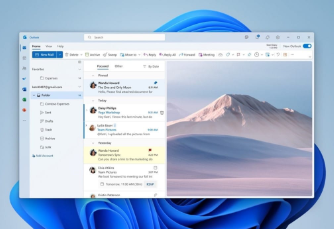
You get the premium versions of Word, Powerpoint, Excel, OneDrive, OneNote, Outlook, Publisher and Access which can be installed on all devices.

Email and calendaring
You receive business class email and calendaring software to define and coordinate your business.

Data protection controls
Admins can revoke access on devices incase an organisation device is stolen or lost as well as erase all data on the device.

File storage and sharing
An included 1TB of cloud storage means you can access your data anywhere and on any device.

Cyber-threat protection
Guard yourself against unsafe attachments, suspicious links and malware.

Administration and deployment
Admins can manage new PCs, users and devices faster than ever,

Dependability and support
Includes 99.9% financially backed up-time guarantee and 24/7 online and phone support.

What is the difference between Office 365 Nonprofit UK and Microsoft 365?

Microsoft Office 365 Nonprofit UK has slightly more features than its predecessor mainly including better device management and security features.

Office 365 and Microsoft 365 feature comparison

Is my Nonprofit eligible?

To be eligible you need to be a registered UK charity to be enrolled onto any nonprofit programs. The exact words from Microsoft are as follows;

“UK organisations must be nonprofit or non- governmental organisations with recognised charitable status in their respective location: England and Wales, registered with the UK Charity Commission and/or registered with HM Revenue & Customs (HMRC) as tax exempt; Scotland, registered with the Office of the Scottish Charity Regulator (OSCR) and/or registered with HM Revenue & Customs as tax exempt; or Northern Ireland, registered with the Charity Commission for Northern Ireland (CCNI) and/or registered with HM Revenue & Customs as tax exempt.” 

Check if you are eligible here

How do I register?

The process is very simple, you can visit the official Microsoft page where they explain the details here. You’ll be put into a queue where you await your validation. If you ticked all the boxes then you’ll receive an email with a link to your Microsoft Nonprofit Portal where you can begin assigning users and see any Nonprofit offers.

You can learn more about Nonprofit donations and discounts by visiting Microsoft’s FAQ page

Other plans

Microsoft offer free and discounted alternatives to non-profit organisations. To find out more then register your charity at Charity Digital Exchange.

There are currently three free plans and two discounted plans which meet the needs of various sized charities.

Free offerings;

  • Office 365 Nonprofit E1 (unlimited users)
  • Office 365 Nonprofit Business Essentials (300 maximum users)
  • Microsoft 365 Business (10 free users)

Discounted offerings;

  • Office 365 Nonprofit Business Premium (300 maximum users; includes the latest version of Office Desktop on 5 devices)
  • Office 365 Nonprofit E3 (unlimited users; includes the latest version of Office Desktop on 5 devices)

Summary

If you are a nonprofit charity based in the UK then choosing one of the options above is probably the smartest thing todo. Microsoft have shown their intentions to support charities in whatever way they can allowing charities to direct spending to better their cause.

There has never been a better moment for Office 365 Nonprofit UK organisations to take advantage of free and reduced services.

Call today to chat with one of our team members if your organisation would like more information and is interested in Microsoft’s nonprofit offerings. We’re always happy to assist!

We support all sorts of charities and offer all our services under our charity discount scheme! View more on how we support charities by visiting our charity support page.

Get in touch

How does a Managed Service Provider work?

The way that MSPs operate differentiate between each other because every business has their own work ethics and approaches to tasks. There are however some behaviours that MSPs should posses that you should lookout for.

Within this article we’ll cover some of the best practices that MSPs use and how your business can grow a trusting partnership with them.

How does an MSP work?

A Managed Service Provider is essentially hired to support and upkeep your businesses IT system. The MSP’s responsibilities will be defined by the circumstances and the service level agreement.

Some companies choose to have an MSP fully manage their business systems and thus take full responsibility for any maintenance, upkeep and monitoring. They are always on hand for troubleshooting issues and to make visits to the businesses property if required.

Other businesses might prefer a co-managed partnership, this is when an MSP works alongside an existing internal IT department. In this case the MSP might be responsible for a certain part of the IT systems such as monitoring devices and maintenance. This lets the internal team focus on more important projects to support the businesses overall needs.

There are lots of other services levels and agreements that can be made between MSPs and businesses. MSPs can go from remote-only support where the MSP will stay at their own headquarters without traveling to the

business location. Some MSPs might just be used for packages that they come with such as cyber security, cloud services and telecommunications.

Whatever the level of service is agreed the MSP needs to be available and reachable at the click or a button or on the end of a phone whenever they’re needed.

What makes a partnership successful?

For many small and medium-sized businesses outsourcing is the cheapest form of having an IT team. However, the success of using a MSP is only available if that MSP can deliver what you need them todo and that their presence makes a difference within the workplace.

Firstly you as a business need to be happy with their performance and the service that you are receiving. Are they always available and reachable? Do they fix issues within a timely manner? Do they keep you in the loop with progress and alerts? Do you trust what they tell you?

If you can confidently say yes to all these questions then you are in a good place. Unfortunately for some it might not be that simple.

Managed Service Providers best practices

When it comes to managed services there are certain practices that great MSPs follow to ensure their clients are receiving the best care.Here are some of the best qualities that a good MSP will possess and bring to the table;

  • Proactivity – You want an MSP that can react to support requests as fast as possible. But a good MSP will be working in the background trying the minimise the risk of these requests by improving systems, shortening downtime and reducing callouts.
  • Knowledgeable – IT is a very fast paced and constantly evolving industry, this makes it very difficult for people to keep up with it all. MSPs should be able to offer an array of experience in different sectors of IT by employing those with different expertise. This gives you the highest quality of advice and information when you need it.
  • Reliability – If you are constantly having the same issues on your system then perhaps your MSP isn’t that reliable. A trusted partner will be reliable enough to solve a problem and identify a permanent fix.
  • Availability – Whats the good of paying for a service that isn’t there when you need them? A trusted MSP will have extended support hours, often beyond regular business hours.
  • Flexibility – For a partnership to flourish then there needs to be an understanding on both sides. Both sides need to have an understanding with each other. The MSP also needs to adapt to your needs no matter the time.
  • Up-to-date – An IT support partner needs to be the forefront of the industry and essentially practise what they preach. This means using up-to-date technology, software, hardware and methods to make sure your IT systems are performing as well as they can.
  • An extension of your business – MSP partnerships that feel like they only go one way and purely transactional don’t last. A trusted provider should be invested in your business and want to see it grow giving recommendations to help your company’s growth. Ultimately if your business grows then so will theirs.

There are many ways that a MSP can help your business but the key thing is to ensure that your chosen provider can deliver on what they say they can and more importantly, what you need them to. If an MSP believes they can’t live up to your specifications then they shouldn’t be taking the job.

If you’re reading through this and think your MSP is no longer up to scratch then perhaps it’s time for a change.

Still keen to learn more?

A managed IT service can give many benefits to your organisation, as discussed in this article, but only if the supplier follows best practises and matches your needs. Choosing the correct partner can be the difference between a fruitful or challenging partnership, whether it’s through flexibility and scalability, being proactive and available when you need them, or simply creating a trusting relationship.

You should also discuss your requirements so you receive the appropriate level of service. Here at Arun Tech Support we go into depth of a clients needs and goals so we can provide the best possible service possible with a package that is both affordable and delivers the right results.

If you want to change service provider we will be happy to talk to you on how we can improve your business and take it to the next level feel free to contact us however you want.

Get in touch

Top 4 Threats To Network Security

Whether your business is transitioning back to an office atmosphere or your workforce will continue to work remotely, you are more vulnerable to network security attacks than ever before. Threat actors (those who represent a security risk to your network) are after the data on your network and are working hard to obtain it. Here are the top four network security concerns to assist you comprehend the issue.

Ransomware

Ransomware is a serious threat to your business, especially because it is so difficult to detect. 

Gone are the days when you had a virus and it just showed up and said hello. Ransomware infiltrates your system, embeds itself in everything, and then attacks! 

It can take weeks or even months for a breach to be discovered. The time it takes to identify something is increasing. 

In 2016, Fireye reported a global average of 146 days. According to IBM calculations, it is already 228 days, according to a Varonis report from 2021. 

A data breach’s cost is calculated in terms of time, money, and reputational damage. You must have the assurance that you are safe.

Social engineering

Why should threat actors put forth the effort to get past your endpoint and network protection when they can use your employees to do so? This fundamental concept is what makes social engineering such a danger to network security. 

“Psychological manipulation to fool users into making security blunders or giving out sensitive information,” according to the best definition we’ve seen. 

Phishing assaults (emails posing as a senior member of staff in order to obtain information or money) are the most popular tool in the social engineering toolkit. 

Another example is hacked websites. Cyber hackers are always trying to break into trusted websites in order to steal information or gain access to your network.

In the real world, a developing method of attack is being used. Malware-infected USB sticks are put outside of targets in the hopes that they would be picked up. 

People are intrigued when they are referred to as “staff bonuses” or “salary raises.” When they plug them into their laptops, the malware is released, and the problems begin. 

This is a staff education challenge for you, and our blog has a number of items that can help.

Crypto-mining

You can obtain crypto-currencies in one of two ways: by purchasing them or by mining for them. Crypto-mining necessitates a significant amount of computer power. 

Breaching your network and using your devices’ computing power is a growing issue. 

According to Cisco statistics, 69 percent of businesses have faced some kind of harm as a result of this. As the value of crypto-currencies rises, so does the degree of activity. 

Bitcoin was trading at £45,000 per coin at the time of writing, a new high.

Although this threat appears to be minor at first, it frequently serves as a stepping stone to more serious cybercrime. They can do a lot more than just use your processing power once they’re in. 

You may have been hacked by a cyberminer if your AWS computing charges have increased or your bandwidth is always blocked.

DDoS attacks

Although Systems IT does not provide website hosting, this is an increasing issue, which is why we’re talking about it now. 

DDoS (distributed denial of service) attacks grew by 55% in the 15 months leading up to March 2021, with NSFOCUS reporting that they had detected over 152,000 attacks by December 2020. 

The majority of DDoS attacks appear to be motivated by people disagreeing with your policies/beliefs or by you offending someone – whether intentionally or unintentionally. In the first half of 2021, the biotech and pharmaceutical industries were the most targeted. 

A network security breach has three costs, as previously stated:

  1. Time: a significant amount of time is lost, both in attempting to repair the damage and simply in downtime as your staff is unable to function. 
  2. Money: Whether you pay a ransom to get your data back or merely calculate the cost of lost revenue, it can soon add up. 
  3. Reputation: there are three considerations to consider here:
    1. Do you wish to inform your clients that your company has been hacked? What will they think of you, and will they decide to work with you again? 
    2. If your Personally Identifiable Information (PII) data has been accessed, you must notify everyone who may be affected, according to ICO regulations. The combination of a reputational risk and an increase in “ambulance-chasing” legal action can be devastating to your company. 
    3. What will your colleagues think of you if you refuse to increase the security around your network? Of course, enhancing security has a cost, but isn’t it far less than the costs we’ve discussed?

Survival

In the end, it could be the difference between your company growing and surviving. 

Within six months, 50% of organisations that have had a data breach have shut down. 

Even if they do survive, the impact of all of the above on the bottom line will be felt for a long time. 

These risks frequently go undiscovered for weeks or months, as stated earlier in the essay. 

Over time, the amount of damage is steadily increasing. 

The sooner you identify a breach and begin responding, the less damage is done.

The purpose of this article was to inform you about the threats that your network and business face. 

The next one will focus on how you can defend yourself. Simply subscribe here if you don’t want to miss that article. 

If none of the expenses listed above appeal to you, let’s discuss how ATS can assist you in protecting your network. Call us on 01903 357002 or send us an email. With cyber crime kill chains on the rise, it has never been more important to ensure you are protected than now. Check out out cyber security services here

Get in touch

FTTP coming to Arundel

In May 2021, Openreach announced that it would speed up the supply of full fibre to an additional five million UK homes. The goal is to connect 25 million homes by 2026.

This is yet another sign that, in the coming decade, complete fibre will supplant copper as the de facto connecting technology.

However, FTTP will be available to Arundel residents and companies this year, far sooner than projected.

In fact, you may have noticed Openreach engineers working in Arundel in recent weeks getting everything ready to go.

For ATS Connection customers, this is fantastic news. We’ve always been on the cutting edge when it comes to the connection technology we provide, and as the only independent broadband supplier in Arundel, we can’t wait to get you connected to FTTP.

Want to keep up to date with FTTP? Drop us a message and we will keep you updated for when you can receive FTTP

So what exactly is FTTP?

FTTP (fibre to the premises) is a full fibre connection that uses a fibre optic cable to transfer broadband signals from the home to the local exchange.

Full fibre is substantially faster than ADSL (all copper) or Fibre to the Cabinet (FTTC – which still uses a copper connection from the street cabinet to the home), and it will eventually replace telephone wires for transmitting voice conversations over the internet.

Full fibre, also known as FTTP (fibre to the premises), is being carried out across the country to give super-fast internet, and Openreach has announced that FTTP will be coming to Arundel.

FTTP will set the groundwork for us to be more productive at home, connect all of our smart home devices, get the most out of streaming services like Netflix, improve our gaming experience, or just connect even the largest of homes smoothly and consistently.

The speed and dependability of the connection have been a key issue in Arundel for broadband, but with FTTP, the game has changed.

Finally, it provides significantly faster and more stable connectivity.

Faster broadband

ADSL, FTTC, and FTTP are the three types of broadband available. Standard copper wires are used for two of the connections. One provides a much more current connection that extends all the way to your home.

ADSL

(sometimes called ‘fast’ or ‘copper’ broadband) follows the same path as your phone line.

Copper runs from the local exchange to the closest street cabinet, as well as from the cabinet to your residence. As a result, your data is transported to and from the exchange using copper wire. And there are certain disadvantages to this.

To begin with, data transmissions across copper cable deteriorate quickly, which means you lose a lot of speed in the physical world. That’s why ADSL broadband’s normal download speed is around 10Mbps (that’s megabits per second; in case you’re wondering, there are eight megabits in a megabyte, so don’t get the two confused).

FTTC

The exchange connects to your local street cabinet through fibre optic cable. That fibre optic cable is far more dependable and resistant to signal loss than copper (which means it won’t slow down your connection nearly as much).

The final leg of a FTTC connection, from the cabinet to your home, still uses copper lines, making the ‘last mile,’ as it’s known, prone to the same problems as an ADSL connection.

Despite the fact that much less copper line is used overall, you may expect significantly faster download speeds of up to 66Mbps on average. While this is enough for many households, it pales in comparison to a full fibre connection.

FTTP

FTTP (also known as “fibre to the premises,” “ultrafast,” or “full fibre broadband”) accomplishes exactly what it claims. It completely replaces copper wiring with a fibre optic connection that runs the length of your house.

You now have the quickest, most trustworthy technology throughout the ‘last mile,’ resulting in dramatically decreased signal loss and average download rates of up to 900Mbps!

Another advantage of full fibre is that it eliminates the requirement for a traditional phone line. You won’t have to pay for a line if you don’t need a house phone because that copper connection is entirely unnecessary.

It’s all about modern networking in this case. A full fibre connection uses a fibre optic cable to carry broadband signals from the home to the nearest exchange.

Full fibre is substantially faster than Fibre to the Cabinet (FTTC), which still uses a copper connection from the street cabinet to the home, or ADSL (all copper), and will eventually replace telephone wires for delivering voice conversations over the internet.

Currently FTTP is not available in every location/property and this is where SoGEA comes into play. Learn more about SoGEA here.

Summary

As full fibre reaches more homes and businesses in Arundel this year, ATS Connection customers will have access to faster and more dependable broadband.

We are excited to bring this connection to those who live and work in Arundel and the surrounding areas as the sole independent broadband supplier in the area.

We’ve promised to employ FTTP to connect a huge number of homes in hard-to-reach and rural locations once it’s deployed.

Did you know

ISDN will be terminated in 2025, which means that connections that rely on a phone plug will be obsolete. So make sure you’re prepared and get in touch with us today to learn how we can boost your broadband speed and reliability.

Get in touch

How can VoIP help grow your hotel?

Although VoIP systems have been rising in popularity for decades, many company and hotel owners have yet to adopt this new technology. Regrettably, the longer hoteliers wait, the further behind they will fall.

Consumers are accustomed to fast-paced technology; they do everything online or on their smartphones, and they demand the same level of service and innovation from the businesses they visit, including hotels. You can accelerate your business and attract new guests better than ever before if you can fulfil your clients’ growing needs. Here’s how VoIP can assist you.

Lower costs

Because VoIP phone systems share the same internet infrastructure as your regular internet service, you won’t have to pay two separate utility bills. Furthermore, because VoIP phones do not require the same hardware as traditional telephone lines, you can add or remove lines you aren’t using on the fly using your VoIP provider’s software interface. You don’t even need a physical handset; instead, you can create a new phone number and have it ring your manager’s mobile, so the additional cost is none.

VoIP also provides flexibility, which can help you save money. Long-distance calls are substantially cheaper than analogue calls to other countries since they are routed through the internet rather than the PSTN (which is slowly being switched off), which is a critical feature for many hotels with international guests. Paper faxing can be almost eliminated because VoIP systems can be effortlessly connected with your computer system.

receptionist on VoIP phone

Improved mobility

Face-to-face interaction with visitors is one of the most crucial components of hotel management, but your staff can’t provide the finest service if they’re chained to a desk. With a VoIP system, you may install software on a smartphone or tablet that connects to a Bluetooth headset, allowing your employees to wander freely and speak with customers without ever leaving their phones.

Even better, a phone call does not have to interrupt a conversation with a guest. With seamless forwarding, the employee who answers the phone may simply transfer the call to a less-busy employee, ensuring that your guests receive the attention they deserve.

Managers will benefit from the enhanced mobility as well. You may respond to issues that require your personal attention while keeping an eye on the hotel’s inner workings without missing a call because you can wander around freely. Best of all, no one needs to remember the manager’s mobile number; simply create a “manager” number in your VoIP system and arrange it to automatically forward based on who is working at the moment.

Advanced features

Because hotels generally operate on thin profit margins, anything you can do to increase efficiency is helpful. The advanced features of a VoIP phone system might be extremely beneficial in this regard.

Not only can you connect your phones to your computer system, enabling features like online check-in, automated wake-up calls, and personalised voicemail in each room. The more features like this you can add, the better your visitor experience will be and the more you’ll be able to expand.

receptionist on VoIP phone

“Using a VoIP phone system has been one of the best decisions I have made for my hotel”

Better productivity

Many tasks in a hotel’s day-to-day operations are repetitive and tedious to your employees, such as organising wake-up calls, printing room keys, and answering basic enquiries regarding restaurant hours. Many of these processes may be performed considerably more efficiently with a modern VoIP system and digital PBX.

This will allow your team to focus on the far more valuable work of providing good guest experiences. The cornerstone of any hotel stay is in-person engagement, but your workers won’t have time to talk to guests if they’re also working at a desk. Your staff will be more productive and satisfied with their work if they can wander around the hotel helping visitors in person, and your hotel will profit.

The benefits of VoIP

What is VoIP?

VoIP stands for Voice over Internet Protocol and is nearly identical in operation to a traditional PBX, but rather than using onsite hardware, calls are routed via the internet. It’s ideal for supporting your remote or hybrid workforce, where staff can take calls as if they were sat at their desk in the office. All without costly call forwarding to mobile phones.

Technology has come a long way in the last few years but the needs of businesses have come a long way too. Needing to stay connected to colleagues and consumers at all times wherever you may be in the world, the ability to offer a respectful customer service and to build your businesses up are all ways in which the demands of a business has increased.

How does VoIP work?

To put it simply, instead of having phone lines and wires VoIP replaces them with an internet connection. Converting your voice into data when you speak and converting back to voice on the receiving end, crystal clear with no delay.

Okay, so we know how it works, but how well does it work? VoIP has a 99% uptime and if the small chance of some downtime, your mobile phone app will still allow you to make and receive calls. To top this off, VoIP problems can be fixed remotely within a matter of minutes meaning no expensive call out charges for an engineer to attend the site, getting you back running as usual in no time.

Ultimately the choice between VoIP or onsite will come down to your business needs, but in almost every case, hosted VoIP will be a good fit. Here’s why:

Lower cost per call

VoIP is best known for how cheap it is to make a call. Those low costs are due to the fact that VoIP uses your existing internet connection. This goes for international calls as well as domestic. The only new charge you have to think about is the monthly price of the hosted VoIP service you use, your team members are free to make as many calls as they want to, to each other. Compare this to traditional landlines that require hardware like wires, installation and expensive phone bills!

Yealink T54W

Work from anywhere

With hybrid working expected to become the new normal for working practices once ‘stay at home’ advice is relaxed, businesses need staff to be able to communicate wherever they are located.

A phone solution like VoIP will likely come with an app that allows you to make calls on your mobile phone, laptop, and even tablet. This means you can work from anywhere with an internet connection. That way, even if you cannot see colleagues and clients in person, your team can operate at full capacity and productivity levels, even if you’re not physically together. And in many cases team members will be able to keep a single number, regardless of travel or moving from one workspace to another, easy!

Scale it up as you grow

The number of people in your business can go up or down, but scaling up or down accordingly isn’t that easy with a regular telephone system. You have to purchase a handset or a dedicated physical line, which gets expensive. This often results in the need to use clumsy workarounds, like sharing phone sets between users.

With VoIP, scalability is not only easily available, but is also good for keeping your costs low. All you have to do is ask your service provider to add more lines when your team is increasing or remove a line when someone moves on. At any given point of time, you’ll only be paying for what you are currently using.

In other words, VoIP systems can grow comfortably alongside your business, no matter what your size.

Man using a VoIP phone

“VoIP has transformed the way we can stay connected with out clients, anywhere at anytime.”

Packed with features

Calling is more fun with VoIP phone systems, because these phone systems are often accompanied by a variety of attractive features. Call waiting, call transferring, voice recognition, call forwarding, voicemail, caller ID, call blocking, automatic call distribution, etc. are just some of the many features that you may get to choose from, in your hosted VoIP service.

VoIP systems are feature-rich solutions that enable employees to operate as if they were in the office, even when they’re not. You can send voicemails to instant messaging or emails if the intended recipient isn’t available at the moment. It’s easy for organisations to centralise VoIP communication for better coordination. Other features include mobile integration, auto attendant, advanced call routing, conferencing, and call recording.

Integration with other softwares

Given the fact that VoIP is a technology based on the Internet, its integration with your normal business apps and software can be easily achieved.

You could combine VoIP with your email system, and be able to place calls through the email system itself or even with your CRM system, that way you can merge call records of a customer into the customer’s profile.

VoIP also works well with Microsoft Teams so that users can make and receive regular telephone calls either with their Teams app or with physical telephones.

You can schedule online meetings, chat to your co-workers and communicate easily between staff and customers. There are options to create a private or group chat whilst sharing files.

Increase productivity

The way VoIP works, the features it contains and the user friendliness of them allows for staff to become much more productive. Providing staff the ability to host virtual meetings, conduct international phone conferences at a small cost, attach important documents, share significant data through video conferencing and communicating with colleagues on a private chat software.

In recent years VoIP has really taken off quite significantly, especially in terms of voice clarity to the point that it can be clearer than your traditional phone line conversations. When VoIP first came to the market it was in need of some improvement: distorted calls, dropped calls and lagging transmissions to name a few. This is no longer the case and VoIP has now become one of the most popular ways of communication for businesses of all shapes and sizes.

Reliable and ready for ISDN switch off

In 2025, the UK’s ISDN network will be turned off. This means traditional telephone lines are being switched off, and more businesses will need to move to VoIP, so now is the time to set up your business with a digital phone line.

For a more in-depth overview about the 2025 switch off, what it means for your business, and whether to make the switch earlier with a possible cost saving, read our ISDN switch off page.

To find out more about how VoIP can transform your business, speak to one of our experts, contact us here.

ISDN Switch Off 2025

ISDN Switch Off 2025

The ISDN switch-off is something that is gaining momentum in the telecommunications industry. Everyone’s been talking about it for a while, but now companies across all sectors are starting to get themselves prepared and investigating what changes they will need to make, and how they can get ready with minimal impact to their business.

The Openreach ISDN switch off announcement in 2015 made it clear that they would stop taking new ISDN orders in 2020, with a view to switching-off and deactivating its ISDN network completely in 2025. This means that all copper services currently used for voice will stop working from this point – ISDN, PSTN and Multi-line. The copper will remain but just for data services like FTTC, which is fibre from the green cabinet and copper to your premises.

What is ISDN?

ISDN stands for integrated service digital network. ISDN is a digital line that runs through copper wiring. It was a lot faster than traditional analogue lines and could be used for data as well as carrying voice calls. The main issue with ISDN is that it relies on physical infrastructure, the copper lines, which can be costly to maintain.

What is the ISDN Switch off?

The telephone network in the UK has been in use since 1876 and has become old, tired and increasingly costly to maintain or to fix when things break. It is being replaced with modern technology fit for the digital world we now live in. ISDN phase-out will be completed by December 2025, following this there will no longer be the traditional copper lines in working use for voice.

What do I need to do if I have an ISDN line?

If you currently have an ISDN line, you will have to upgrade your telephony by December 2025. With modern technology, telephone services no longer have to rely on the ageing copper infrastructure. Services can now be provided using Voice over Internet Protocol (VoIP). However, for your new VoIP system to work effectively, you’ll need a quality internet connection so that your solution can run seamlessly, our connectivity solutions can provide you with increased speed and intelligence.

Although you don’t currently have to do anything, be aware that when your contract is up for renewal you may want or have to switch to a hosted telephony system. If you are looking into future-proofing your business now, you will need to ensure you have a business-grade broadband solution. We can help you to assess your hosted options and ensure you are getting the most of your services. 40% of the UK market has already recognised that switching to a VoIP solution provides a number of key benefits, so its more than likely that the change will bring a number of commercial, technical and collaborative working improvements.

What happens in 2023?

September 2023 will see Openreach issue a full ‘Stop Sell’ of new supply and there will be no new lone installation for ISDN.

What happens in 2025?

It will be imperative that you switch to alternative solutions by this date, in order to avoid ultimately being left without a service. Your provider should be aiming to migrate all services and offer alternative solutions. At ATS Connection, we will be helping our customers to find the best solution to suit their individual situations by assessing their business requirements and using our independent status to offer a bespoke solution.

Our useful blog on ISDN to SIP also offers some useful insight into the issue if you would like more information.

One in five homes can get full fibre broadband

More than one in five UK homes can now access faster, full-fibre broadband, according to new figures published by Ofcom.

Ofcom’s latest Connected Nations data highlights broadband and mobile coverage across the UK and its nations.

As of January this year, around six million UK homes (21%) could get full-fibre broadband – up from 18% in September last year. Broadband delivered over full-fibre networks is faster and more reliable than the decades-old copper connections that most people still use.

There has also been a significant increase in the availability of gigabit-capable connections. This includes broadband delivered over full fibre networks and the fastest cable technology. 11 million homes (37%) can now get gigabit-capable services – up from around 8 million (27%) last September.

Availability of superfast broadband remains at 96% and mobile coverage has remained stable. Mobile coverage is set to increase across the UK as companies continue to roll out a Shared Rural Network.

Source: www.ofcom.org.uk